25
C
C
o
o
n
n
n
n
e
e
c
c
t
t
i
i
o
o
n
n
t
t
o
o
t
t
h
h
e
e
H
H
o
o
s
s
t
t
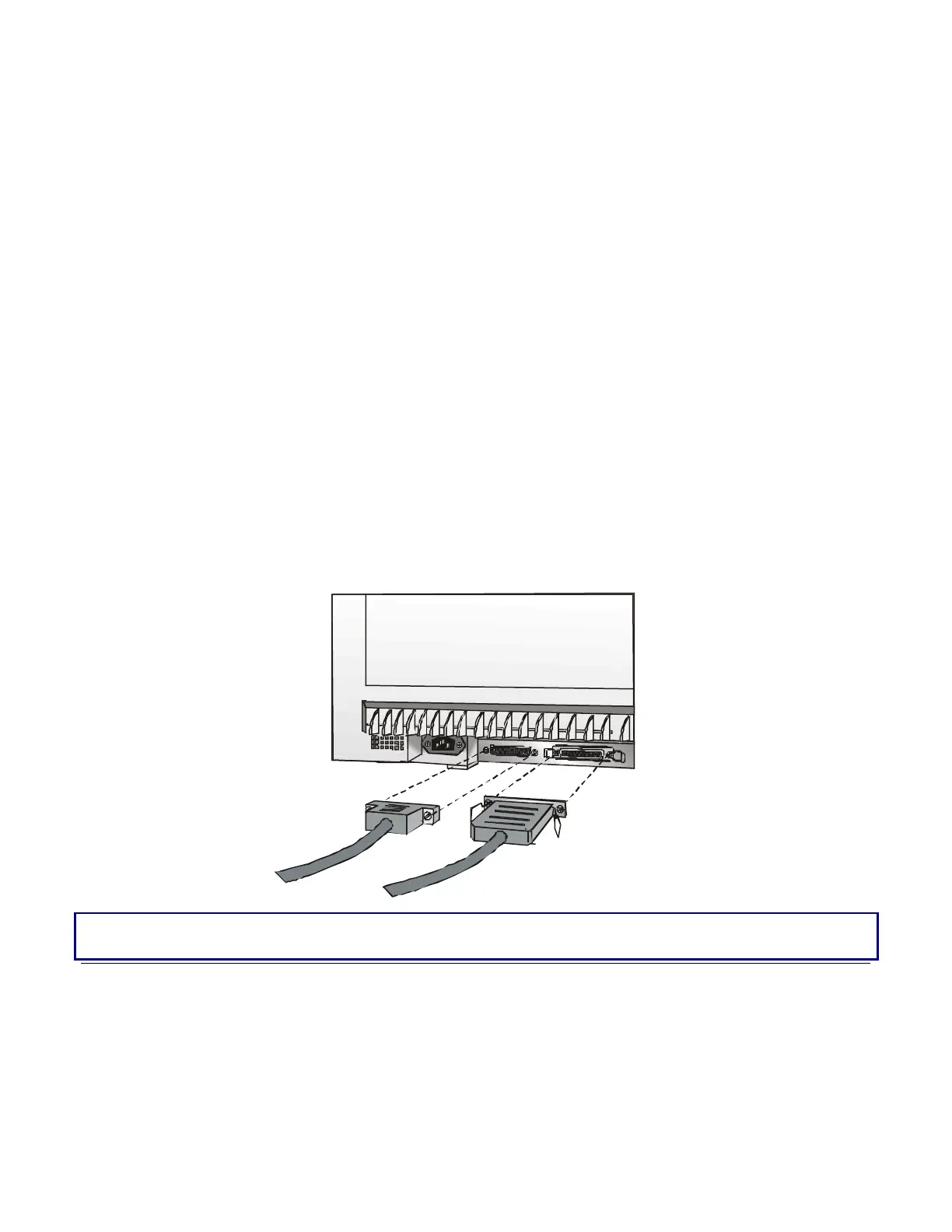
This printer can be connected to the host by means of a parallel standard Centronics or
bidirectional IEEE 1284 type interface or by means of the serial RS232C interface.
Proceed as follows:
1. Make sure that both the host and the printer are turned off.
2.
With the help of the following figure identify the connector for the interface you want to connect
and insert the cable firmly into it.
3.
Fix the parallel interface cable by means of the corresponding hooks or the serial cable
tightening the screws on either side of the connector.
PARALLEL
(Line 1)
SERIAL
(Line 2)
Make sure, that the interface cables do not hamper the fanfold paper while it is loaded into the
printer.



 To Next Page