Home
Output Technology
Printer
PS40T
Page 57
Output Technology PS40T - Page 57
67 pages
Manual
Save Page as PDF
To Next Page
To Next Page
To Previous Page
To Previous Page
Loading...
53
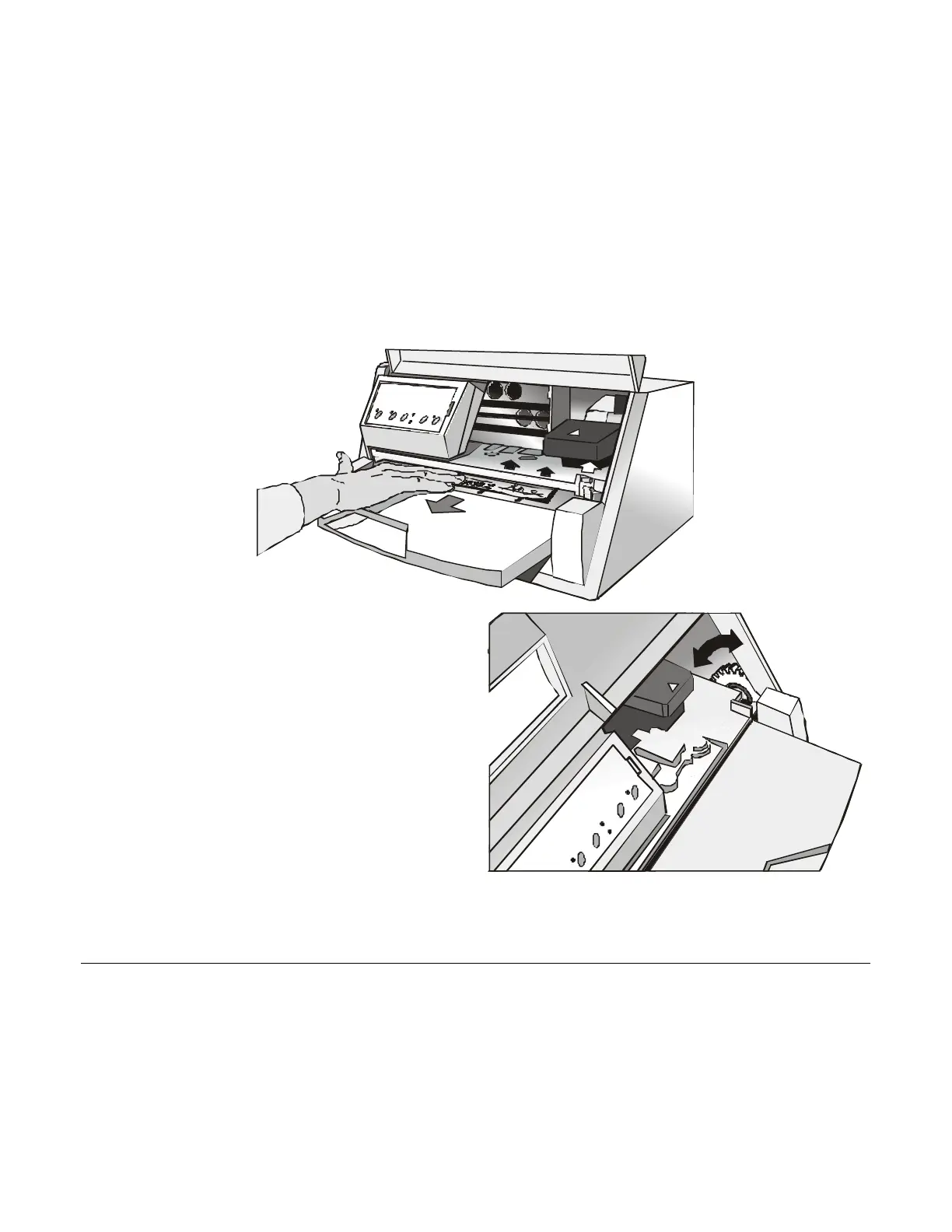
3.
Remove the jammed paper.
4.
If it is not possible to remove the jammed
paper because you cannot reach it with your
hand, or it is embedded so that you cannot
move it, rota
te the white cog
-
wheel beside the
paper path lever to free the paper.
56
58
Table of Contents
Main Page
Default Chapter
3
Table of Contents
3
Printer Presentation
5
Unpacking the Printer
7
Printer Parts
8
Front View
8
Rear View
9
Printer Installation
10
Choosing a Suitable Location
10
Installing the Paper Stand
11
Installing the Power Cable
14
Installing the Ribbon Cartridge
16
Paper Handling
18
Loading Paper
18
Loading Cut Sheet and Multiparts
18
Loading Fanfold Paper
21
The Operator Panel
24
Function Keys
24
Leds
27
Software Driver Selection
28
Connection to the Host
29
Setting the Interface Parameters
30
Parallel Interface
30
Serial Interface
30
Configuration Setup
32
Printing a Test Page
32
Program Setup
33
Printer Setup
35
Printing the Printer Setup Forms
35
ON LINE Key
36
Filling in the Printer Setup Forms
38
Reading the Preprinted Forms
38
Printer Setup Flow Chart
39
Setup Parameters
40
Interface Type
41
Skip Perforation
42
Form Length
44
Left Margin
44
Right Margin
45
Top Margin
45
Bottom Margin
46
Park Mode
49
Tear Mode
51
Align Mode
51
Gap Mode
51
Offset Adjustments
52
Troubleshooting
56
Clearing Paper Jams
56
Print Quality Problems
59
Cut Sheets
59
Hexadecimal Dump
60
Paper Specifications
61
Fanfold Paper
63
Technical Specifications
64
FCC Notes
67
Canadian D.O.C. Radio Interference Regulation
67
EEC Regulations
67



 To Next Page