EN
It serves to play recordings and pictures saved on TF card.
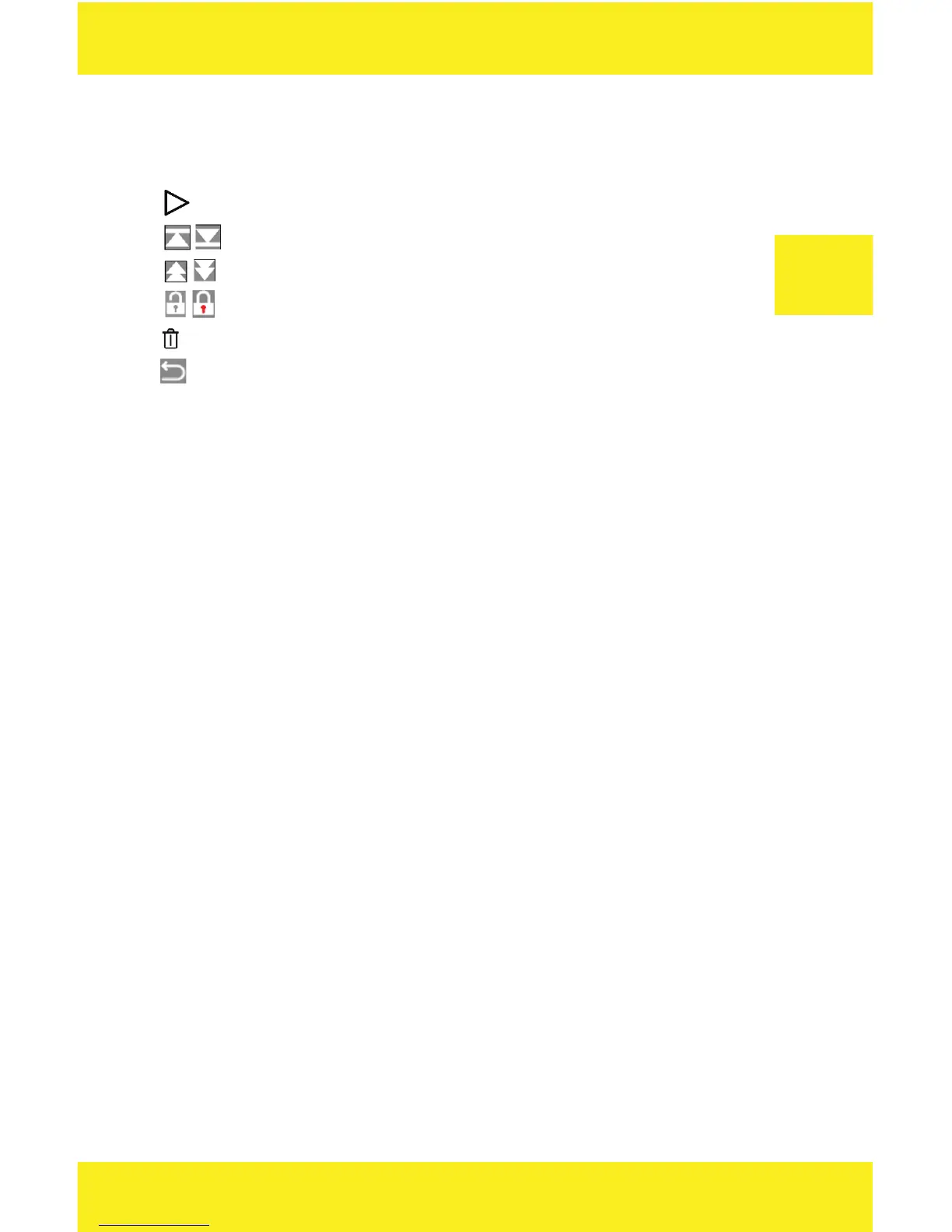
To navigate, use built-in keys or interface icons:
- plays/pauses the recording
- switches between recordings, adjusts volume when playing
- rewinds the recording
- blocks a specific file before deleting
- deletes a specific recording after confirmation
- returns to main menu
Settings
Use a touch panel to change settings.
NOTE: Do not change settings while driving, it may distract you and lead
to an accident.
1. Video settings
• Resolution – select resolution of the front camera between
1080FHD and 720p. The rear camera has a fixed resolution
of 480p.
• Loop recording – it lets you record in loop, that is when the card
is full, the oldest recordings are deleted and new recordings are
saved instead. The length of recordings is 1/2/3/5/ minutes.
If the feature is inactive, the camera records 5-minutes recordings
until the card is full.
• Exposure – it sets the camera exposure.
• Motion detection – when the feature is active, the camera starts
recording when it detects motion and finishes recording when
there is no motion.
• Recording sound – it starts or stops recording sound.
• Time stamp – it activates or deactivates time stamp in the re-
cording.


 To Next Page