EN
J – Controller battery status
Shows the controller battery status.
K – Signal strength indicator
The icon shows signal strength received by the controller from the drone.
L – Headless mode
Headless mode indicator.
How to adjust camera angle
The camera angle can be adjusted manually at the range of 90° (see: fig. 9). Grab the camera
with your hand and set the desired angle.
Photo / video
Short press the camera key to take a photo. The camera icon ( ) will go on for a while
on the display (fig. 10).
Keep the camera key pressed for at least 2 seconds to make the drone camera start recording
a video. The display will show a flashing icon. Keep the camera key pressed longer to finish
recording.
NOTE: when the camera does not have a memory card or memory card is damaged, you cannot
take photos or record videos through the remote control key. This being the case, such option
is available only through the smartphone applicatio.
Quick takeo/landing
1.
After starting motors, press (fig. 11) to make the drone take o and keep the
constant altitude of 1,5 meters above the ground automatically.
2. During the flight, press
, to make the drone land automatically. You can cancel this
command before the drone lands by moving the bar.
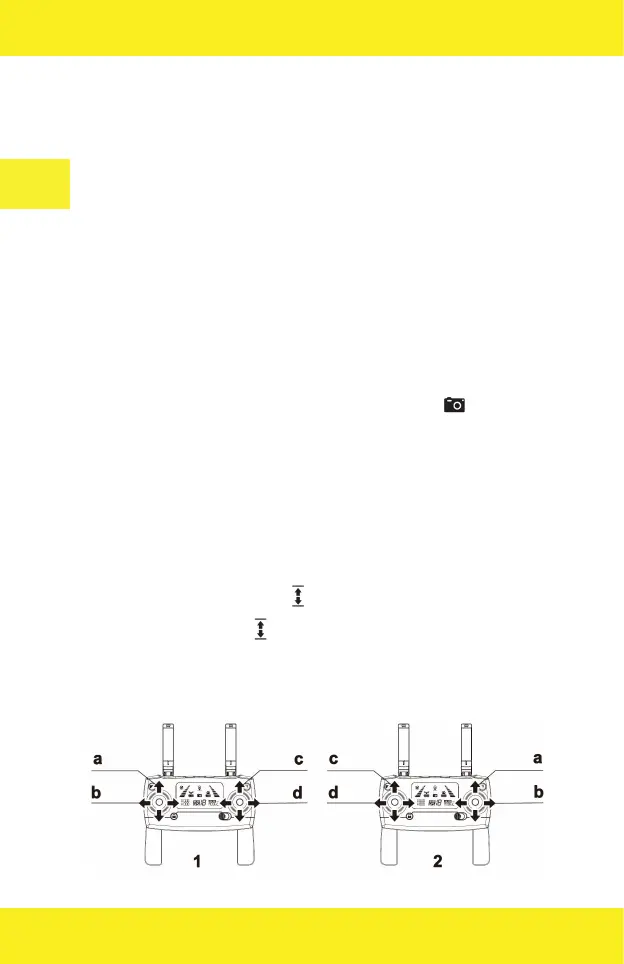
Control mode


 To Next Page