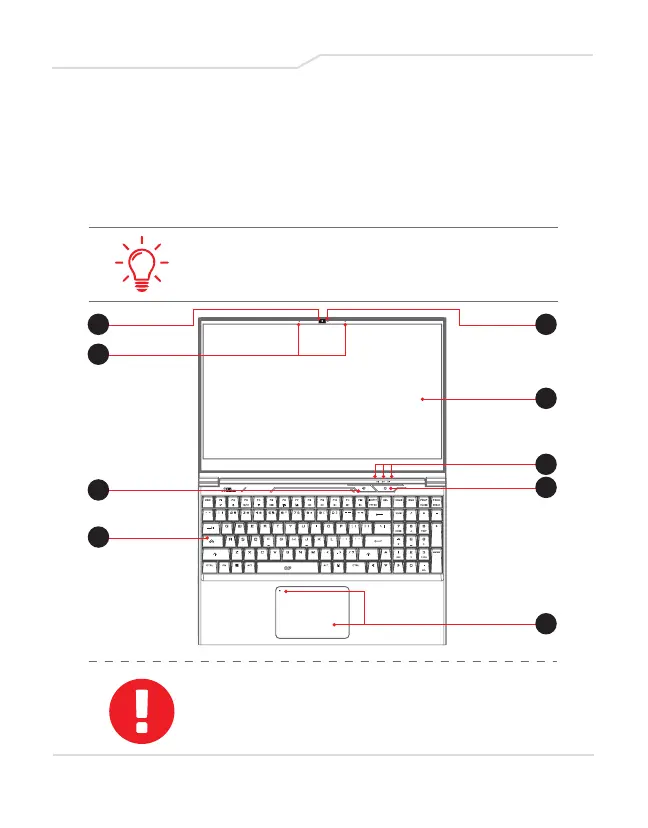
1
3
5
2
4
8
6
9
7
2.3 Product Overview
Please become familiar with each component before you
operate the computer.
Top-Open View
The product’s color/ LED color, I/O port,
indicator location, and specification will depend
upon the actual shipping product.
CAUTION:
When computer is not in use, keep LCD screen
closed for dust prevention.
16



 To Next Page