22
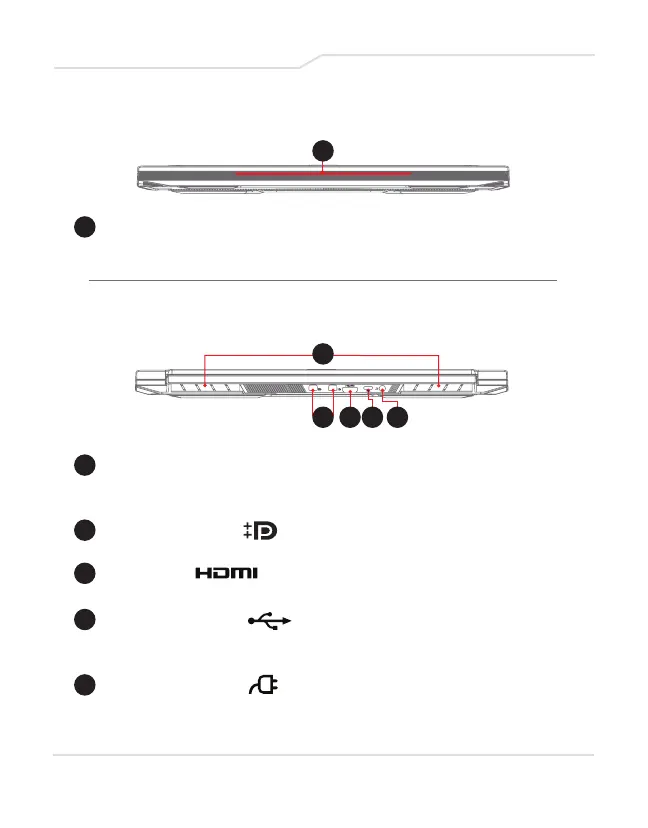
1 Vents
The thermal vents are designed to cool the internal
componentsand avoid overheating.
2 Mini DisplayPort
Connect to an external display, monitor, or home theater system.
3 HDMI Port
Supports high-definition digital video connections.
4 USB Port (USB-C)
Connects any USB device (such as USB Zip drive, keyboard
or mouse) into jack. Allows for charging.
5 Power Connector
Connects through AC adapter.
1 Light Bar
Light bar (choose color from APP).
Front Side View
Back Side View
1
1
2 3 4 5



 To Next Page