Need help?
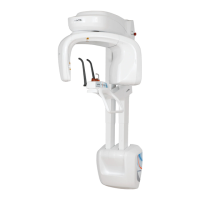
Do you have a question about the Owandy Radiology I-MAX 3D and is the answer not in the manual?
Explains the meaning of icons used in the user manual.
Details the device's medical application and suitable patient demographics.
Defines the required operator qualifications and suitable installation environments.
Covers essential safety rules, handling, and electrical precautions.
Provides safety guidelines for using the device's laser positioning system.
Outlines necessary precautions and safety distances for radiation exposure.
Details requirements and guidelines for electromagnetic interference.
Lists protective actions against cyber threats and software vulnerabilities.
Information on hazardous materials and proper end-of-life disposal.
Defines various safety and compliance symbols used in the manual.
Shows the location and type of identification and laser warning labels on the unit.
Provides core specifications like voltage, current, fuses, and filtration.
Details exposure durations, available modes, and image magnification factors.
Lists detailed characteristics of the X-ray tube head and its components.
Specifies minimum and recommended PC hardware and OS for optimal performance.
Covers software compatibility, communication protocols, and compliance standards.
Explains the reference plane used for CBCT imaging and its alignment.
Details the setup and steps for measuring Computed Tomography Dose Index.
Lists tools and schedule for regular equipment quality checks.
Step-by-step guide for performing and recording panoramic image quality tests.
Procedure for evaluating 3D image quality using specific software and phantom.
Instructions for switching the unit on/off and understanding LED status indicators.
Description of the I-MAX 3D control keyboard buttons and their functions.
Overview of the computer interface for configuring and controlling the unit.
Guides on selecting patient type, size, and exposure parameters for exams.
Details on basic panoramic and reduced dose exam types.
Covers specialized 2D exams like Ortho Rad, Bitewing, TMJ, and Sinus.
Description of common 3D imaging protocols for different anatomical areas.
Details on 3D exams for specific tooth regions and larger anatomical volumes.
Procedure for scanning dental impressions or models using the device.
Explains the function and application of the MAR filter for image enhancement.
Universal guidelines for positioning patients correctly for X-ray exams.
Detailed instructions for patient positioning for various 2D and 3D imaging protocols.
Describes common patient positioning errors and their visual effects on images.
Lists routine checks and tasks for the operator to perform for maintenance.
Explains how precise patient positioning impacts the quality of panoramic radiographs.
Visual guide to common patient positioning errors and their effects on panoramic images.
 General
| Brand | Owandy Radiology |
|---|---|
| Model | I-MAX 3D |
| Category | Dental equipment |
| Language | English |

 To Next Page