2.1 Device Setup
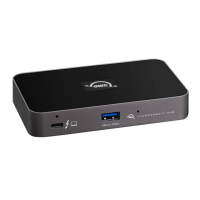
This section describes the process of connecting the OWC Thunderbolt TM 5 Hub.
Plug the power cable into the OWC Thunderbolt1.
TM
5 Hub DC IN power port located on the back and into a power outlet. The Power
Status LED will illuminate a solid white.
Connect the included Thunderbolt cable into the Thunderbolt Host Port located on the
front of the OWC Thunderbolt
2.
TM
5 Hub and into a system.
Connect other devices to the appropriate ports on the dock. All connected devices will
be available immediately for use on your system.
3.
Mac Users : To enable support for the Apple Super Drive, Apple USB Keyboard, and
charging for iPad 1/2/3 generation devices on the dock’s ‘high-power’ ports, please install
the Dock Ejector application for Mac This application includes a driver that enables
support for these devices and charging functions



 To Next Page