4.2 Online Resources
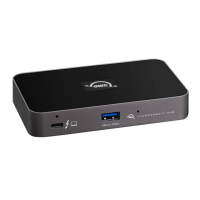
OWC Thunderbolt 5 Hub Product Page•
OWC Thunderbolt 5 Hub Support Guide Page•
Dock Ejector Download•
Dock Ejector Support Manual•
4.3 About Data Backup
To ensure that your files are protected and to prevent data loss, we strongly suggest
that you keep two copies of your data on either your internal drive or another
storage medium, such as an optical backup, or on another external storage unit. Any
data loss or corruption while using the OWC Thunderbolt TM 5 Hub is the sole
responsibility of the user, and under no circumstances may OWC, its parents,
partners, affiliates, officers, employees, or agents be held liable for loss of the use of
data including compensation of any kind or recovery of the data.
4.4 Contacting Support
Phone, Chat, and Email support is available by visiting (owc.com/support)•
4.5 About This Manual
The images and descriptions may vary slightly between this manual and the unit
shipped. Functions and features may change depending on the firmware version.
The latest product details and warranty information can be found on the product
web page. OWC’s Limited Warranty is not transferable and
General Use Precautions
To avoid damage, do not expose the device to temperatures outside the following
ranges:
•
Environmental (Operating)•



 To Next Page