26
3-5.PROGRAM MODE
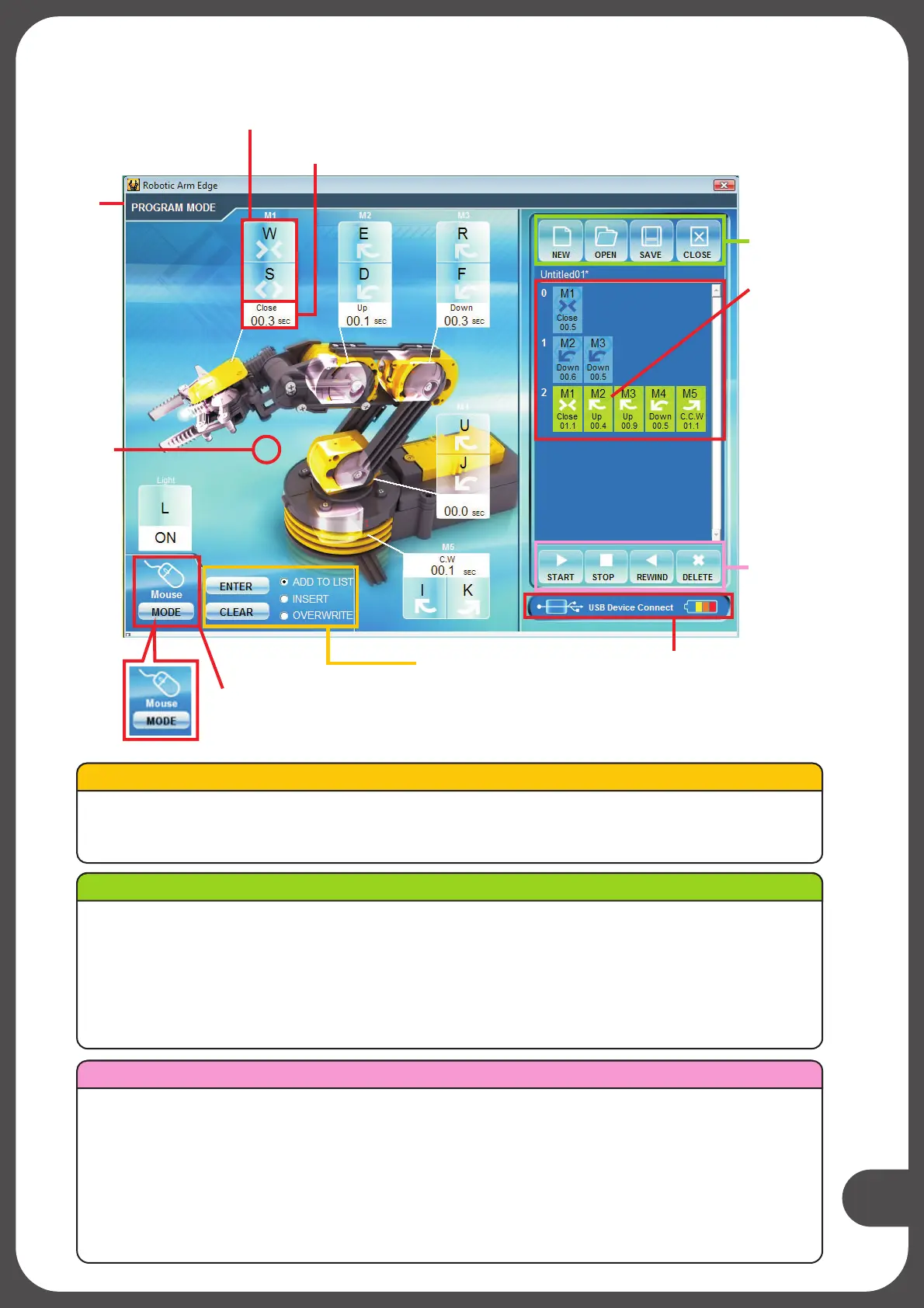
Label
Control button
Data display
Motion
area
Control mode for
Keyboard or Mouse
Write data area
File area
Data box
Program tools
Status
Program display
area
ENTER : Fix the total operation time in the program display area.
CLEAR : Thetimerisresetto“0”.
Write data area
File area
NEW :
OPEN
Create a new file.
:
SAVE :
CLOSE :
Open a saved file.
Save a created program.
The display goes back to Menu
START :
STOP
The program in the program display area is executed.
:
REWIND :
DELETE :
The program under execution is stopped.
Reversed for the time specified in the program display area and
Selected command in the program display area is deleted.
Program tools
Robotic Arm Edge goes back to the original position.


 To Next Page