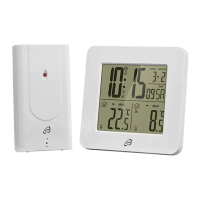
23 GB/CY
Insert two new 1.5 V batteries (
AA)
into the battery compartments.
Note: Make sure you fit the batteries the
right way round (polarity). This is shown in
the battery compartments (see Figs. B + D)
.
Close the battery compartments.
Troubleshooting
Note: This appliance has delicate electronic
components. This means that if it is placed near
an object that transmits radio signals, it could
cause interference.
If the display indicates a problem, move
such objects away from it or remove the
batteries for a short while and then re-
place them.
Obstacles such as concrete walls can also
cause that the reception is disturbed. In this
case, change the location (eg near a window).
Please take note that the external sensor should
always be set up within max. 30 meters (open
space) from the base station. The specified
range is the free-field range and means that
no obstacle should be between the remote
sensor and the base station. A “visual contact”
between remote sensor and base station often
improves the transmission.



 To Next Page
 Loading...