NOTE: If the sequence is recognized, the Wi-Fi light on the bottom of the Base Station will turn off.
NOTE: If you do not hear beeps, wait 5 seconds and try from step 1 again.
Factory Reset
A factory reset is a complete software reset of Dream Sock hardware to its original settings by erasing all information stored on the
device.
1. Disconnect the power cord from the Base Station.
2. Press and hold the Base Station button while inserting the power cord.
3. Hole the Base Station button until light glows orange and you hear 4 beeps (this can take up to 10 seconds).
4. Tap the Base Station button 4 times.
5. You will hear 4 beeps, Dream Sock is now reset.
CAUTION. A factory reset will completely reset the Base Station and Sensor. You will no longer be able to receive readings
or notifications until the device is set up again.
NOTE: A factory reset will not remove your data from the cloud server.
NOTE: If you do not hear beeps, wait 5 seconds and try from step 1 again.
10.3 Disposal
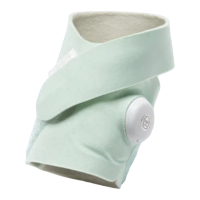
Before disposing of Dream Sock, turn off the Sensor (see Section 9.4 ) and Clear Personal Data (see Section 10.2) . Discard socks
and recycle packaging materials, as appropriate.
Dispose of parts with electronic components responsibly. Follow local disposal and recycling laws to protect the environment.


 To Next Page