EasyManua.ls Logo

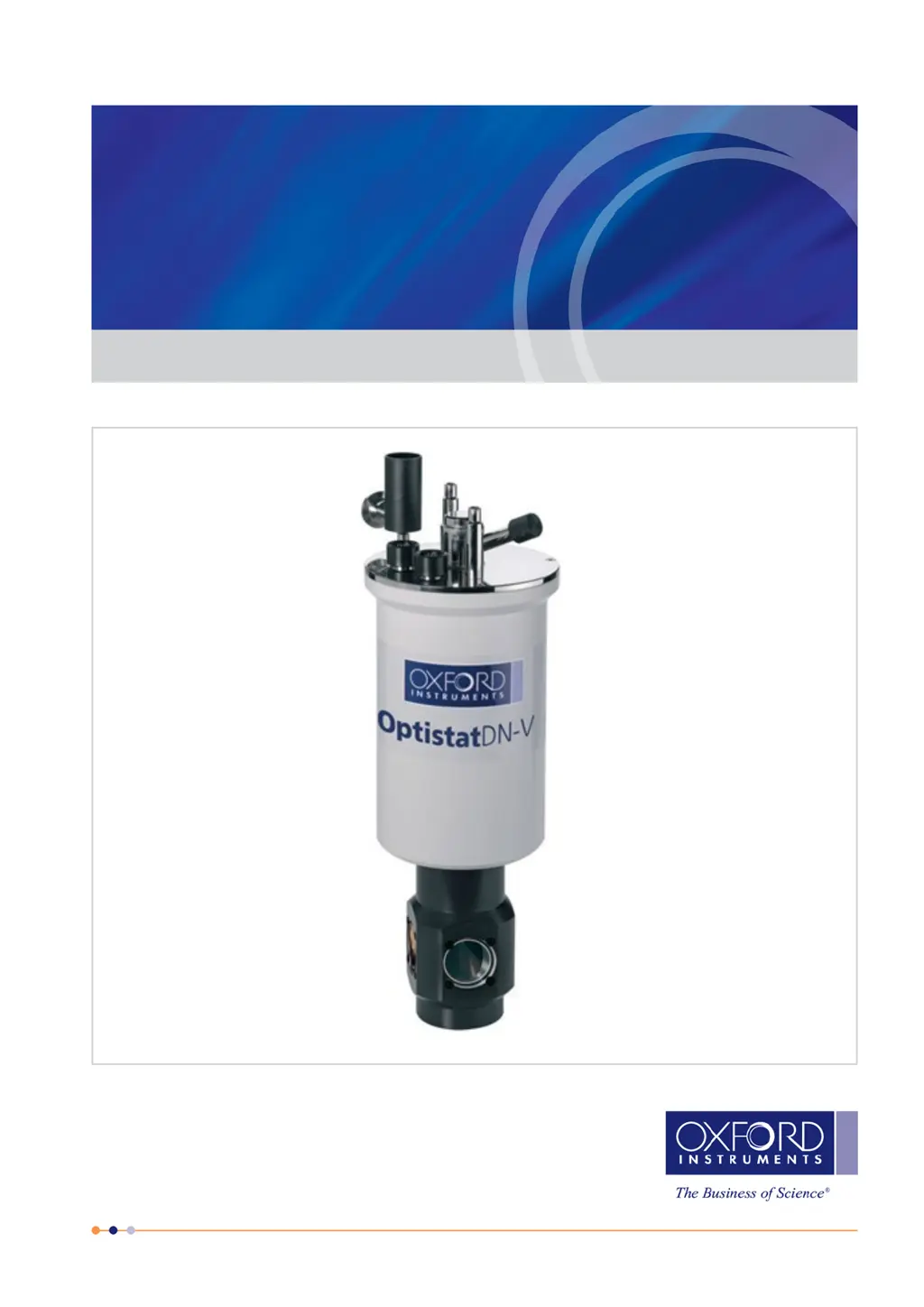
Oxford Instruments NanoScience Optistat DN-V - User Manual

Oxford Instruments NanoScience Optistat DN-V
34 pages
Print Icon
To Next Page IconTo Next Page
Loading...
© Oxford Instruments Nanotechnology Tools Limited, 2016. All rights reserved.
Oxford Instruments
NanoScience
Optistat DN-V
Operators Manual
System Manual / Issue 2.0 / December 2020
nanoscience.oxinst.com

Table of Contents

Questions and Answers

  • D
    Debra FuentesAug 11, 2025
    What to do if the Oxford Instruments Laboratory Equipment has a high base temperature?
    • M
      morganaaronAug 11, 2025
      If your Oxford Instruments Laboratory Equipment exhibits a high base temperature, there are several potential causes to investigate: * Ensure the heater is switched off. * Check the cryostat vacuum quality. * Inspect the sensor resistance at base temperature and compare it with the provided calibration data, accounting for wiring resistance. * Verify that excessive wiring hasn't increased the heat load on the sample holder. * Confirm gas flow from the exhaust valve and clear any blockages in the sample space capillary by warming it and blowing dry gas through it.
  • H
    harpernicholasAug 17, 2025
    Why is there condensation or frost on the OVC of my Oxford Instruments NanoScience Optistat DN-V?
    • D
      Deanna WalkerAug 17, 2025
      Condensation or frost on the OVC of your Oxford Instruments Laboratory Equipment typically indicates a poor cryostat vacuum. You should check the actions to resolve poor cryostat vacuum.
  • J
    James ParrishAug 22, 2025
    What to do if the Oxford Instruments NanoScience Optistat DN-V has poor cryostat OVC vacuum?
    • C
      Cynthia ReeseAug 22, 2025
      If your Oxford Instruments Laboratory Equipment is experiencing a poor cryostat OVC vacuum, the following steps can be taken: * Examine O-rings for contamination or damage. * Check windows and electrical connectors for proper sealing and damage. * Verify the pressure relief valve is sealing correctly. * Use a leak detector to pinpoint any leaks. Additionally, if water contamination is suspected, warm up the system thoroughly to eliminate condensed water from all internal surfaces. Then, use a rotary pump to pump the outer vacuum chamber with the gas ballast valve open.
  • K
    Kimberly FosterAug 29, 2025
    Why Oxford Instruments NanoScience Optistat DN-V Laboratory Equipment sample cannot be warmed up?
    • C
      Christopher LoweAug 29, 2025
      If the sample in your Oxford Instruments Laboratory Equipment cannot be warmed up, consider the following: * Check if the set temperature is higher than the current sample temperature, or manually switch the heater on. * Verify that the heater circuit is not open or shorted by checking the resistance between pins A and B on the diagnostic connector, and ensure isolation between these pins and ground. * Confirm that the heater voltage limit on the temperature controller is adequately high, with normal settings around 40 V and a resistance of 20 ?.
  • J
    James SmithSep 4, 2025
    How to troubleshoot heater or sensor wiring fault in Oxford Instruments NanoScience Optistat DN-V?
    • P
      Pamela HunterSep 4, 2025
      To troubleshoot a heater or sensor wiring fault in your Oxford Instruments Laboratory Equipment, check the wiring resistances and compare them with the values in the factory test results as in Section 8.1. A wiring short or break could be the cause.

Oxford Instruments NanoScience Optistat DN-V Specifications

General IconGeneral
BrandOxford Instruments
ModelNanoScience Optistat DN-V
CategoryLaboratory Equipment
LanguageEnglish

Related product manuals