12
EN
Steps Action Illustration
4
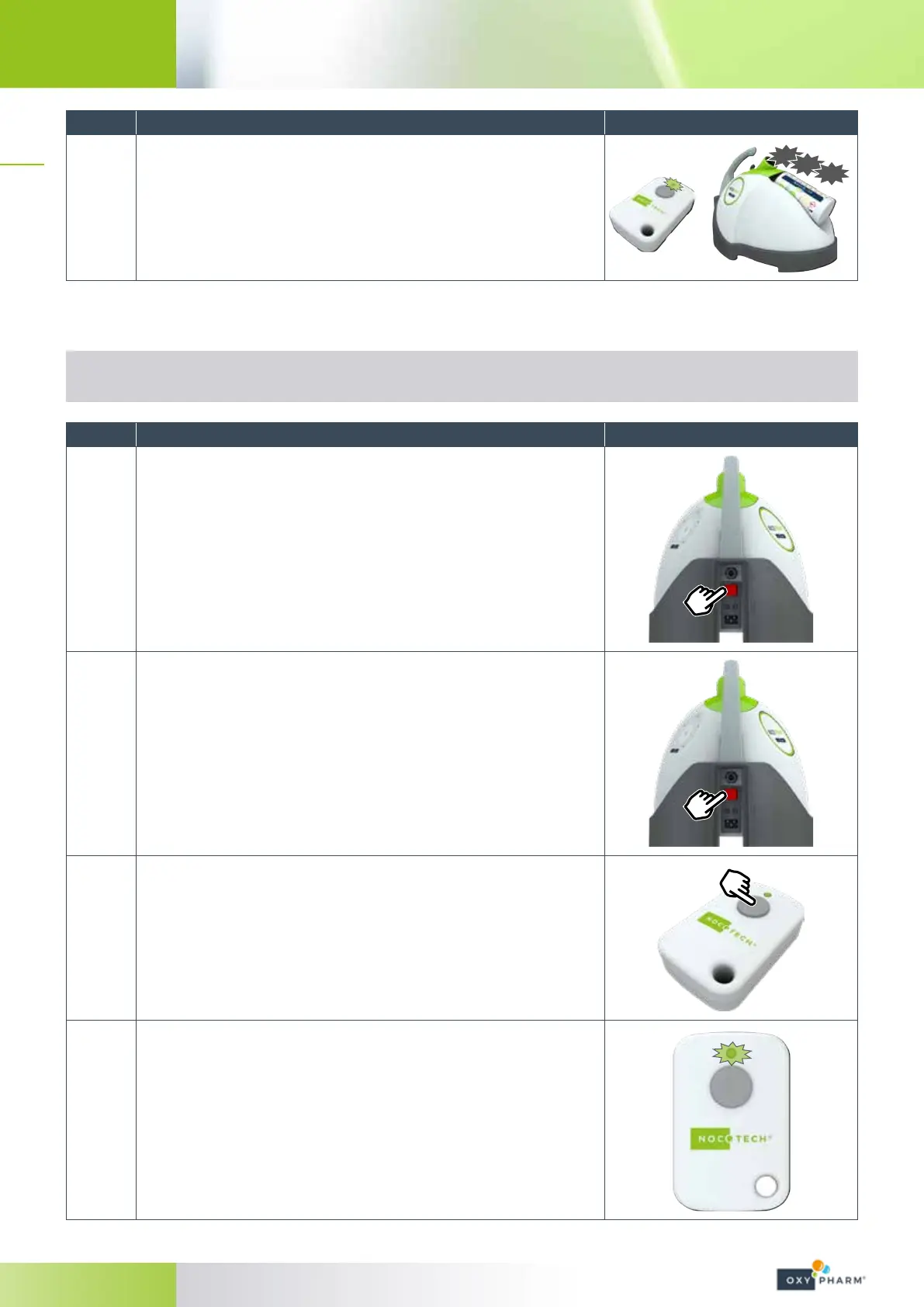
The LED on the remote control will begin to blink rapidly.
The paired NOCOSPRAY 2 will beep several times to signal that the
pairing has been made.
BIP
BIP
BIP
4.3.2.2 Re-pairing a remote control
The remote control can only be paired with one device at a time.
However, a remote control which has already been paired can be paired with another device.
Steps Action Illustration
1
Ensure that all NOCOSPRAY 2 devices in proximity to the remote
control are switched o.
Switches set to “0”.
2
Plug in the power cable of the new NOCOSPRAY 2 to be paired.
Set the power switch to “0”.
3
Press and hold the button on the remote control (approx. 30 seconds
directly next to the NOCOSPRAY 2 to be paired.
4
For 30 seconds, the LED of the remote control will blink, then it will
stop before beginning to blink again.
This phase is repeated 3 times.


 To Next Page