22
EN
5.3.2 Modication of general settings
Steps Action Illustration
1
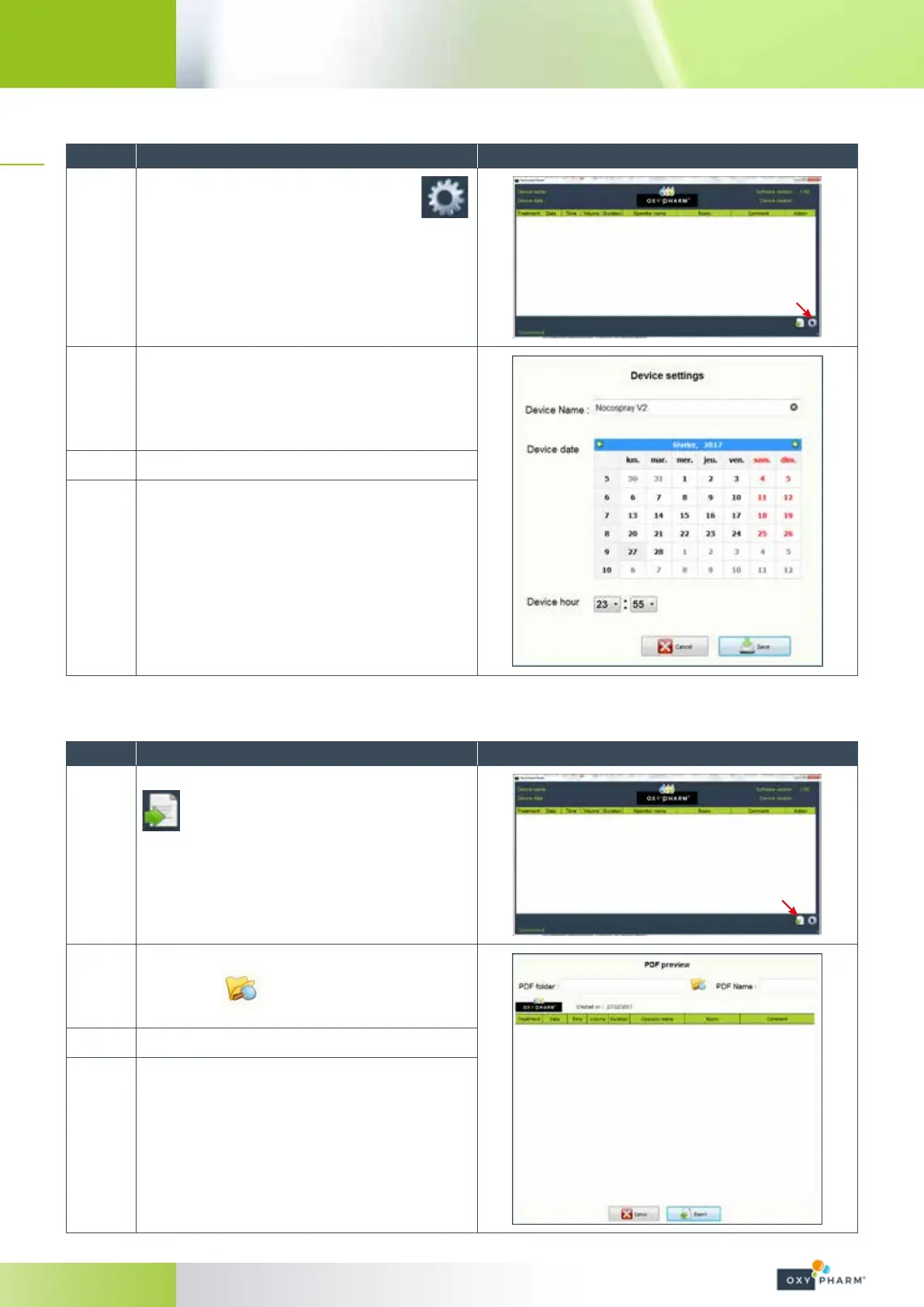
To modify the general settings, click on the
icon at the bottom of the screen.
2
The following window will be opened:
This window allows the modication of the device
name and the date and time of the device.
3
Proceed to modications.
4
Click “Save”.
5.3.3 Export the history in PDF format
Steps Action Illustration
1
To export the history in PDF format, click on the
icon at the bottom of the screen.
2
The following window will be opened:
Click on the
icon to select the folder in
which you want to save the history le.
3
Enter a le name in the “PDF Name” eld.
4
Next, click on “Export” to save the le.



 To Next Page