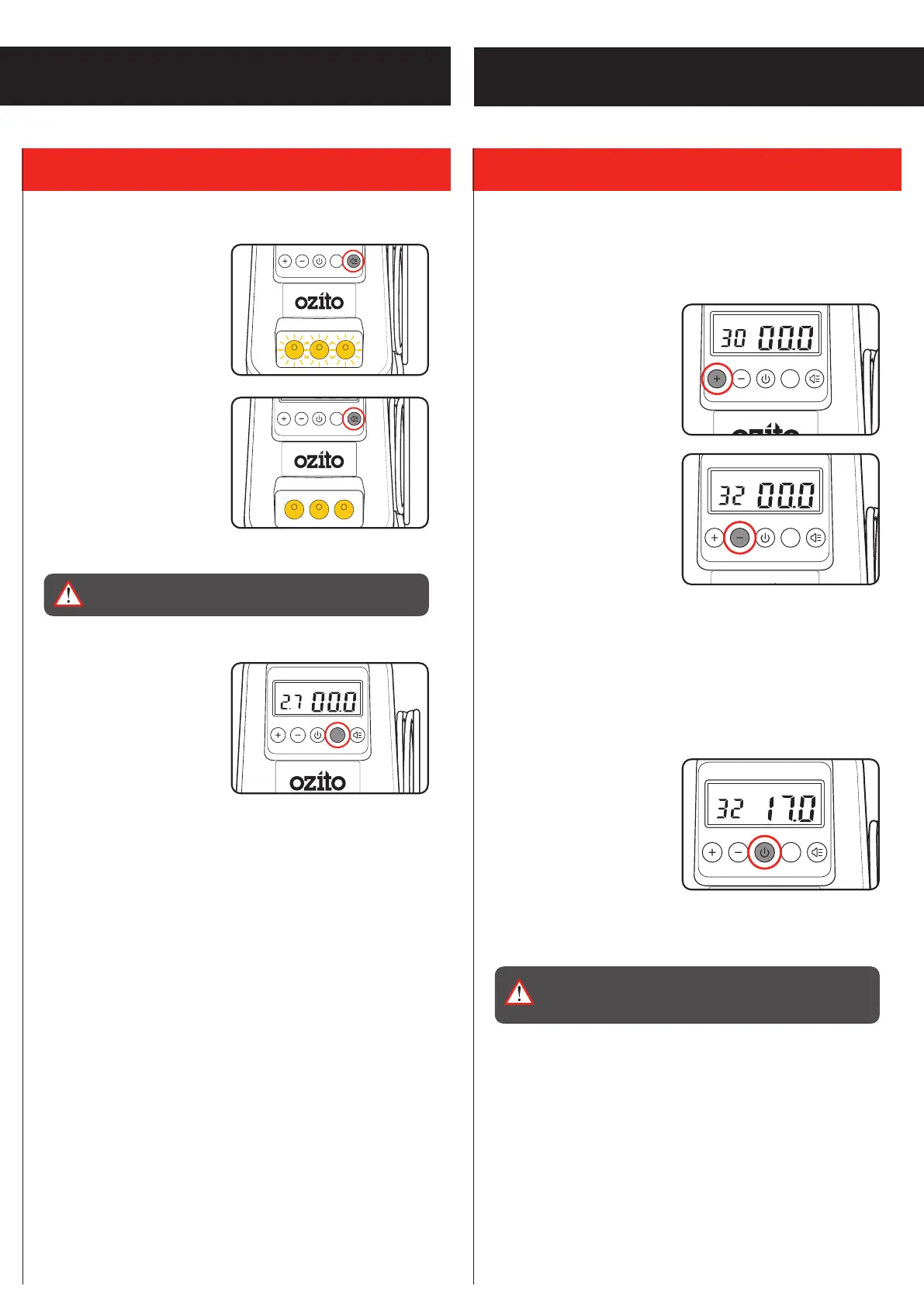
Switching On The LEDs
1. Press the light switch once
to switch on the emergency
lights. The LEDs will flash on
and off.
2. Press the light switch again
to switch the lights to steady
mode.
3. To switch off, press the light switch again.
WARNING! WE HIGHLY RECOMMEND THE USE OF
HEARING PROTECTION WHEN THE INFLATOR IS IN USE.
Changing The Units of
Measure
1. Press the UNIT button to
toggle between ‘PSI’, ‘bar’
and ‘kg/cm
2
’.
Setting The Target Pressure
The unit can inflate an item to a preset target pressure within the
range of 3 - 120psi. Once the pressure is obtained the unit will
automatically shut off.
1. To increase the target
pressure, press the ‘+’
button.
2. To decrease the target
pressure, press the ‘-’
button.
Starting & Stopping The Unit
The unit can be stopped before the preset target pressure is
reached using the power button and can then be resumed if
desired.
1. To start inflating an item,
press the power button.
2. To stop or pause inflation before the set pressure is reached,
press the power button again.
WARNING! COMPRESSED AIR CAN BE DANGEROUS.
NEVER POINT THE OUTLET NOZZLE TOWARDS ANY
PART OF YOUR BODY OR ANOTHER PERSON.
2. CONTROLS
OPERATION
UNITS
UNITS


 To Next Page