12
CHARGING THE BATTERY
The multi head tool has been shipped in a low charge condition. Charging is required
prior to use.
Initial Charging
Ensure that the charging cradle (9) is on a flat surface. Insert
the charging jack (8) into the charging cradle (9) .
Plug the charging adaptor (7) into a power outlet.
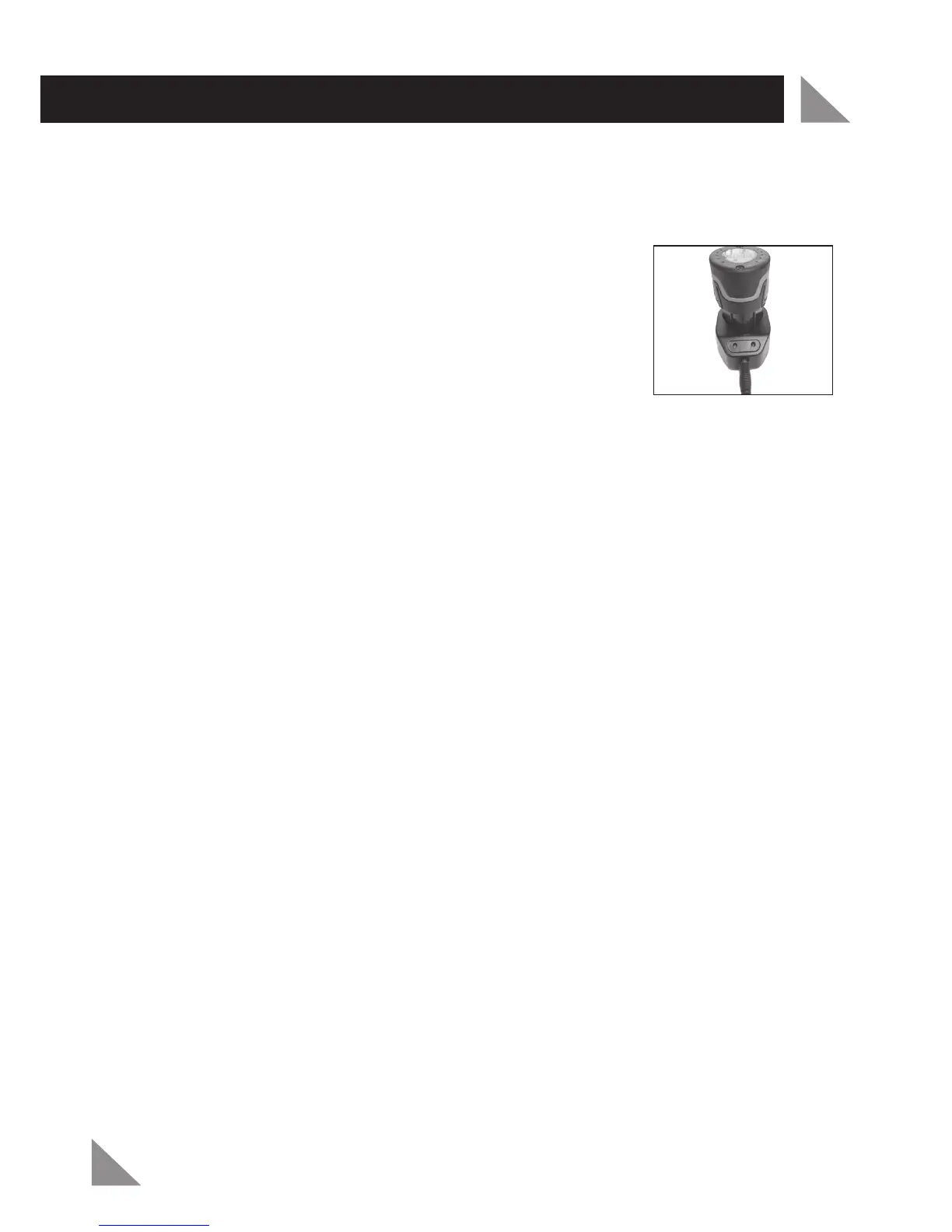
Insert the battery (2) into the charging cradle (9) (Fig. 1). The
recess of the battery terminals will have a firm connection.
Upon proper contact the red and green light will illuminate on
the charging cradle (9).
To obtain optimum battery performance and life, charge the batteries for 5-7
hours and use the tool until it runs down. Repeat this charge and discharge process
approximately 4-5 times.
Note:
If the light on the charging cradle (9) fails to come on:
Check the charging adaptor (7) is securely plugged into the wall outlet and is switched on.
Check the charging jack (8) is securely connected to the charging cradle (9) socket.
Check the battery (2) is firmly seated onto the charging cradle (9).
Normal Charging
When the unit is on charge the red and green light will be on display.
Charging starts automatically. The battery (2) will take 3-5 hours to charge.
When the battery (2) is fully charged, the red light will go out, and only the green light
will be on display.
Remove the battery (2) from the charger after 5 hours.
Important Charging Notes
The charging adaptor (7) and battery (2) may become warm to touch while
charging. This is normal, and does not indicate a problem.
Use the charger at normal room temperature whenever possible. To prevent
overheating, do not cover the charger and do not charge the battery (2) in direct
sunlight or near heat sources.
1.
2.
3.
4.
•
•
•
1.
2.
3.
4.
1.
2.
Fig. 1



 To Next Page