13
PREPARATION & SET-UP
Attaching the Battery
Caution:
Ensure the variable speed trigger (5) is not depressed during insertion or
removal of the battery (2).
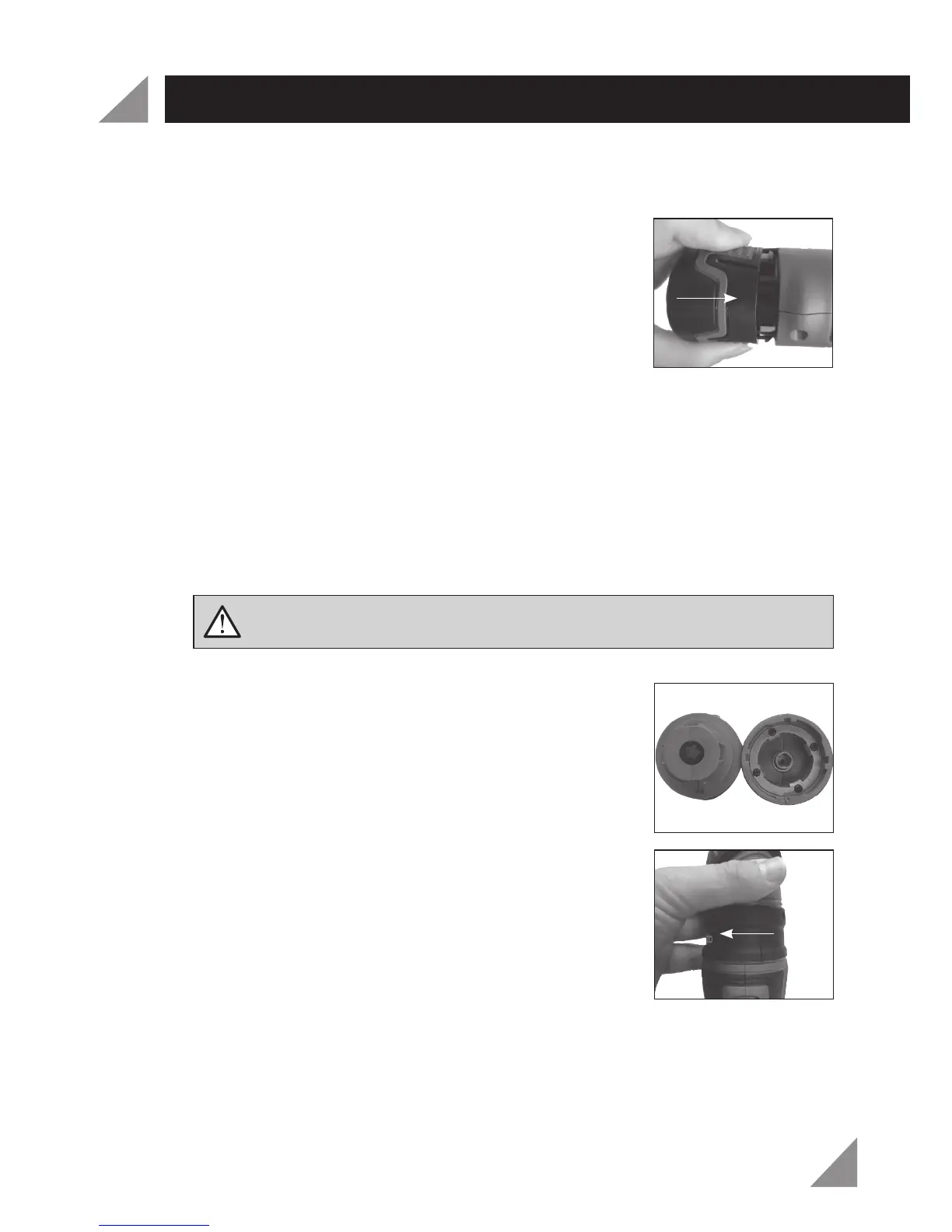
Insert the battery (2) into the battery recess in the multi
head tool until it clicks into place (Fig. 2).
Note:
Do not use excessive force when inserting the battery (2). If the battery (2)
does not slide in easily, it is not being inserted correctly. It is also possible that there
could be damage to the battery (2), battery terminals and/or the multi head tool. If
there is damage, have the complete tool checked by an electrician or power tool
repairer.
Removing the Battery
Depress both battery release buttons (3) and remove the battery (2) from the
multi head tool.
Attaching the Tool Heads
Each of the heads attaches to the tool body in the same manner.
Align the recesses on the tool body with the ridges on
the tool head (Fig. 3).
Push down until it sits flush on top of the tool body
unit.
Twist the tool head and you will hear a ‘click’ as it locks
into place (Fig. 4).
Note:
Do not force the tool head onto the body unit as this may damage the tool. If
it does not slide on easily, it has not been aligned properly.
1.
1.
1.
2.
1.
WARNING! Remove battery from the multi head tool before attempting
to change accessories. Failure to do so may cause serious personal injury.
Fig. 3
Fig. 4
Fig. 2



 To Next Page