ONLINE MANUAL
Scan this QR Code with your
mobile device to take you to
the online manual.
required
drilling
depth
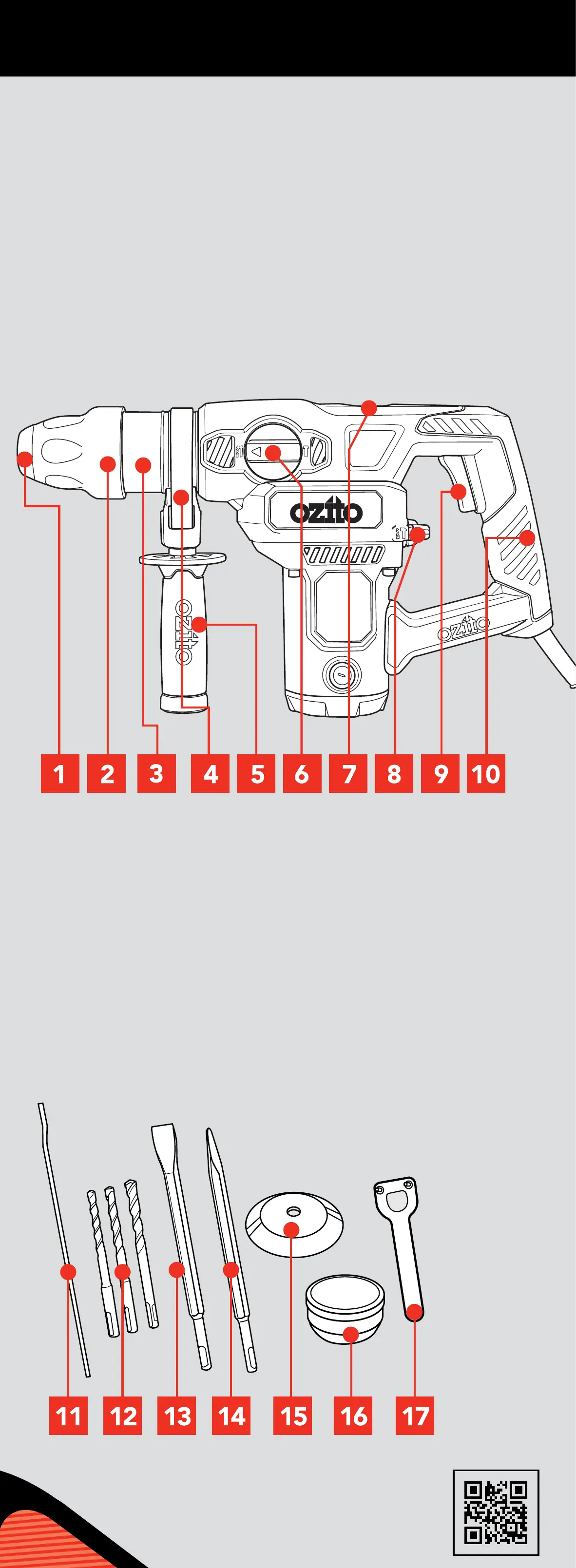
KNOW YOUR PRODUCT
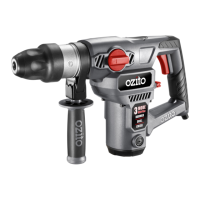
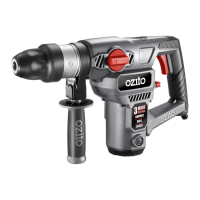
RHD-4100
1. USING THE DEPTH ROD 2. SDS
+
ACCESSORIES 3.
FITTING AND USING THE DUST COVER
4. OPERATING THE HAMMER DRILL
The depth rod allows you to drill to a predetermined depth.
1. Loosen the side handle
by turning as shown.
1. Prior to insertion into
chuck, ensure the SDS
+
accessory is clear of
dust and debris.
1. Slide dust cover over
accessory.
3. Insert drill bit in locking
sleeve.
4. Press dust cover to the
end of locking sleeve.
4. To start drilling squeeze
the On/Off switch.
5. To stop drilling release
the On/Off switch.
2. Add lubrication grease.
3. Pull locking sleeve back
and hold.
5. Rotate and continue to
insert as far as possible.
7. Checked SDS
+
accessory
is locked. Try to pull it out.
Note: It should have approx
10 – 20mm movement. This
is normal.
2. Prior to insertion into
drill add supplied
lubricant to the SDS
+
accessory.
4. Insert SDS
+
Accessory.
6. Release locking sleeve.
8. To remove the SDS
+
accessory pull back the
locking sleeve and pull
accessory out.
2. Drill the hole until
the end of the
depth rod touches
the workpiece.
3. To secure the
depth rod in
position, tighten
the side handle by
turning as shown.
2. Adjust the depth
rod so the drill bit
extends beyond the
end of the depth
rod to the required
drilling depth.
Accessory
SDS
+
The cover catches dust and debris - while using the drill upright or
overhead - to avoid dust entering the air vents.
NOTE: PRIOR TO CHANGING MODES, THE ON/
OFF SWITCH SHOULD BE RELEASED AND THE
DRILL SHOULD HAVE COME TO A COMPLETE
STOP.
1. Choose an
operation mode:
Hammer Drill
Rotate the side mode selector to the hammer and drill icon,
and rotate the rear mode selector to the drill and hammer icon.
This setting is recommended for use when drilling holes in
concrete and other masonry products. The hammer action will
be in operation while simultaneously the drill bit rotates.
Chiselling
Rotate the side mode selector to the hammer icon, and rotate the rear
mode selector to the drill and hammer icon. This setting is recommended
for use when you desire a hammer action without the accessory rotating
which is ideal for “chiseling or chipping” away at masonry products, pick
or chisel accessory bits should be used.
Drilling
Rotate the side mode selector to the hammer and drill icon, and
rotate the rear mode selector to the drill icon. This setting is
recommended for use when you desire the accessory to rotate
without hammer action. Ideal for drilling into timber or steel when
correct accessories for such materials are used.
1 SDS
+
Accessory Holder
2 Accessory Locking Sleeve
3 Magnesium Gear Case
4 Depth Rod Locking Hole
5 Side Handle
6 Side Mode Selector
7 Grease Cap
8 Rear Mode Selector
9 On/Off Switch
10 Soft Grip Rear Handle
HAMMER DRILL
11 Depth Rod
12 3 x SDS
+
150mm Drill Bits
13 1 x SDS
+
Flat Chisel
14 x 250mm
14 1 x SDS
+
Point Chisel
14 x 250mm
15 Dust Cover
16 Tub of Grease
17 Pin Spanner
ACCESSORIES
SETUP & PREPARATION
OPERATION
2. Ensure your workpiece is securely clamped where possible.
3. Connect the tool to the mains power supply.
Ensure the tool is disconnected from the power supply before
performing any of the following operations.


 To Next Page
 Loading...