EXO N
V3 0
INDEX
03. BUTTON SETTINGS
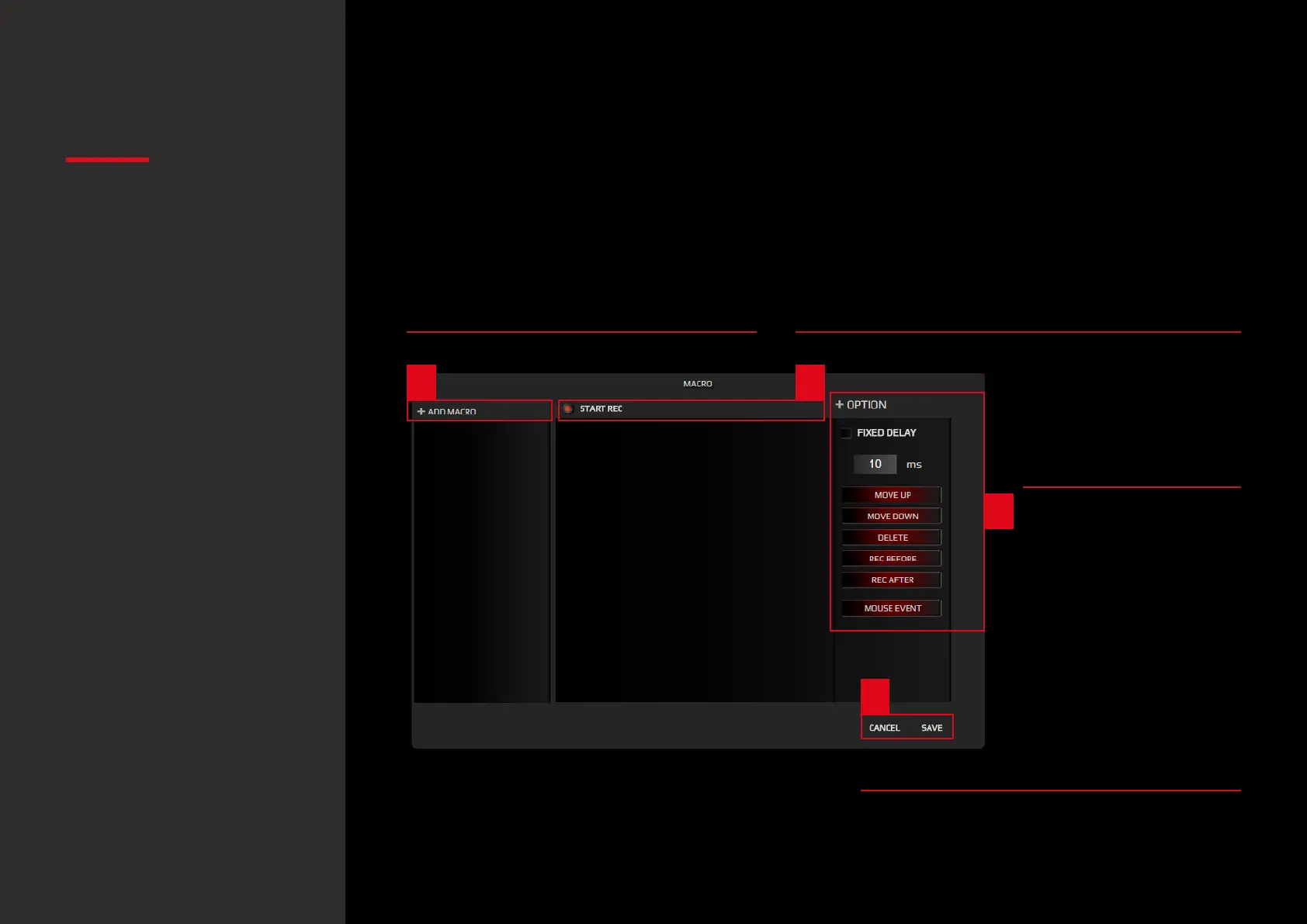
Hit Add Macro and enter the macro name
1. ADD MACRO 2. START RECORDING
3. OPTIONS
4. SAVING / SKIPPING
Hit Start Rec and perform the keys combination
to store in the macro.
Hit again to stop the
macro recording.
Macros creation allows
also the addition of Up
or Down keystrokes and
Special Mouse Events,
along with the deletion
or further modification
of macros already
saved.
Hit Save to store your macro.
Hit Cancel to dismiss the record made and
exit the Macro Lab.
1 2
3
4
2. Macro Lab
You can create and save macros to enhance both your gaming performance or workow, just
by following this simple 4 steps process:
Button settings
· Macro Lab
Default button assignment
· Button configuration:
overview
· Button configuration:
sub-menu categories


 To Next Page