EXO N
V3 0
INDEX
04. COLOR SETTINGS
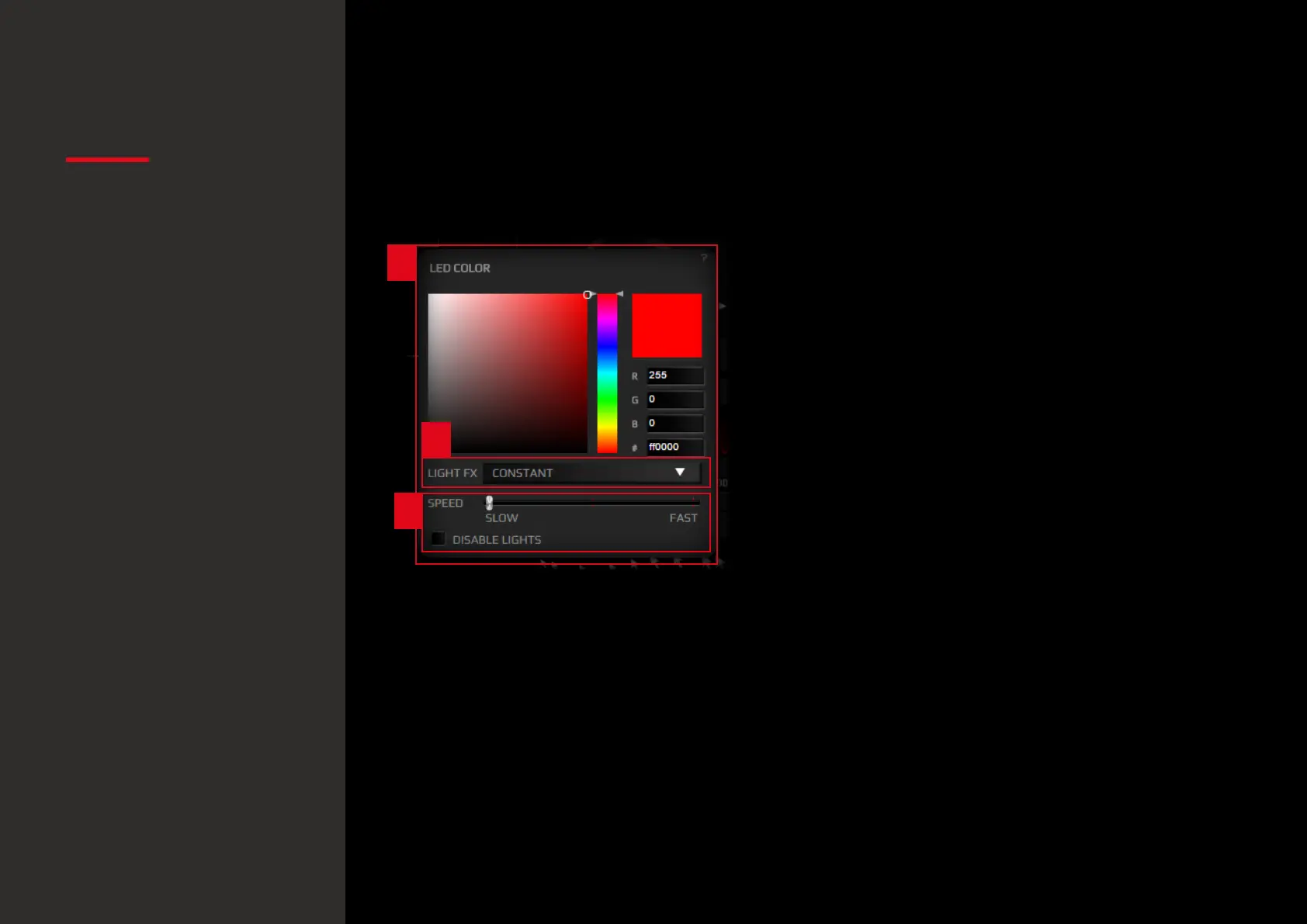
1. Color Settings: ovierview
Choose among 16.8 million colors the color you like
best to light up the Logo, Scroll button and base LEDs.
2. Available Effects
Hit the Light FX drop down menu to select any of the
4 lighting FXs available:
· Constant: Static lighting.
· Breathe: light will fade softly in and out.
· Blink: light will blink.
· Hearbeat: light will fade in and out simulating pulses.
· Color Swift: light will switch color trough the spectre.
3. Extra Controls
Control the FXs light speed through the Speed slider.
Hit Disable Lights to completely switch off lighting.
2
1
3
Color settings
· Color settings: overview
· Available lighting FXs
· Extra controls
Default button assignment


 To Next Page