EasyManua.ls Logo

Ozone Exon V30 - Button Settings

Ozone Exon V30
14 pages
Print Icon
To Next Page IconTo Next Page
To Previous Page IconTo Previous Page
Loading...
EXO N
V3 0
INDEX
03. BUTTON SETTINGS
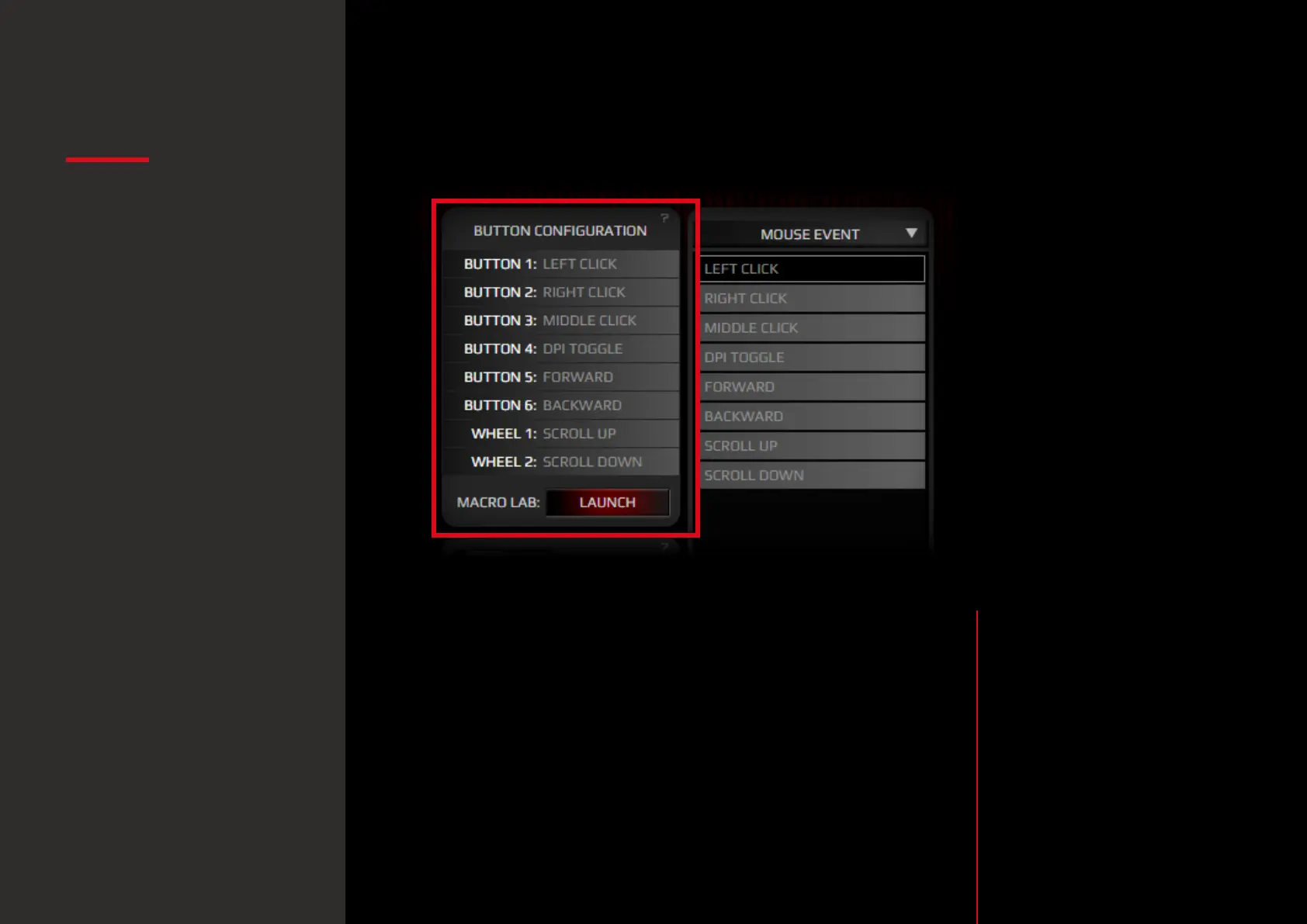
1. Button Configuration: ovierview
Click on any button to pop up a sub-menu and change the
button configuration or behaviour assignment.
The button configuration sub-menu features the following
categories:
Mouse Event
Shortcut
Deactivate
Profile Shift
Media
Macro
Application
Keyboard Event
DPI Event
Report Rate Event
· Button configuration:
overview
Button settings
System requirements
Software installation
Buttons layout
Default button assignment
Software overview
Software basics
Sensor settings
· Macro Lab
Color settings
Legal Notice
Warranty
· Button configuration:
sub-menu categories

Related product manuals