EXO N
V3 0
INDEX
02. SENSOR SETTINGS
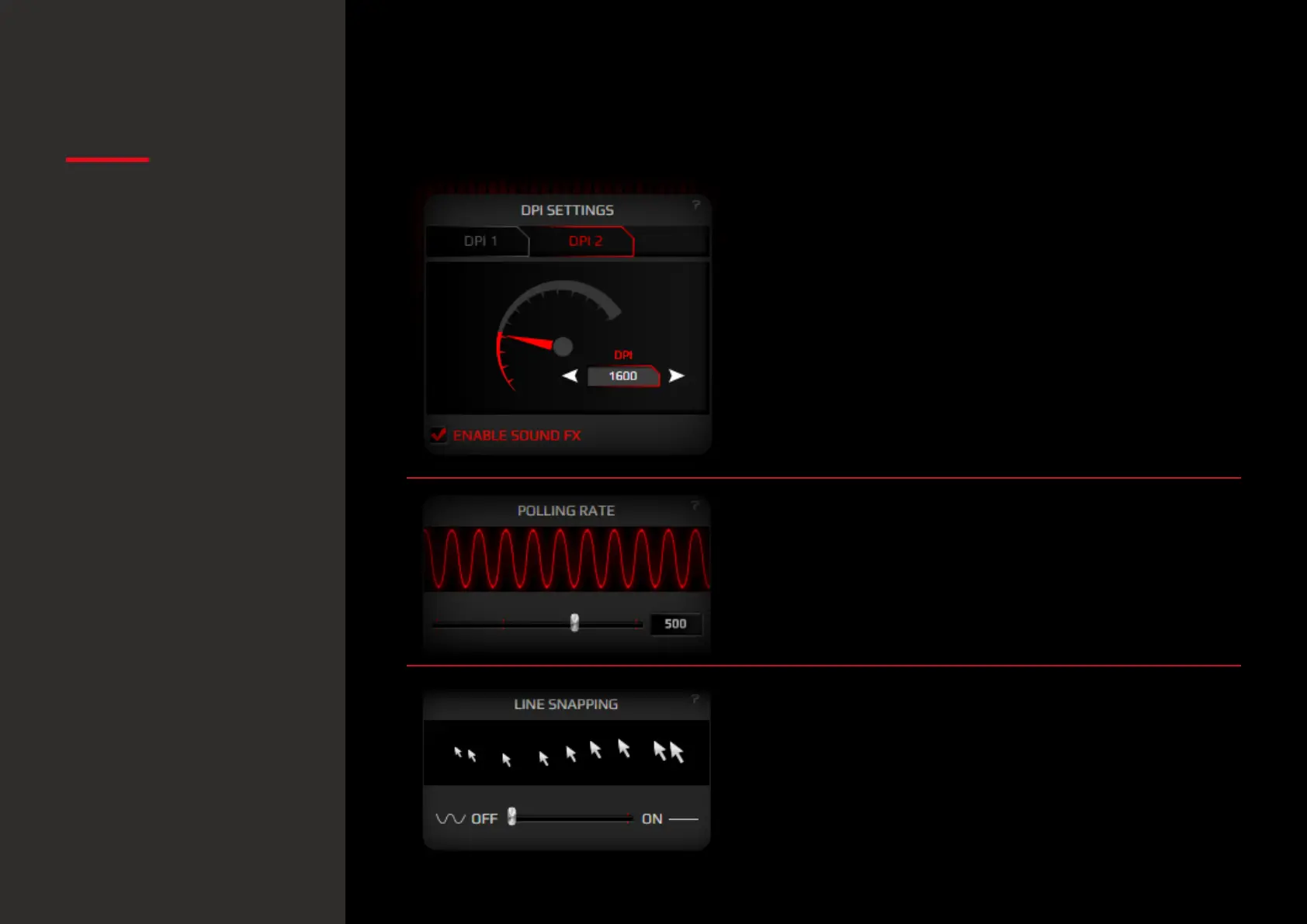
1. DPI Settings
You have two DPI profiles (DPI 1 and DPI 2) where
to set and store DPI levels through graphic or input
means. You can enable / disable the sound warning
FX by hitting Enable Sound FX.
2. Polling rate settings
Move the slider to select your preferred Polling Rate
frequency.
3. Line snapping settings
Move the slider to select which movement accuracy
do you need. Line snapping On forces the sensor to
correct your movements into perfect lines.
Line snapping O makes the sensor applying no corrections
to your movements: it reproduces the very trace you leave.
Sensor settings
· DPI settings
· Polling rate settings
· Line snapping settings
Default button assignment


 To Next Page