15
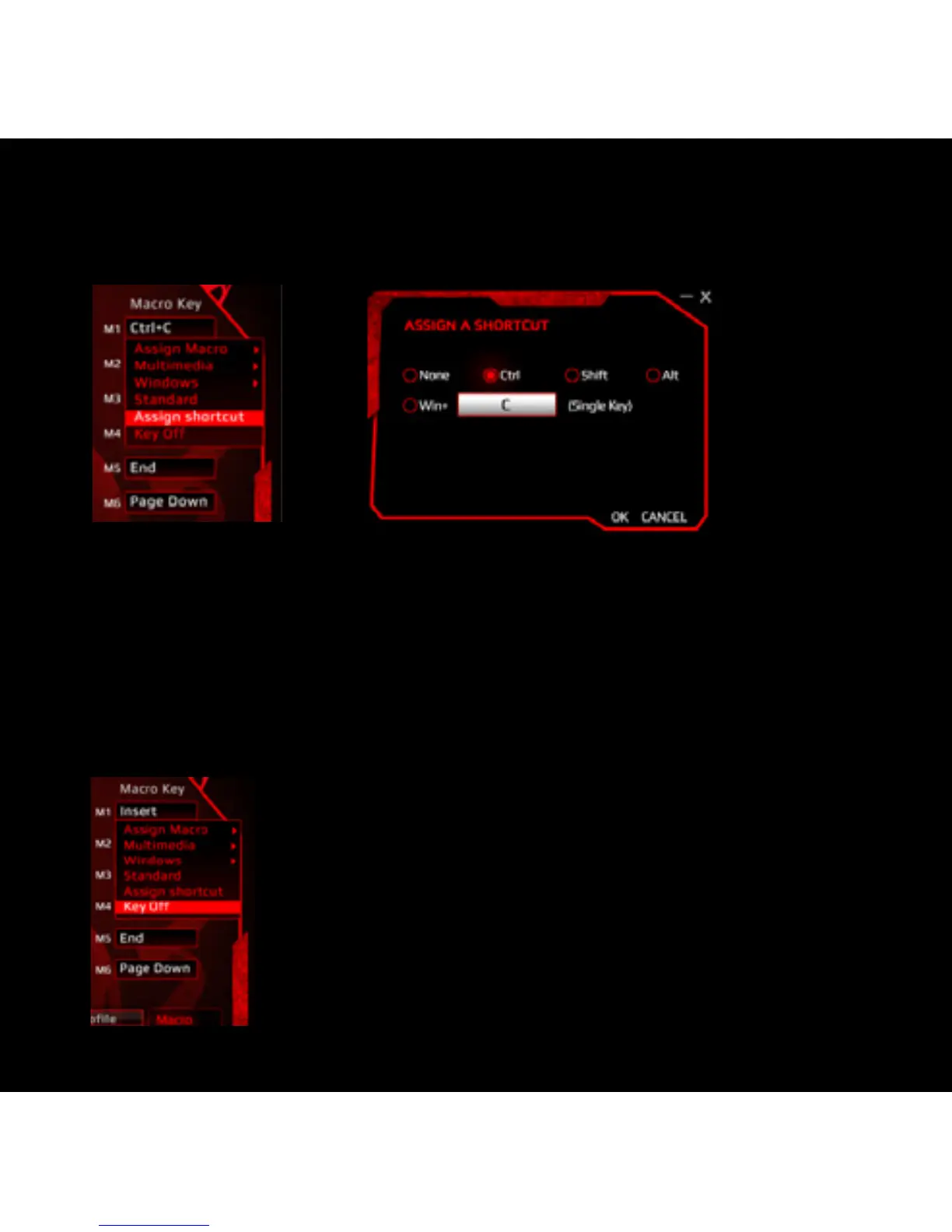
ASSIGN A SHORTCUT
Single key punch to activate a combination of keys that are often used.
1) Select a macro key and click “Assign a Shortcut” from the menu.
2) Select and enter the desired combination of keys from the pop-up window and
click “OK” to continue.
3) Click “APPLY” to complete the setting. Ex. now the “Ctrl” + “C” will be executed.
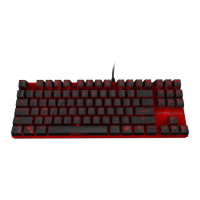
KEY OFF: DISABLE THE KEY FUNCTION
1) Select a macro key and click ”Key Off” from the menu, then click “APPLY” to
confirm the setting.
STRIKEPRO



 To Next Page