8
DRIVER USER MANUAL
System RequirementS
1. Operation System: Windows XP / Windows Vista / Windows 7 / Windows 8
2. Free USB 2.0 port
3. CD-ROM drive
4. 50 MB free hard disk space
INSTALLATION INSTRUCTIONS
OS: Windows XP / Vista / 7 / 8.
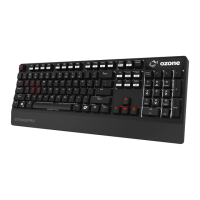
1. Plug USB connector of STRIKE PRO to a USB port of your PC.
2. Insert the enclosed driver CD into your CD-ROM drive (or download the
driver from www.ozonegaming.com/product/strike-pro/).
3. Double Click “Setup.exe” to start the installation program. Click “Next” to
continue.
4. Select the folder to save the driver and click “Next” to continue.
5. Installation will run automatically; click “Finish” to complete the installation.


 To Next Page