15
DC900X INSTALLER’S MANUAL (501-3434310) RELEASE 30th Oct. 2009
USING DIAGNOSTICS SCREENS TO CHECK THE NETWORK (cont.)
Using the Diagnostics Information screens:
In both screens, use the U or D arrow button on the remote control to move the on-screen arrow (>) through
the items, then press OK/Select or R to view more information in sub-menus. To quickly highlight an item
on the DIAGNOSTICS MAIN MENU, you can key in its 2-digit number. You need special combinations of
button presses to see some of the information.
On all screens, the color green is used to indicate a satisfactory status and red is used for problems.
To remove a sub-menu and return to the preceding level, press the L button on the remote control.
To remove the DIAGNOSTICS DASHBOARD (or DIAGNOSTICS MAIN MENU), and return to normal TV
viewing, press the POWER button twice.
Relevant information on the DIAGNOSTICS DASHBOARD
Check the following items on the DIAGNOSTICS DASHBOARD for a green GOOD status:
• MoCANetwork
• DVRStatus
• HDDHealth
• HCS
Using the MoCA Diagnostics screens
Even if the MoCA Network status is GOOD on the DIAGNOSTICS DASHBOARD, you should also check the
MoCA Diagnostics screens.
Displaying the Pace MoCA Diagnostic screen
There are two ways to do this. You can either:
At the DIAGNOSTICS DASHBOARD, highlight (>) MoCA Network, then press OK/Select.
Or:
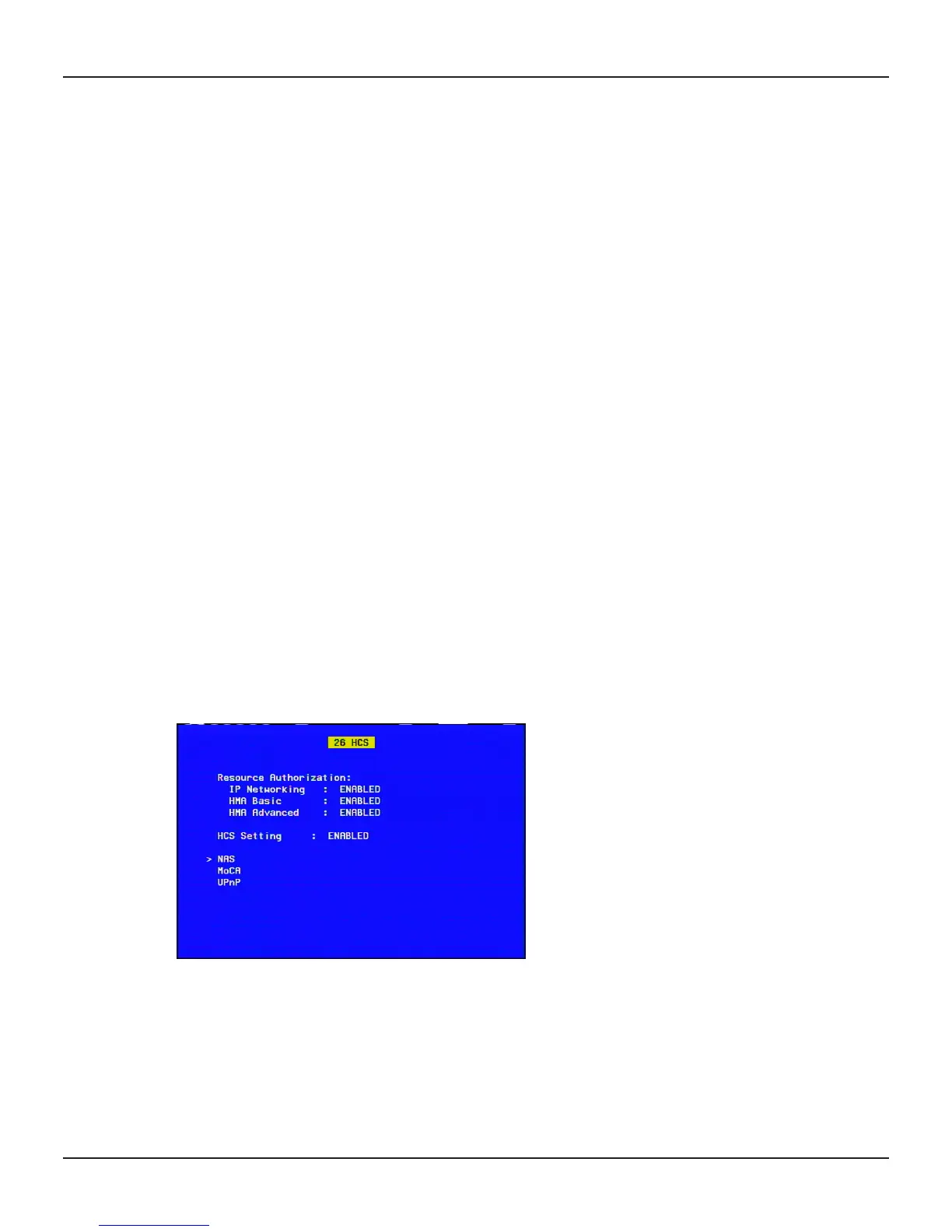
At the DIAGNOSTICS MAIN MENU, highlight 26 HCS, then press OK/Select or R.
If you choose this second method, the HCS (Home Content Sharing) sub-menu is displayed.
If the cable operators (MSO) uses resource authorization, this page will show if HCS is authorized for the
correct resources.
Use the U or D button to highlight (>) MoCA, then press OK/Select.
The Pace MoCA Diagnostic screen will then be displayed on the TV (see the next page).


 To Next Page