22
DC900X INSTALLER’S MANUAL (501-3434310) RELEASE 30th Oct. 2009
USING My Network TO CHECK THE INSTALLATION
Note: The descriptions below refer to the on-screen guide “TV Guide”.
How My Network differs from My DVR
You use My Network to share recorded content around the home. At any of the client set-tops you can see a
list of recordings made anywhere in the home. It has the title ‘mDVR’ at the top of the list.
The My DVR screen, displayed when you press the My DVR (or List) button on the remote, shows only
recordings have made at the client set-top where you currently are. It has the title ‘DVR’ at the top of the list.
Recording some sample content
Use the on-screen guide to make a recording at each of the client set-tops.
Use the My DVR screen at each of the client set-tops to check that the recording has taken place.
Displaying the My Network screen
You must display the My Network screen at each of the client set-tops in turn to check that the whole MoCA-
Ethernet network is working correctly. There are three ways to display the My Network screen:
• IfyouhaveprogrammedtheremoteforHCS(seepage13),youcansimplypresstheB button.
• YoucanselecttheMy Network option on the My DVR screen.
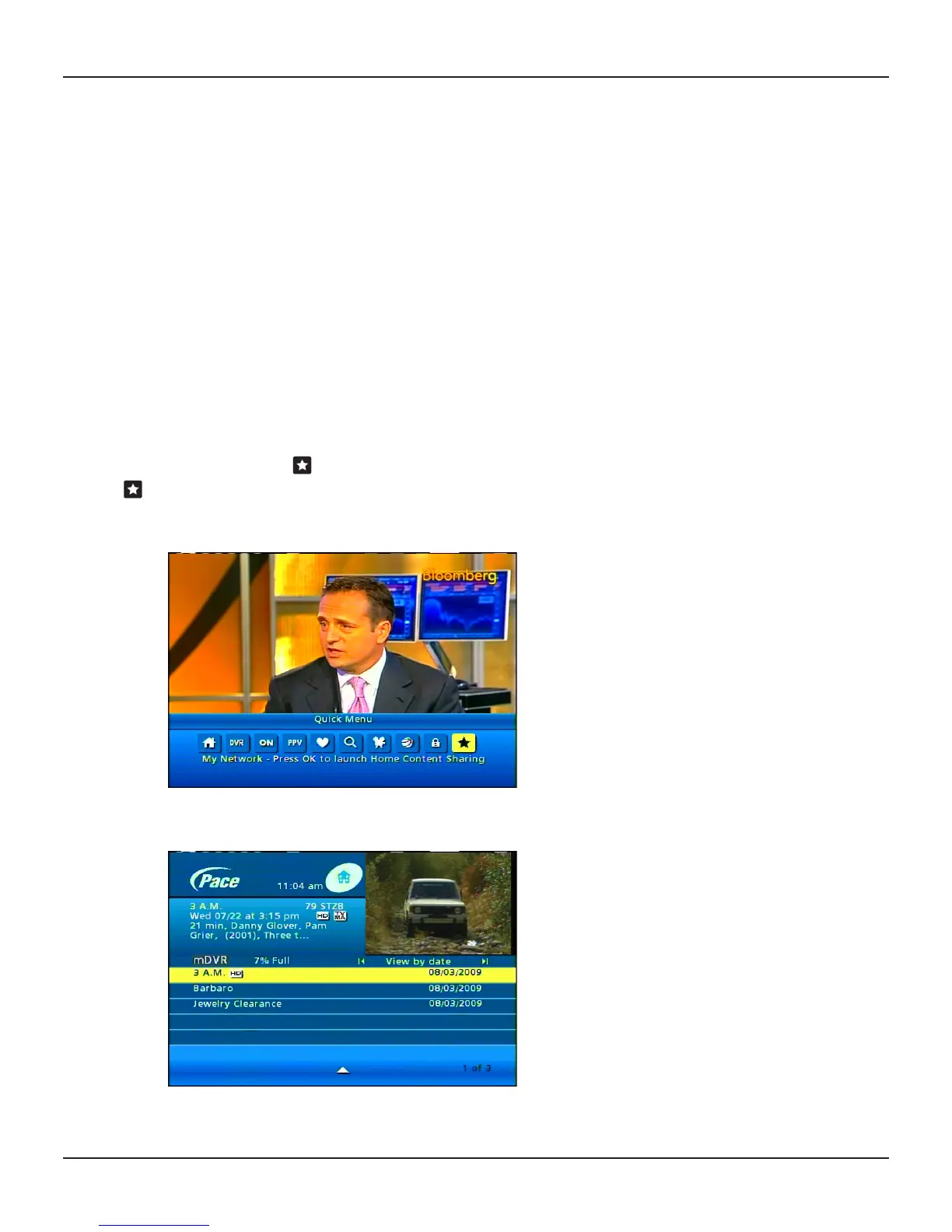
• YoucanpresstheMenu button on the remote control to display the on-screen guide’s Quick Menu, then
press
the R button until you highlight , then press
OK/Select.
Note: The
My Network shortcut may not be available on your on-screen guide.
Use
the L or R button to cycle through the four “view” options until “view by date” appears.
Check that you can see all of the three recordings that you have just made.
Use
the L or R button to cycle through the four “view” options until “view by client” shows (see page 23).


 To Next Page