32
Using your FOXTEL Personal Digital Recorder
❖ Recording channels without programme
listings
Some channels, for example radio channels, do not provide
programme listings in the i-search banner or TV Guide. However, you
can still use your FOXTEL PDR to record these channels, by using the
Setup screens to set up the recording.
◆ First, press the setup button on your remote control to display
the Setup banner (see also page 41), then press D to highlight
‘System Setup’ and press OK. The Setup screen displays (see
also page 43).
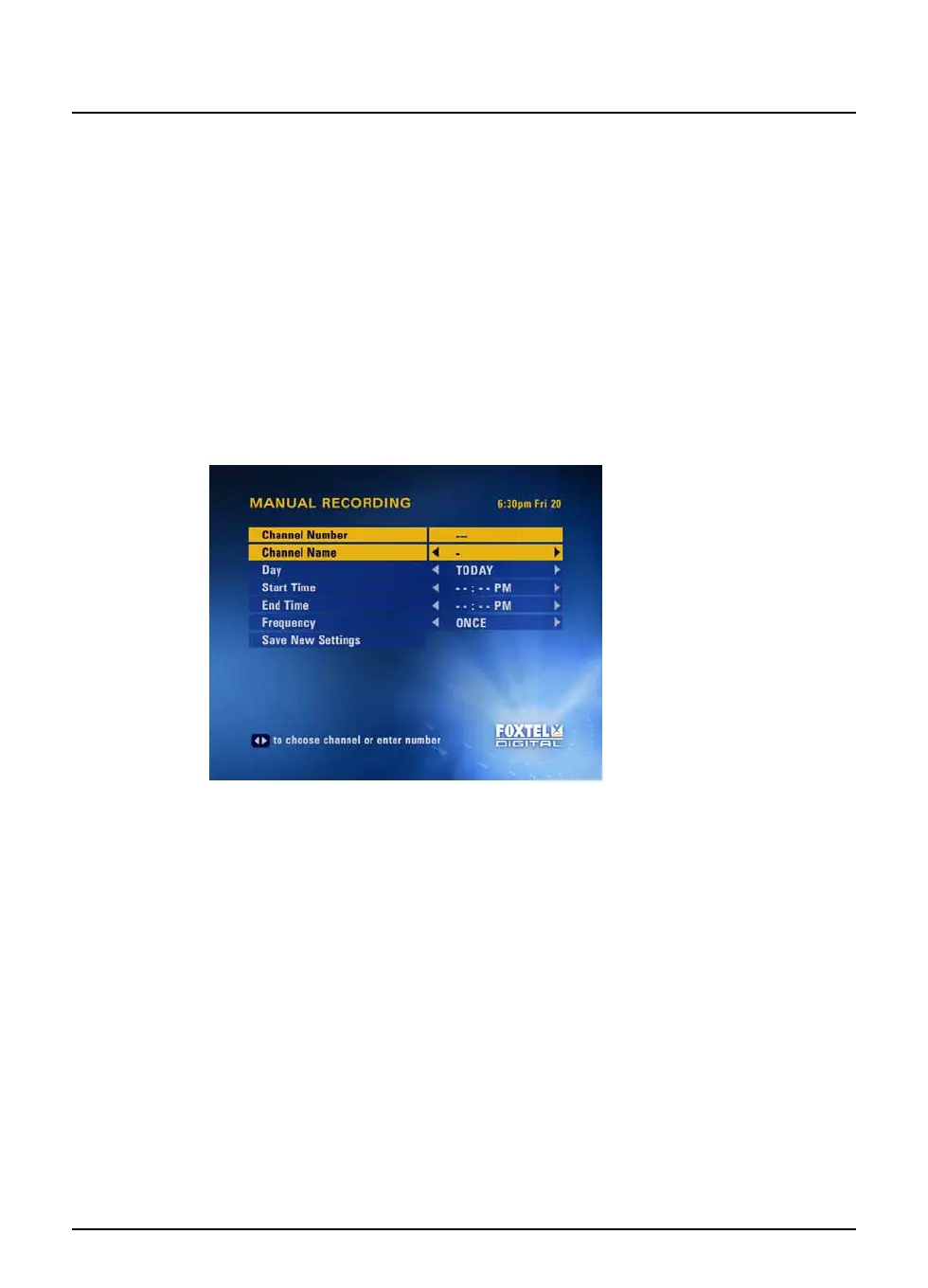
◆ Press D to highlight ‘Manual Recording’ then press OK. The
Manual Recording screen displays.
You set up the recording as follows:
1. Choose the channel to record, by either using the number
buttons to enter a channel number, or by using L or R to look
through the channel names.
2. Press D to highlight ‘Day’, then use L or R to select the day on
which you want to record the channel you have chosen.
3. Press D to highlight ‘Start Time’, then use the number buttons
to enter the time you want the recording to start. You should
use the ‘12-hour clock’, then use L or R to choose AM or PM.
For example, to record from 7:30 in the evening, enter ‘0 7 3 0’
then choose ‘PM’.
While ‘Start Time’ is highlighted, if you make a mistake, you can
press back to delete the numbers you have entered and start
again.
4. Press D to highlight ‘End Time’, then, in the same way as you
entered the Start Time, use your remote control to enter the
time you want the recording to finish.
Recording programmes



 To Next Page