10
Xi3 (PX031ANI) USER GUIDE DRAFT (501-340120x)
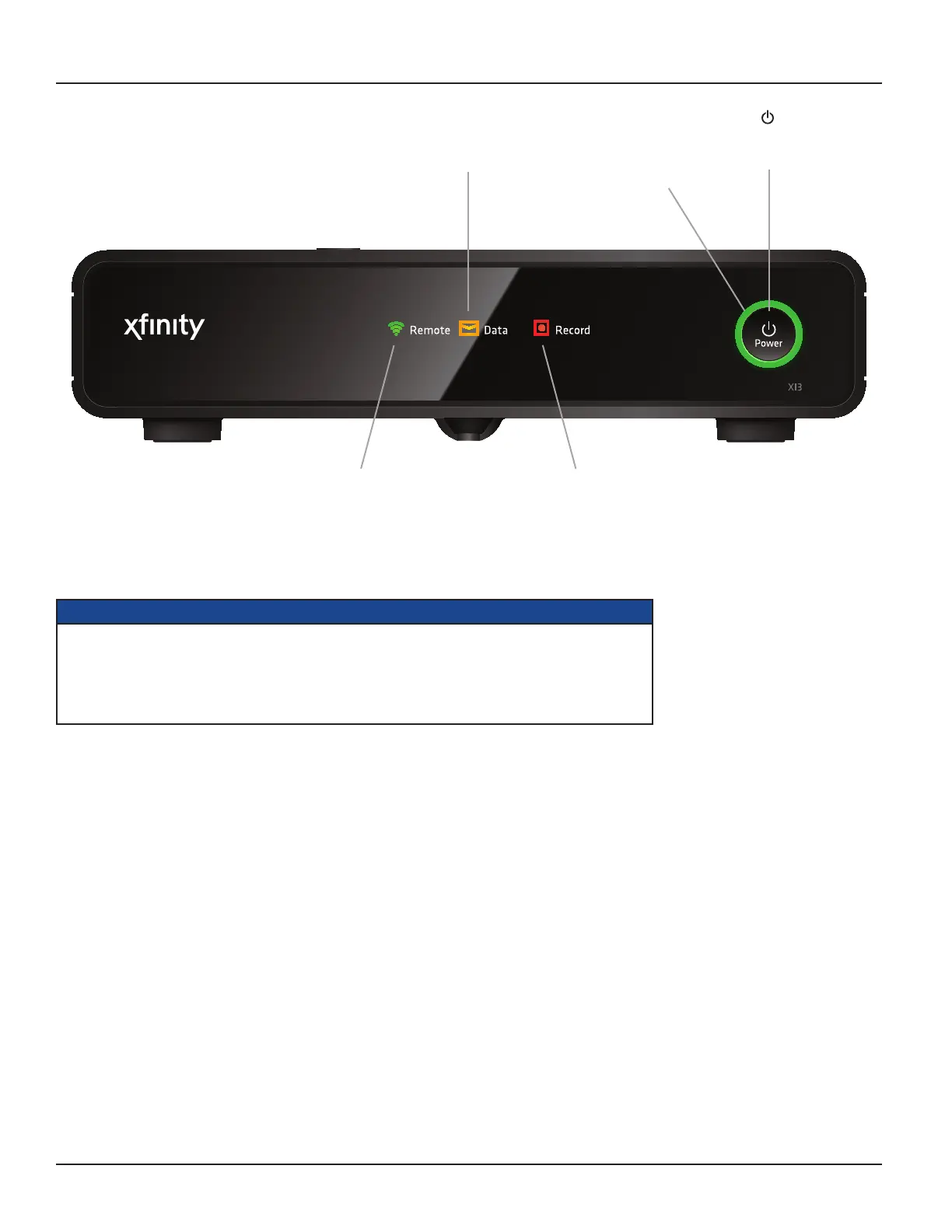
FRONT PANEL
Power button
To turn your set-top
box on/off.
Power light
Lights green when your set-top
box is on and is not lighted
when your set-top box is off.
Remote light
Lights when you press a button
on your remote control
(green for an RF remote and
red for an IR remote).
Record light
Lights when a recording is
being made to the internal or
an external hard disk.
Data light
Lights when a message has
been received.
NOTES
Your cable TV service-provider determines the digital channels, services, and screen information that you
see on your TV when you use your set-top box and its remote control.
Consult the information supplied by your cable service-provider for details on how to make the most of the
digital cable services. Also read the operating instructions that are supplied with your remote control.



 To Next Page