6
Xi3 (PX031ANI) USER GUIDE DRAFT (501-340120x)
Warranty VOID
if Broken
or Removed
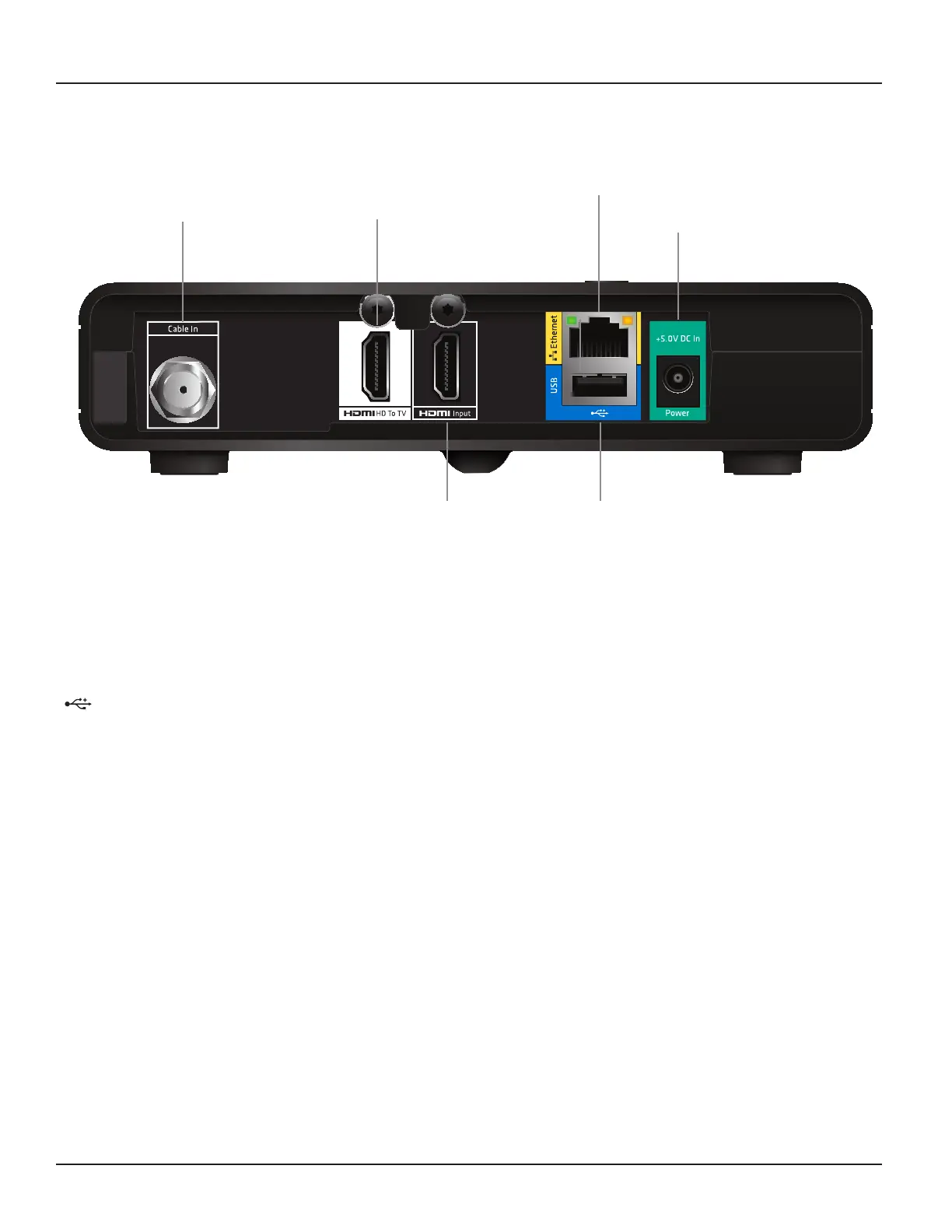
REAR PANEL
Cable In
From cable
service-provider
Power
(Make this
connection
last of all)
Ethernet
For future use
HDMI HD To TV
HDMI video and
audio output
USB
For future use
HDMI Input
HDMI
®
video and
audio input
Cable In
Connect the cable service here.
HDMI HD To TV
Connect to the HDMI input on your HDTV.
HDMI Input
Connect another optional HDMI devices (allowing the devices’ outputs to loop through the set-top box to the TV).
USB
Connect to the L and R audio inputs on your stereo TV, stereo VCR, or optional stereo amplifier.
Ethernet
For future use.
+12V DC In Power
Connect your set-top box’s power supply unit here. Make this connection last of all.



 To Next Page