Computer Basics -
11
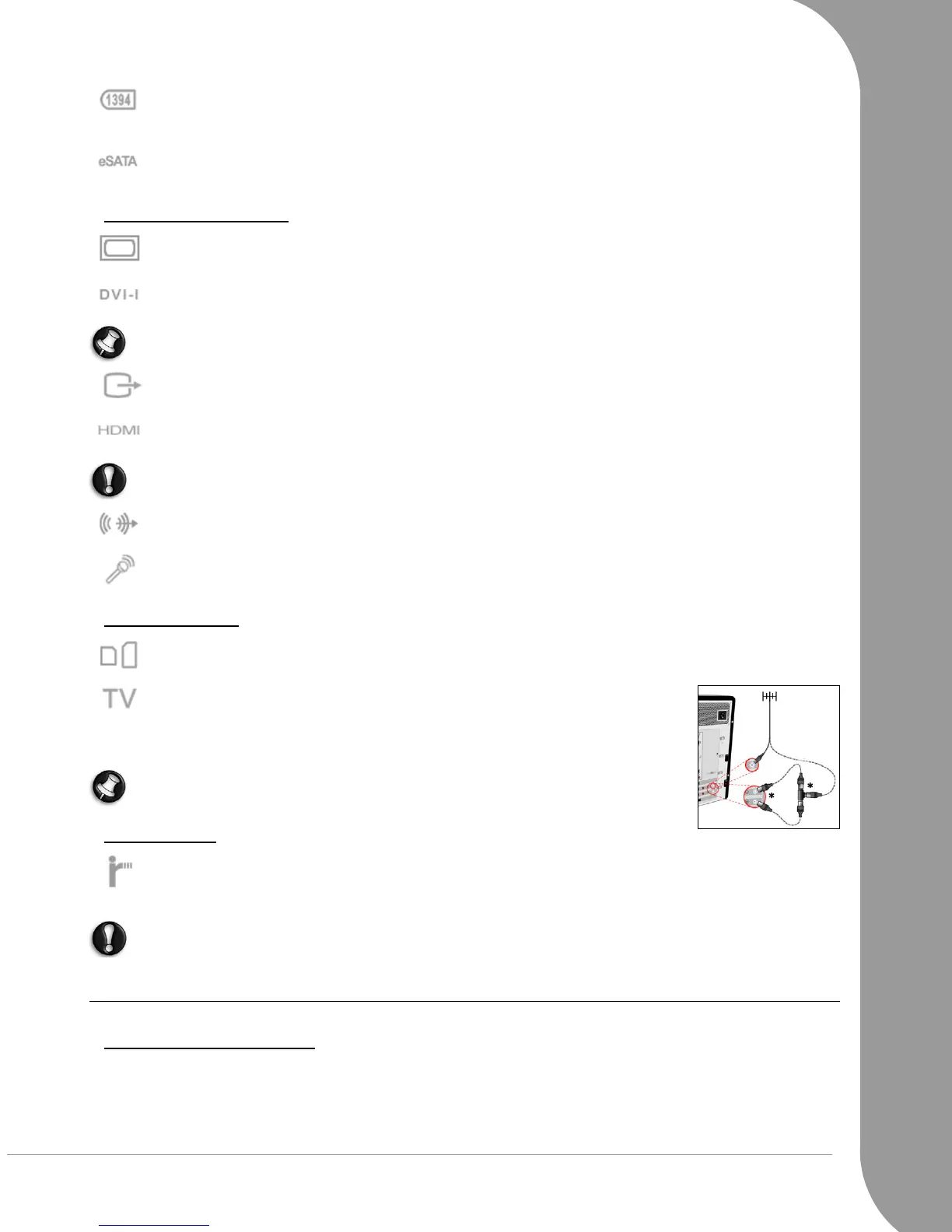
IEEE 1394 (FireWire) - An IEEE 1394 port (aka FireWire™ or i.LINK) allows you to connect high-
speed digital devices to your computer, such as digital video cameras, external hard disk drives, or
scanners.
eSATA - An eSATA port allows you to connect a compatible external storage device (usually a hard
disk drive) with a high-speed SATA connection.
Display and Audio Ports
VGA Port - Connect to a monitor with a VGA port. The appropriate cable is usually included with
the monitor.
DVI Port - Connect to a monitor with a DVI (Digital Video Interface) port. The appropriate cable is
usually included with the monitor.
Note: Many monitors use a 15-pin analogue connection, so you may need to purchase an adapter or a
DVI-to-Analogue cable.
S-Video (TV-Out) Connection - An S-Video TV-Out port allows you to connect a compatible tele-
vision.
HDMI (TV-Out) Connection - An HDMI TV-Out port allows you to connect a compatible display
device (such as a high-definition television) with a single, easy-to-use connector.
Caution:
If you want to use your television's speakers, you must change the audio output or connect
the Line-Out port of your computer to your television (or a speaker system).
Line-Out - Lets you plug in stereo headphones or powered speakers. Plugging in an audio device
disables any built-in speakers.
Microphone - Allows you to connect an external microphone for mono recording or amplification
through the unit. Plugging in an external microphone disables the built-in microphone.
Other Connectors
Memory Card Reader - Memory cards are used to store and transfer data by a wide selection of
digital cameras, PDAs, MP3 players and mobile phones (see page 8).
TV Tuner - Allows you to connect an aerial and watch analogue or digital tele-
vision on your computer (see page 25). An adapter may be required to
connect to an aerial - if your computer features two TV tuner ports, use a
splitter cable to connect both ports to an aerial.
Note: The TV tuner must be compatible with signals in your area.
Other Features
Remote Control Receiver - The remote control receiver (Commercial IR) allows you to control the
media functions of your computer from a distance when used with a compatible remote control
(optional).
Caution:
The sensor is not an 'full' IR port and can only receive signals from a remote control. It cannot
be used to communicate with a mobile telephone.
Turning your Computer ON or OFF
Turning your Computer ON
1. First, switch ON any devices connected to your computer (including a monitor) by pressing the main
power button on these devices.
2. Then switch ON your computer by pressing the main power button.



 To Next Page