Computer Basics -
27
Volume Controls
Apart from the volume controls on your computer, keyboard, monitor or speakers (depending on your
equipment), you can also adjust the volume and balance of your speakers from Windows.
Adjusting the Volume
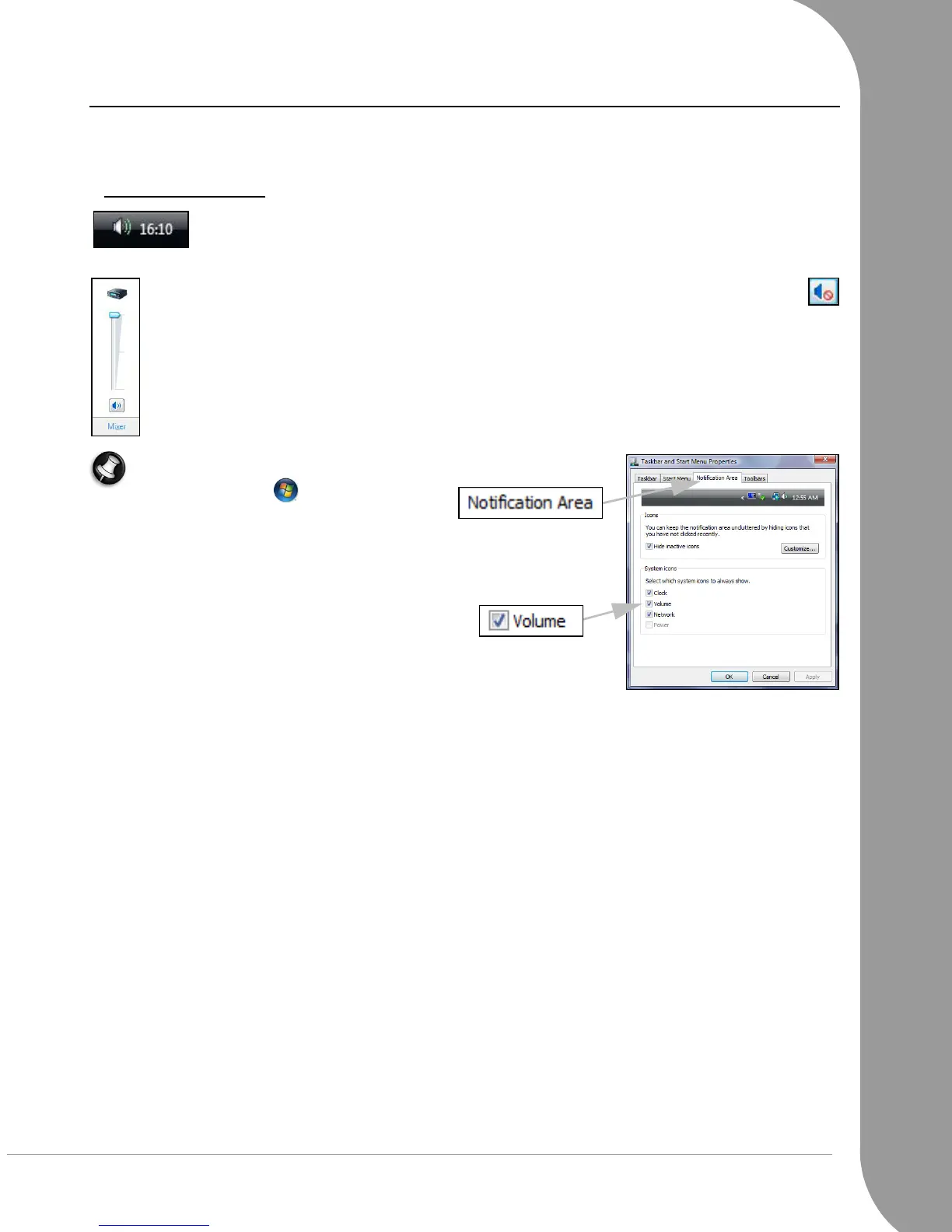
To adjust the volume, simply click on the Speaker icon located in the Notification Area,
next to the clock.
Drag the slider up or down to adjust the volume. Click on the Speaker icon to mute the
volume. Click again to resume playback.
Click on Mixer to access advanced volume control settings.
Note: If you cannot see the speaker icon:
• Click on ‘Start’ > Control Panel >
Taskbar and Start Menu.
• Select the Notification Area tab.
• Place a tick in the Volume box and click
OK.




 To Next Page