22 -
Quick Start & Troubleshooting Guide
Creating Recovery DVDs
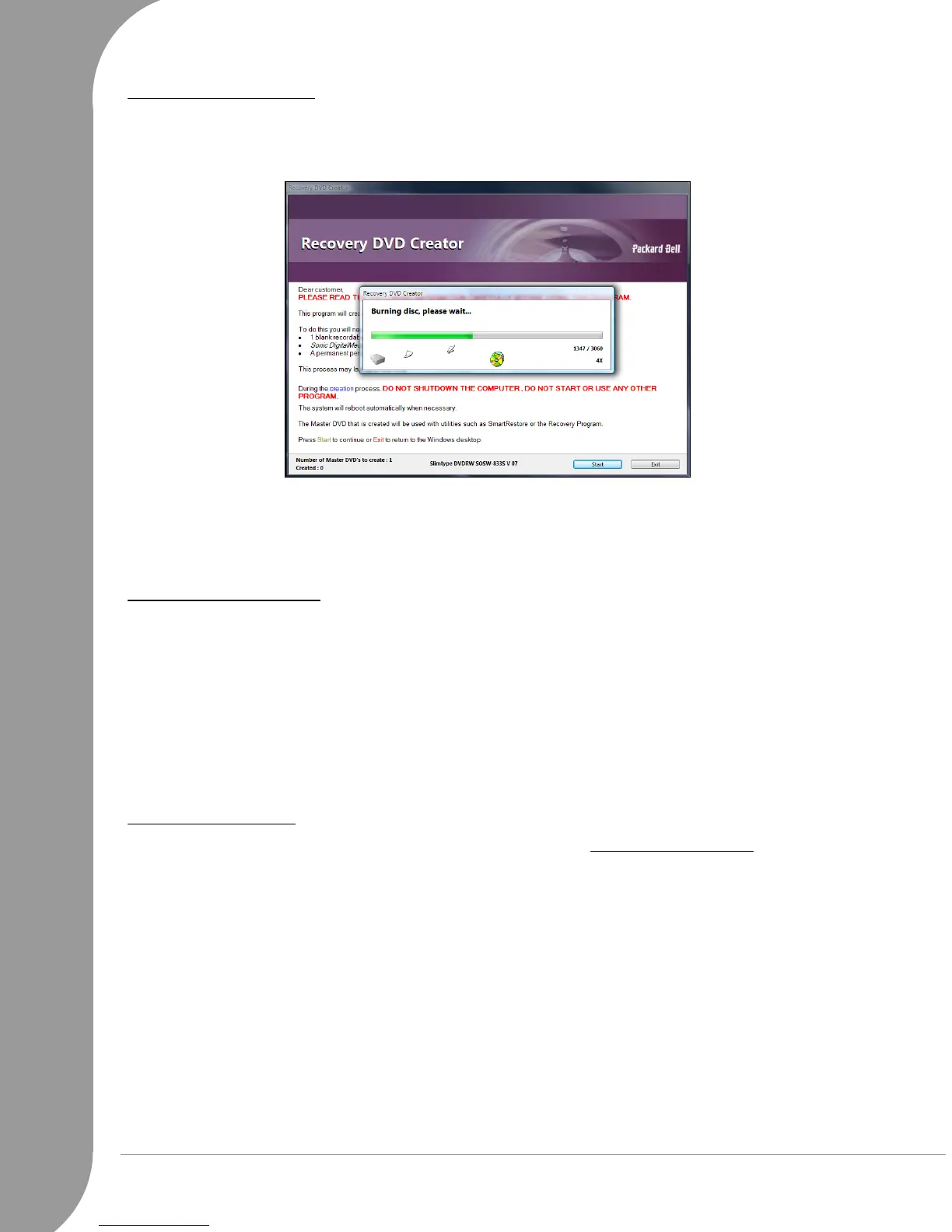
1. The program will create one disc at a time. A counter in the lower left part of the windows indicates the
number of discs to create as well as the number of discs created so far. When it is finished, the program
will check each disc for errors.
2. Label your Recovery DVD (Recovery DVD 1, 2, etc.). Use a CD marker pen to write on the disc's label
side. Do not use stickers on the disc faces.
3. Store your Recovery DVDs in a safe place. They contain the recovery data of your computer.
Please refer to the
Packard Bell Recovery Program
section (page 52) if you need to use your recovery data.
Creating a Recovery Disk
1. Select
Copy backup data to USB disk
.
2. Click on a disk or partition that will be used to store the recovery data and click on Ok (a disk may be
divided into one or more partitions).
3. The program will check that there is enough space available on the selected disk. If there is not enough
space, either remove some files from the disk or use a disk with a higher capacity.
4. Remove the disk from your computer (using the remove hardware icon in the notification area) and label
it
Recovery Backup
.
5. Store the disk in a safe place. It contains the recovery data of your computer.
Please refer to the
Packard Bell Recovery Program
section (page 52) if you need to use your recovery data.
Test the Recovery Disk
As there are a wide variety of external disks, you should always test the Recovery Disk to ensure it is
compatible with the recovery process. Start the
Recovery Program
, as described on page 53.
•If the
Packard Bell Recovery Menu
is displayed then the disk is compatible and you may store it for future
use. Select Exit, disconnect the disk and restart your computer.
• If you do not see the
Packard Bell Recovery Menu
, ensure the disk uses a
primary
partition (not
extended
), or use a different disk and start the recovery backup creator again.



 To Next Page