28
DEUTSCH
1. Wechseln Sie zum Konfigurationsfenster (Start-Einstellungen-Konfiguration).
2. Doppelklicken Sie auf das Symbol "Anzeige".
3. Klicken Sie auf die Karte "Einstellungen".
4. Klicken Sie auf die Startschaltfläche "Erweitert".
5. Klicken Sie auf "Monitor" und wählen Sie aus der Liste "85 Hertz".
6. Klicken Sie auf "Übernehmen", um den gewählten Wert zu akzeptieren.
Empfohlen wird eine Auflösung von 1024x768 und eine Auffrischrate von 85 Hz.
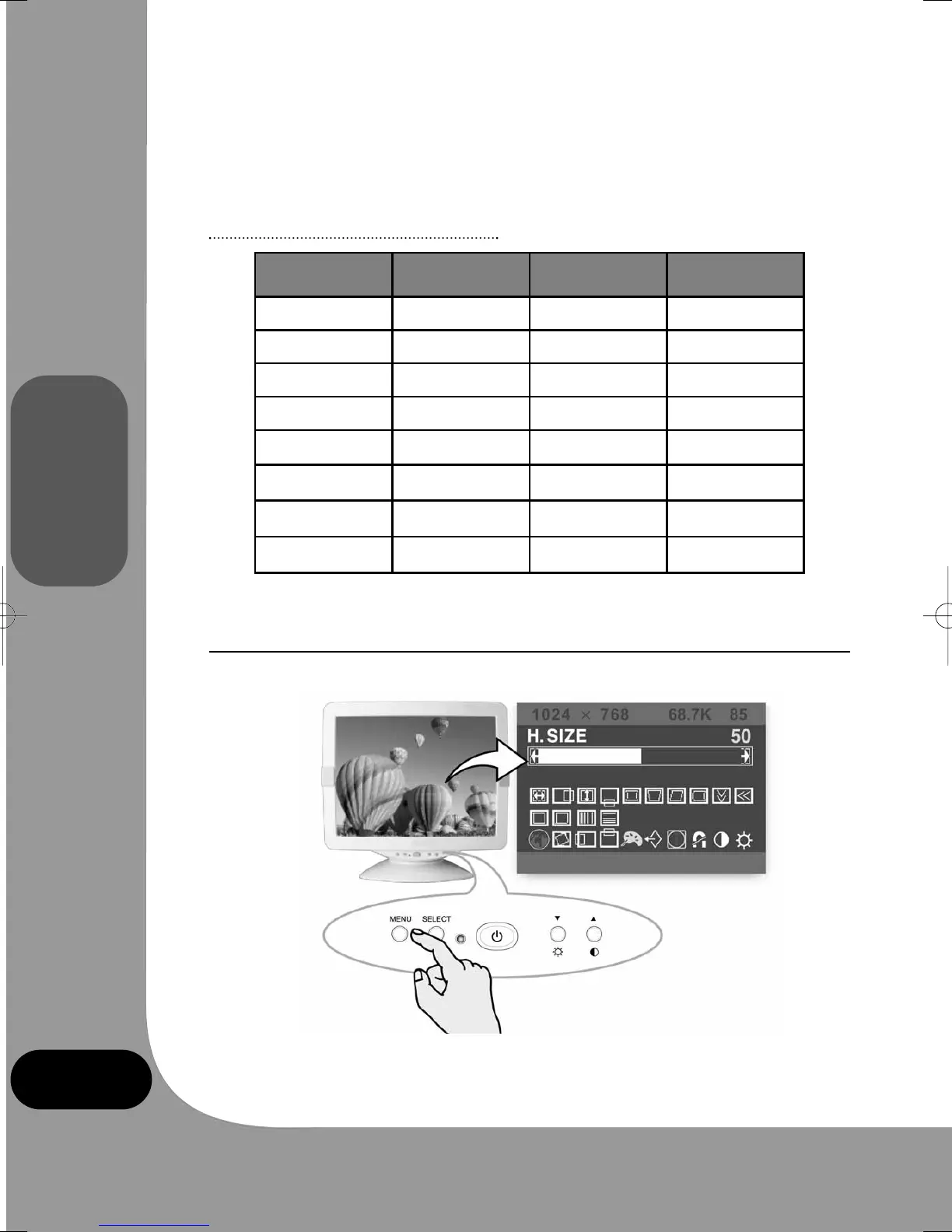
Vorgabemodi-Tabelle
* empfohlener Primärmodus.
4. BILDJUSTIERUNG
Die Anzeige lässt sich mit Hilfe der Tasten unterhalb des Bildschirms justieren.
Nr. Auflösung Zeilenfrequenz Auffrischrate
1 720 x 400 31.5 kHz 70 Hz
2 640 x 480 43.3 kHz 85 Hz
3 640 x 480 50.6 kHz 100 Hz
4 800 x 600 46.9 kHz 75 Hz
5 800 x 600* 53.7 kHz 85 Hz
6 800 x 600 63.9 kHz 100 Hz
7 1024 x 768 60.0 kHz 75 Hz
8 1024 x 768* 68.7 kHz 85 Hz
monitor_guide_6908470000.qxd 27/05/03 15:56 Page 28



 To Next Page