7
ENGLISH
2. Push the or button to choose the item you want to adjust. The selected item is
highlighted.
3. Push the SELECT button to adjust the highlighted item.
4. Use the or button to adjust the selection.
5. Push the MENU button to return to the previous menu if you are in a submenu.
6. The display unit automatically saves the new settings in 1 second after your last adjust-
ments and the menu disappears. You can also push the MENU button to make the menu
disappear.
4-2. Direct access buttons
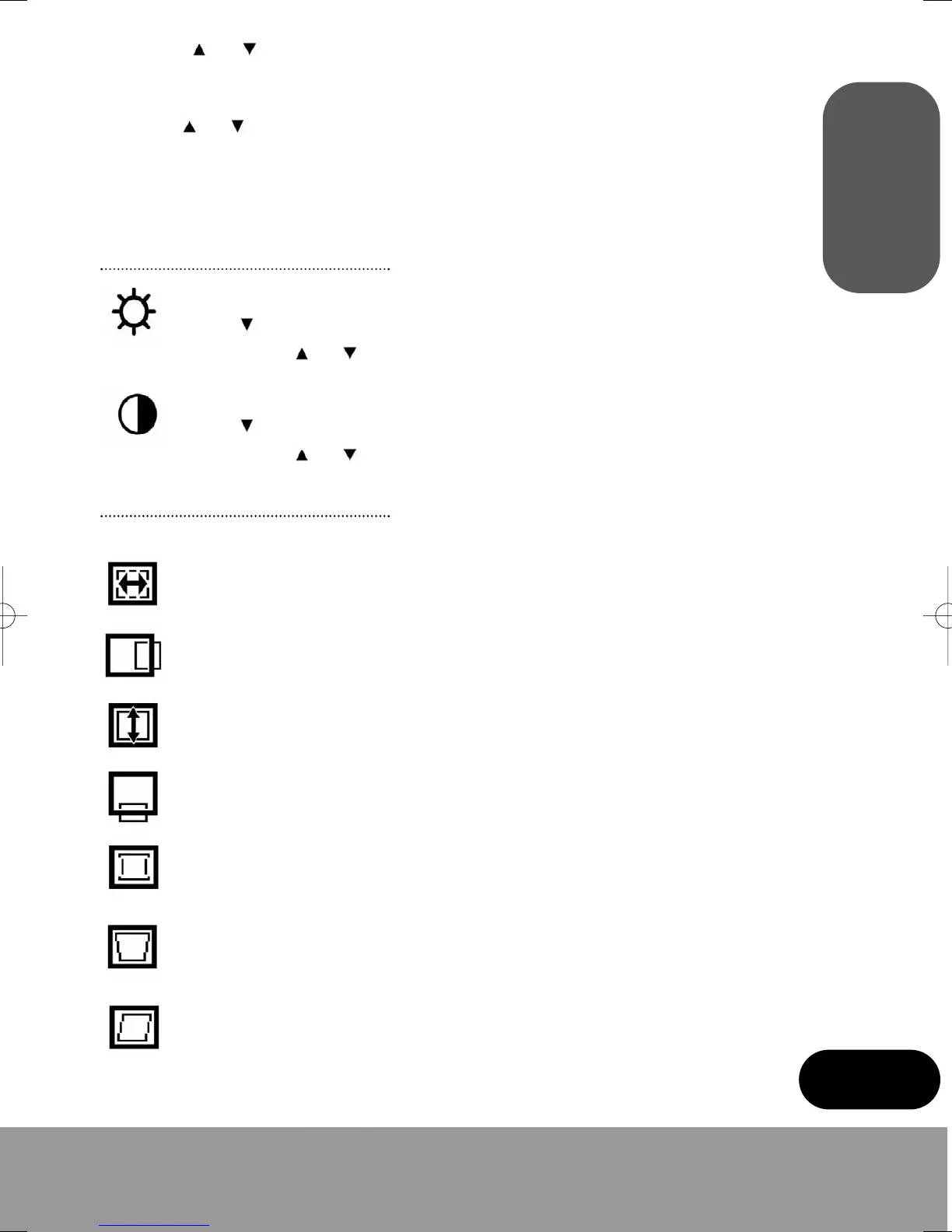
BRIGHTNESS
Use the button to select the brightness adjustment.
Adjust with the or button.
CONTRAST
Use the button to select the contrast adjustment.
Adjust with the or button.
4-3. OSD Adjustments
The OSD adjustments available are listed below.
H. SIZE
Adjusts the horizontal size of the entire screen image.
H. POSITION
Adjusts the horizontal position of the entire screen image.
V. SIZE
Adjusts the vertical size of the entire screen image
V. POSITION
Adjusts the vertical position of the entire screen image.
PINCUSHION
If the vertical sides of the picture curve in or bulge out, you can correct the pin-
cushion distortion by using this adjustment.
TRAPEZOID
If the picture is wider at the top or at the bottom, you can correct the trapezoid dis-
tortion by using this adjustment.
PARALLEL
If the sides of the screen image are tilted, you can correct the parallel distortion by
using this adjustment.
monitor_guide_6908470000.qxd 27/05/03 15:56 Page 7



 To Next Page