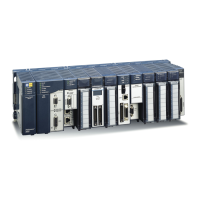
RX3i Ethernet NIU 3
GFK-2419M
possible to place the power supply in the second to
last slot.
2. The RX3i ENIU (IC695NIU001) is a doublewide
module whose connector is right justified as viewed
when installed in a backplane. The ENIU is
referenced for configuration and application logic by
the leftmost slot occupied by the entire module, not by
the slot the physical connector is located in. For
example, if the ENIU has its physical connector
inserted in slot 3, the module occupies slots 2 and 3
and the ENIU is referenced as being located in slot 2.
▪ The ENIU may be located in slot 0 with its
connector in slot 1.
▪ The ENIU cannot be located in slot 11 of a 12-
slot backplane or in slot 15 of a 16-slot
backplane, because its connector cannot be
installed in the slot reserved for an expansion
module.
3. When migrating a Series 90-30 ENIU system to a
PACSystems RX3i ENIU, maintaining the slot 1
location of the ENIU means that only a singlewide
power supply may be used in slot 0. Either DC power
supply can be used (IC695PSD040 or
IC695PSD140). Therefore, if the application must
maintain a slot 1 ENIU and uses an AC power-supply,
the RX3i system must have the RX3i AC power-
supply located in a slot to the right of the RX3i ENIU
in slot 1.
Locating the ENIU in a Slot Other than 1
Before deciding to place the ENIU in a slot other than slot
1, it is important to consider the possible application
migration issues that could arise, as explained below.
Application Program
For Service Request #15 (Read Last-Logged Fault Table
Entry) and Service Request #20 (Read Fault Tables), the
location of ENIU faults is not the standard 0.1 location, but
the slot the ENIU is located in (see above). Logic that
decodes fault table entries retrieved by these service
requests may need updating.
COMMREQs directed to the ENIU (e.g. those directed to
the serial ports of the ENIU) will need to be updated with
the correct ENIU slot reference.
Hardware Configuration
The slot location of the ENIU must be updated in the
hardware configuration to reflect the ENIU’s true location.
Fault Tables
Faults logged for the ENIU in the fault table will not in the
standard 0.1 (backplane.slot) location, but will reflect the
ENIUs actual slot.
Series 90 Controllers
Remote Series 90 controllers that use SRTP Channels
COMMREQs expect the ENIU to be in slot 1 or slot 2. To
support communications with Series 90 SRTP clients such as
Series 90 controllers using SRTP Channels, the RX3i
internally redirects incoming SRTP requests destined for
{backplane 0, slot 1} to {backplane 0, slot 2}, provided that the
ENIU is located in backplane 0 slot 2 (and the remote client
has not issued an SRTP Destination service on the
connection to discover the backplane and slot of the ENIU).
This special redirection permits Series 90-30 applications that
expect the power supply to be located leftmost and the ENIU
to be located to the right of the power supply to function.
Attempts to establish channels with ENIUs in slots other than
1 or 2 will fail if initiated from Series 90 controllers.
HMI and External Communication Devices
All external communication devices that interact with the ENIU
should be checked for compatibility with ENIU slot locations
other than slot 1. Problems may arise with, but are not limited
to, initial connection sequences and fault reporting. Machine
Edition View users should select “GE SRTP” as their
communications driver – it can communicate with an ENIU in
any slot.
Programmer Connection
The programmer can communicate with the NIU via serial port
1, serial port 2, or the backplane-based Ethernet interface.
Connecting a programmer via an Ethernet TCP/IP network
requires a CAT5 standard Ethernet cable with RJ-45
connectors.
Before connecting the programmer and ENIU to the Ethernet
TCP/IP network, set the IP address using the Initial IP
Address software tool. After setting the IP address, connect
the RX3i and the computer running the programming software
to the Ethernet Interface. For detailed information on
programmer connection via Ethernet TCP/IP, refer to the
TCP/IP Ethernet Communications for PACSystems User’s
Manual, GFK-2224.


 To Next Page
 Loading...