www.pado.com.br
24
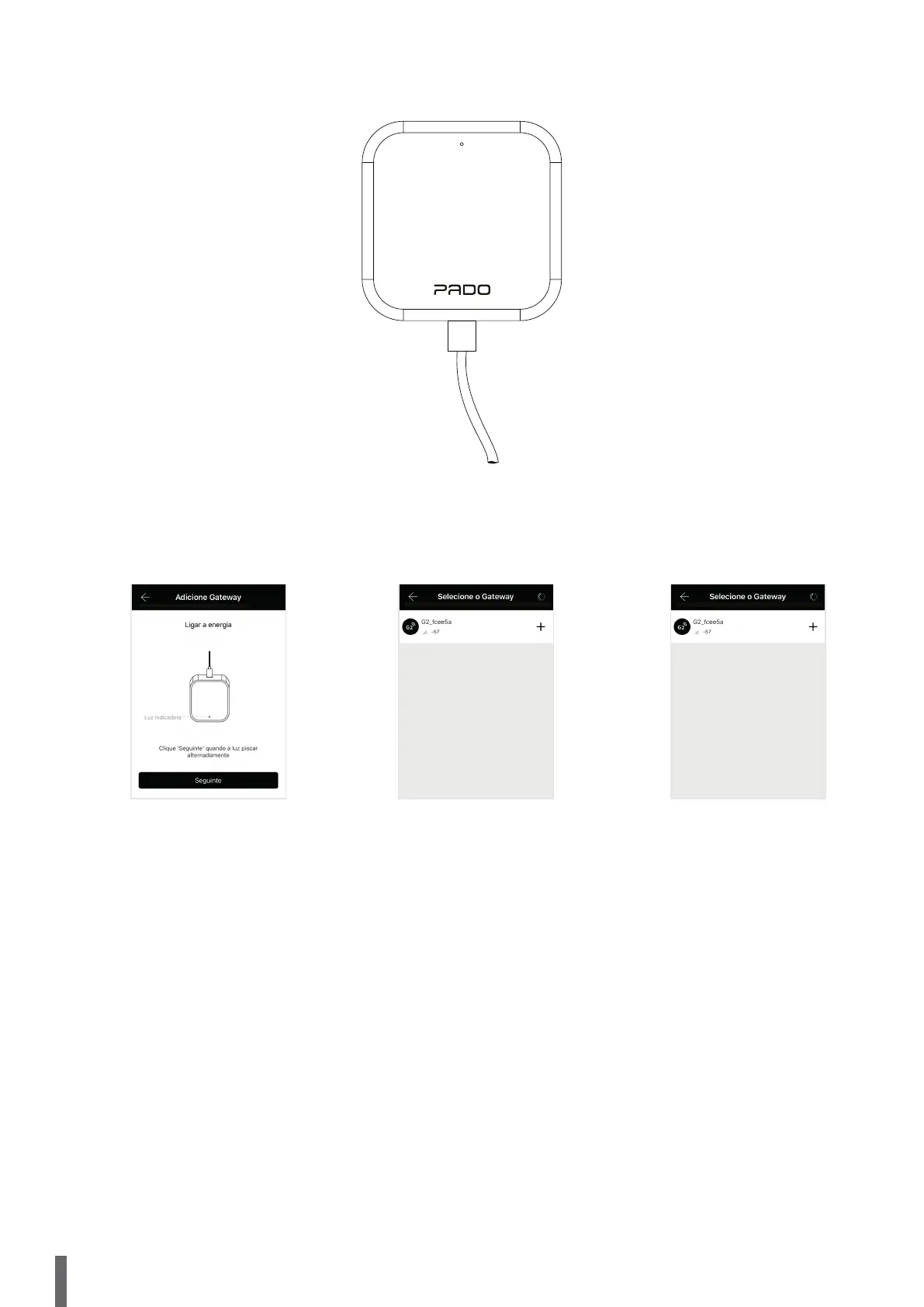
Na sequência, ligue o gateway a alimentação por meio de seu cabo USB.
En la secuencia, conecte el gateway a la alimentación por medio de su cable USB.
After that, turn the supply gateway by means of USB cable.
Na sequência selecione a opção “seguinte”.
En la secuencia seleccione la opción “siguiente”.
After it, select the option “following”.
Os dispositivos disponíveis para
configuração aparecerão automaticamente.
Esse processo poderá levar alguns
segundos.
Los dispositivos disponibles para configuración
aparecerán automáticamente. Ese proceso podrá tardar
algunos segundos.
Devices available for setting will be automatically shown.
This process may last some seconds.
Selecione o ícone “+”, referente a
Seleccione el ícono “+”, referente a
Select icon “+”, referring the..


 To Next Page