SET ALERT MODE
You will have the option to program your pagers to do one, two, or all three of the
following alerts: Vibrate - Flash - Beep.
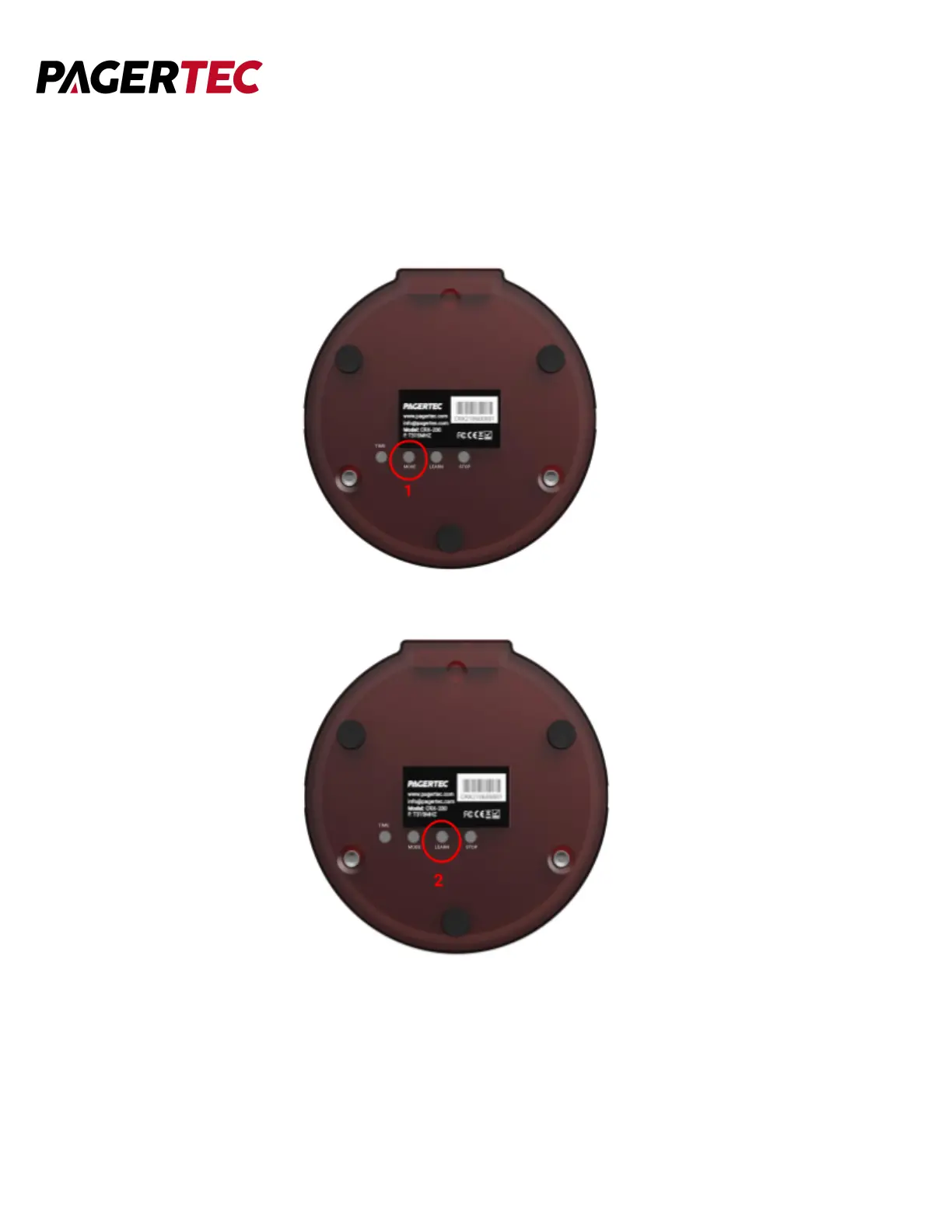
1. Turn the pager around and press the MODE button.
2. Press the LEARN button several times until you reach the mode you desire:
F (Flash), B (Beep), S (Vibrate).
If the pager displays F - the pager will flash
If the pager displays S- the pager will vibrate
If the pager displays FB - the pager will flash and beep
If the pager displays FS - the pager will flash and vibrate
If the pager displays BS - the pager will beep and vibrate
If the pager displays FBS - the pager will flash, beep and vibrate.


 To Next Page