Pakon Part#125307-B October 10, 2006 4
6. While the computer is on and Windows is loaded, turn the scanner power switch into the ‘on’
position.
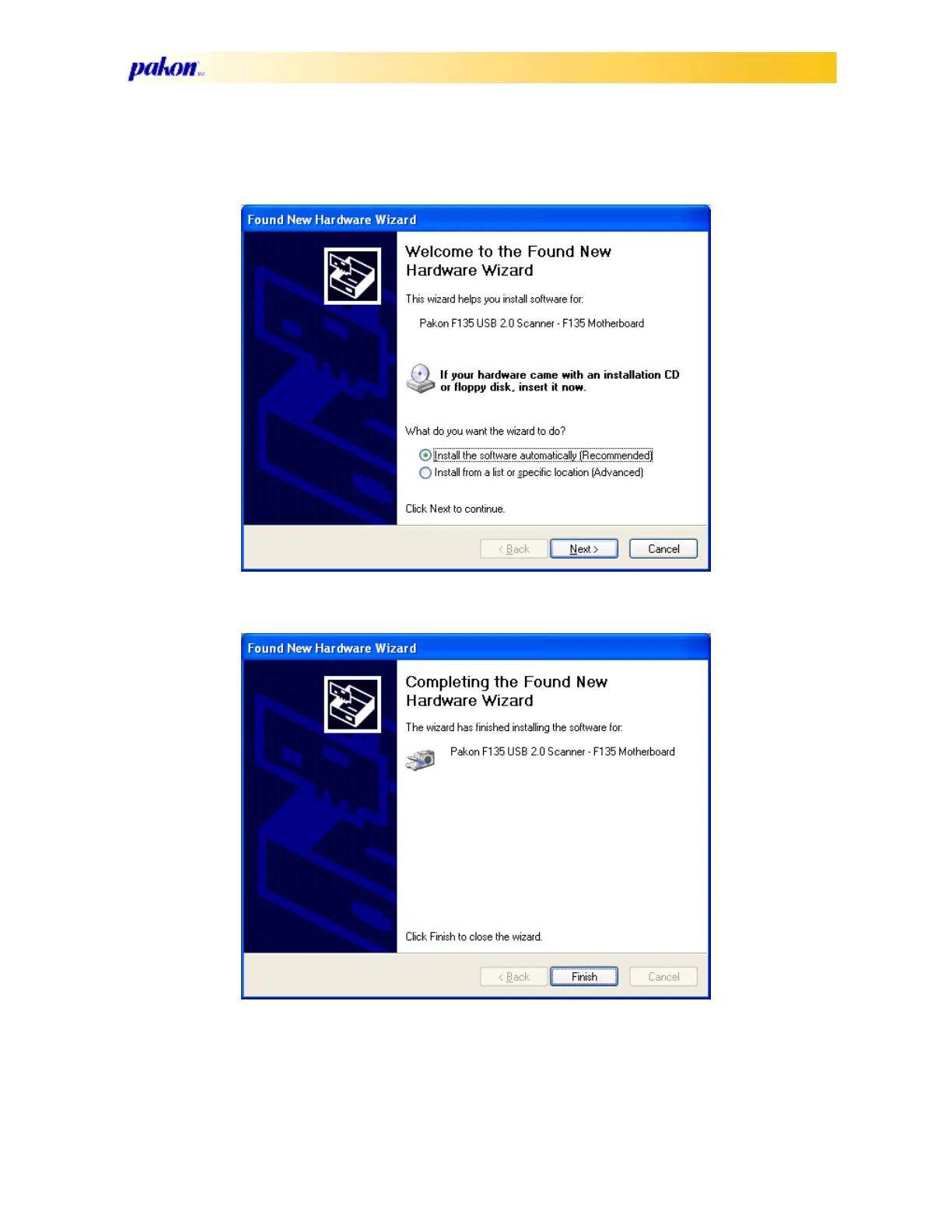
7. Windows will prompt you to click “Next” to continue the driver installation.
8. Then click on “Finish” to finish the driver installation.
9. The process will repeat twice before finishing.
10. After the driver is finished installing, verify that the scanner driver is properly installed, by
viewing the scanner properties in the Device Manager under the heading, “Imaging Devices.”



 To Next Page