Product Instructions:
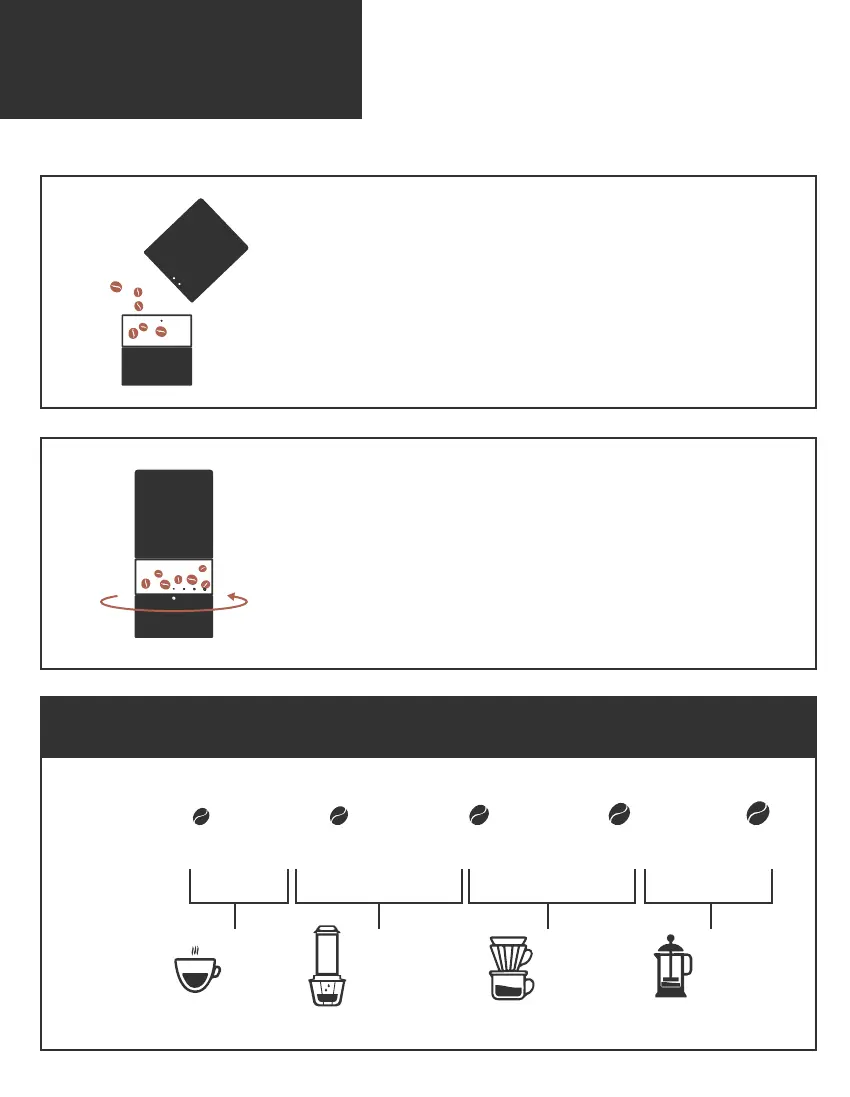
Add coffee beans
• Open the upper housing. Pour coffee beans into
the bean hopper.
Note: Coffee bean hopper capacity: 20 - 25g
Reference table
Selecting your grind size
• Select grind size by rotating the lower housing.
Note: There are 20 grind size setting for different coffee styles –
Espresso, Coffeeology Press, Pour-over, French Press and Steep.
Grind Size
1.0 2.01.2 1.4 1.6 1.8 2.2 3.22.4 2.6 2.8 3.0 3.4 4.43.6 3.8 4.0 4.2 5.04.6 4.8
Espresso
Moka Pot AeroPress
Pour-over
Steep
French Press
Coffeeolopy Press
Brewing
Method



 To Next Page