System Connections
11
Do not connect the power cord until all other connections have been made.
Ensure that you observe the colour cord when connecting audio and video cables.
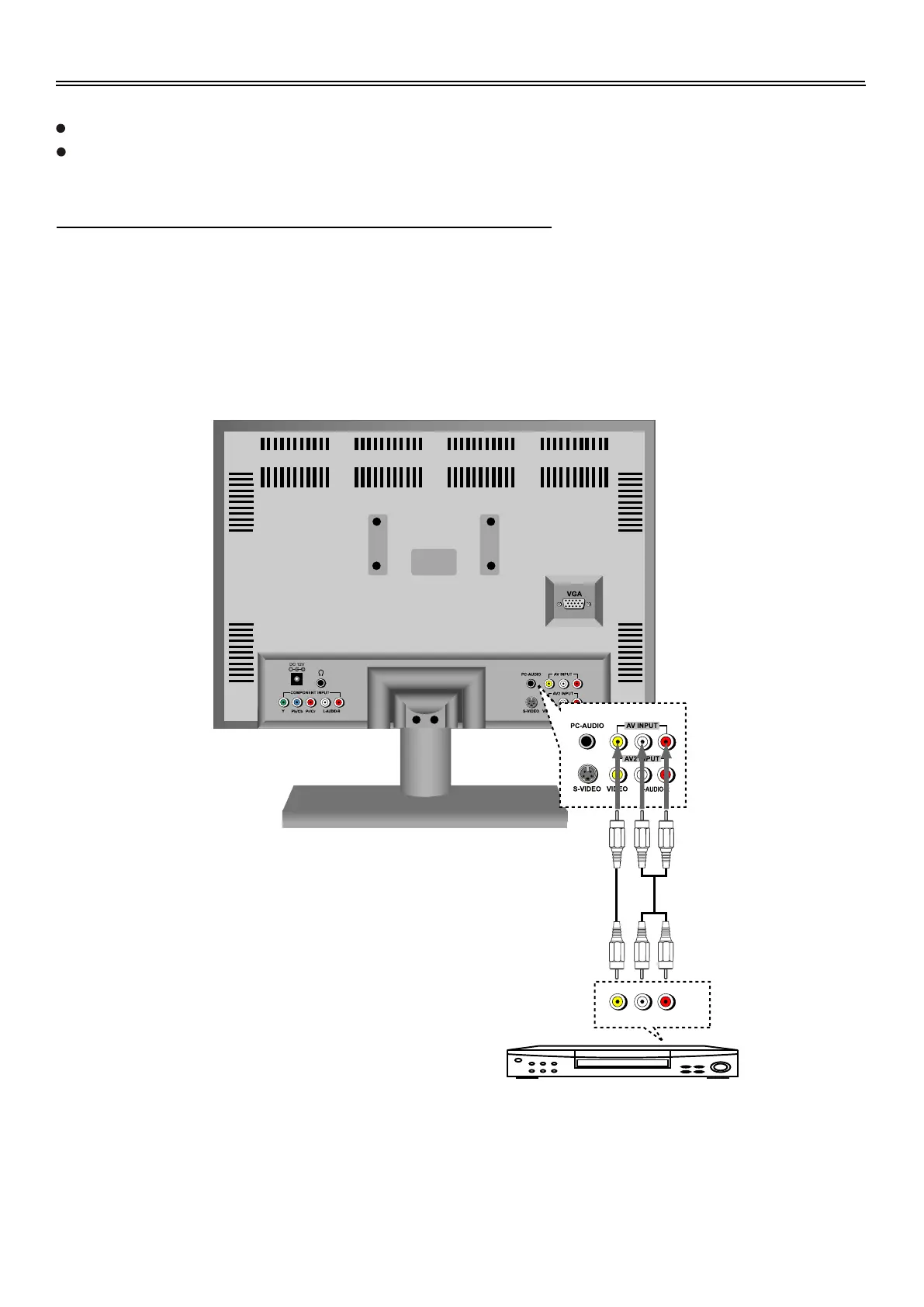
Connecting To External AV Signal Source (AV1)
Use the audio and video cable to connect the input jacks on the rear panel of the unit to the external
AV signal source.
After connection, turn on the power of the unit and the external AV signal source press the
SOURCE button to shift to AV1 mode.
L R
VIDEO OUT AUDIO OUT


 To Next Page