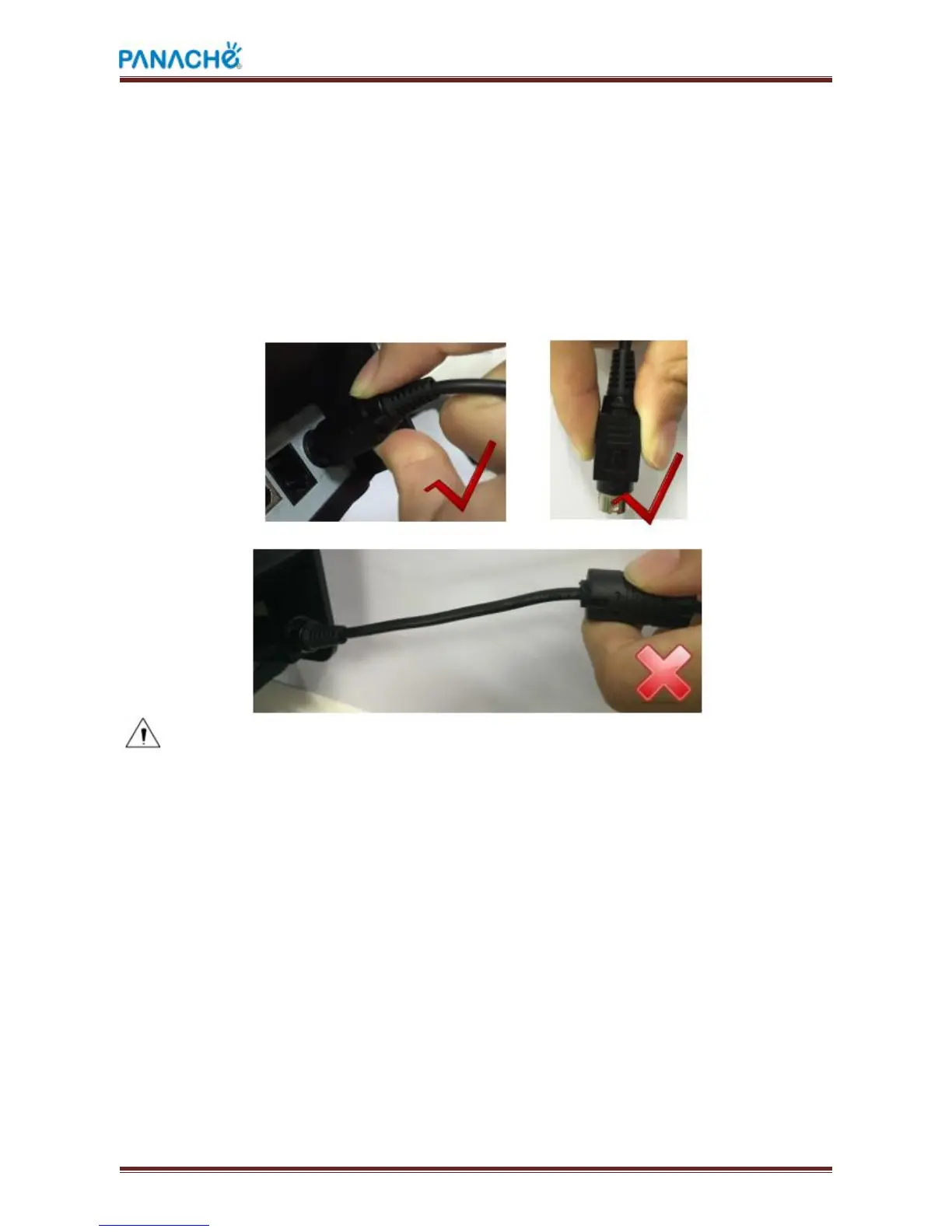
The plug of AC adapter is designed in a switch type, when accessing AC adapter and
uttered the voice "click", it means the connected socket switch is locked the adapter
connect well, otherwise please connect again.
When pulling out the adapter, please pinch the shell of AC adapter and pull the
switch up, when the switch is fully opened then pull out the AC adapter.
Don’t put forth your strength to pull the plug by squeezing at any of place of AC
adapter because it is more difficult to pull it out and easy to damage the cable.
Notes:
a) Please only use the AC adapter recommended by supplier or equivalent
b) When disconnecting the AC adapter plug, handheld plug connector housing, to
avoid the pulling on the cable in force
c) Avoid dragging the AC adapter cable, otherwise it will damage the cable,
d) Avoid putting AC adapter around a heating device, otherwise the cable may
melt, causing fire and shock
e) If you do not use the printer for a long time, disconnect the power supply of



 To Next Page