EasyManua.ls Logo

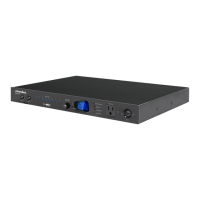
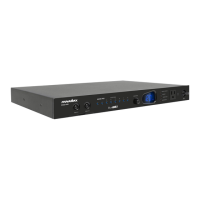
Panamax MX5102 - Front and Back Panel Descriptions; Front Panel Controls and Indicators; Rear Panel Outlets and Connections; Protection and Safety Features

Panamax MX5102
9 pages
Print Icon
To Next Page IconTo Next Page
To Previous Page IconTo Previous Page
Loading...
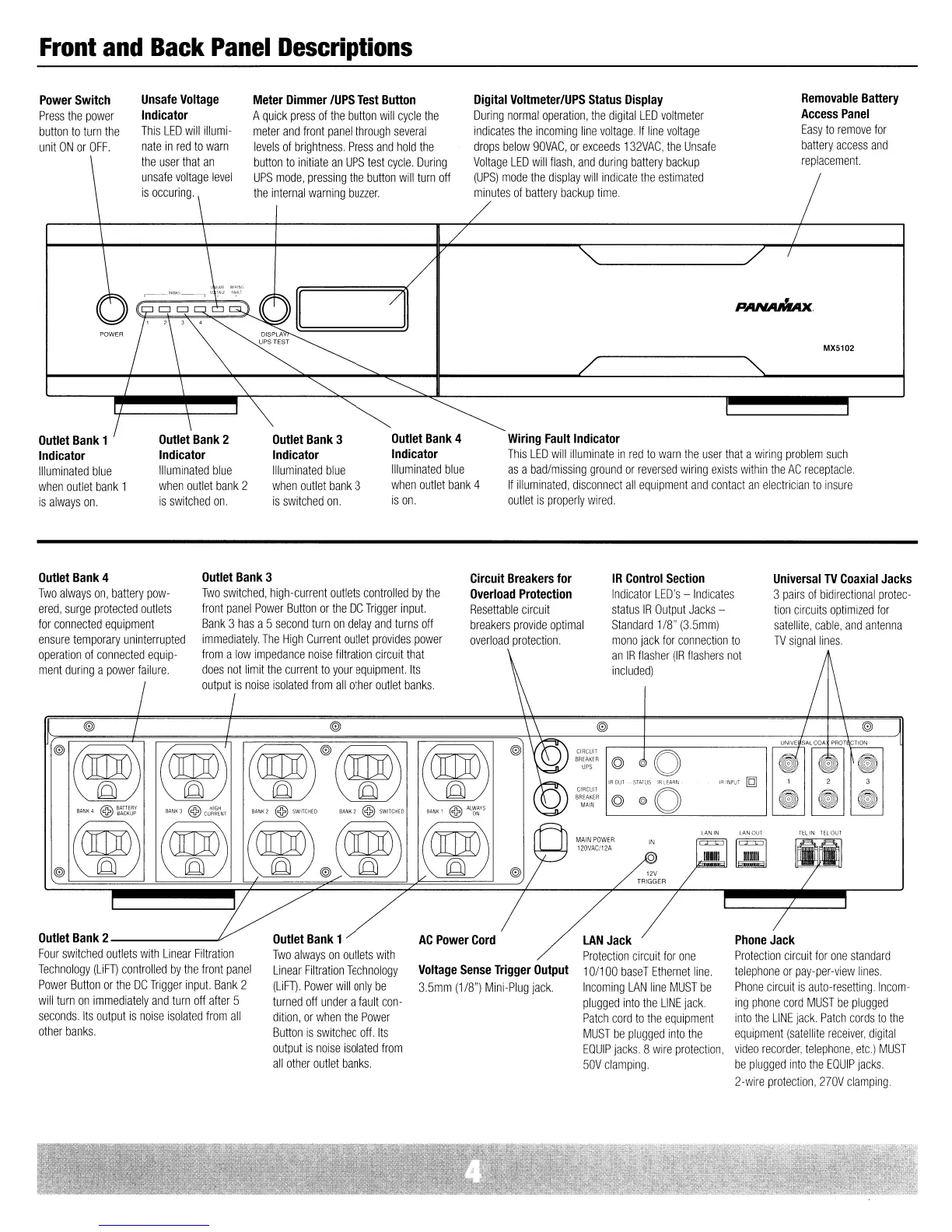
Front
and
Back
Panel
Descriptions
Wiring
Fault
Indicator
This
LED
will
illuminate
in
red
to
warn
the
user
that
a
wiring
problem
such
as
a
bad/missing
ground
or
reversed
wiring
exists
within
the
AC
receptacle.
If
illuminated,
disconnect
all
equipment
and
contact
an
electrician
to
insure
outlet
is
properly
wired.
Outlet
Bank
4
Indicator
Illuminated
blue
when
outlet
bank
4
is
on.
MX5102
Removable
Battery
Access
Panel
Easy
to
remove
for
battery
access
and
replacement.
PANAMAx
Digital
Voltmeter/UPS
Status
Display
During
normal
operation.
the
digital
LED
voltmeter
indicates
the
incoming
line
voltage.
If
line
voltage
drops
below
90VAC.
or
exceeds
132VAC,
the
Unsafe
Voltage
LED
will
flash,
and
during
battery
backup
(UPS)
mode
the
display
will
indicate
the
estimated
minutes
of
battery
backup
time.
Outlet
Bank
3
Indicator
Illuminated
blue
when
outlet
bank
3
is
switched
on.
Meter
Dimmer
/UPS
Test
Button
A
quick
press
of
the
button
will
cycle
the
meter
and
front
panel
through
several
levels
of
brightness.
Press
and
hold
the
button
to
initiate
an
UPS
test
cycle.
During
UPS
mode.
pressing
the
button
will
turn
off
the
internal
warning
buzzer.
Outlet
Bank
2
Indicator
Illuminated
blue
when
outlet
bank
2
is
switched
on.
Unsafe
Voltage
Indicator
This
LED
will
illumi-
nate
in
red
to
warn
the
user
that
an
unsafe
voltage
level
is
occuring.
Power
Switch
Press
the
power
button
to
turn
the
unit
ON
or
OFF.
Outlet
Bank
1
Indicator
Illuminated
blue
when
outlet
bank
1
is
always
on.
Universal
TV
Coaxial
Jacks
3
pairs
of
bidirectional
protec-
tion
circuits
optimized
for
satellite,
cable,
and
antenna
TV
signal
lines.
IR
Control
Section
Indicator
LED's
-
Indicates
status
IR
Output
Jacks
-
Standard
1/8"
(3.5mm)
mono
jack
for
connection
to
an
IR
flasher
(IR
flashers
not
included)
Circuit
Breakers
for
Overload
Protection
Resettable
circuit
breakers
provide
optimal
overload
protection.
Outlet
Bank
3
Two
switched,
high-current
outlets
controlled
by
the
front
panel
Power
Button
or
the
DC
Trigger
input.
Bank
3
has
a5
second
turn
on
delay
and
turns
off
immediately.
The
High
Current
outlet
provides
power
from
a
low
impedance
noise
filtration
circuit
that
does
not
limit
the
current
to
your
equipment.
Its
output
is
noise
isolated
from
all
other
outlet
banks.
@
@
@
I
/ I \ @
WI(~)
(~)
(~r(~)
(~)
@
CIRCUIT
© JO
r~
BREAKER
UPS
IROUT
STATUS
IRLEARN
IR
INPUT
[g]
,
2
CIRCUIT
©
@O
~ ~ ~
BREAKER
MAIN
BANK4
@
~~W~~
BANK
3 @
cu~~~~n
BANK2
@SWITGHEO
BANK2
@SWIlCHED
BANK!
@AL~~YS
WI(~)
~)
LAN
IN
LAN OUT
~
@ID
~I
I
~
"'".,"
"
l:i'I'!I'1
Ga!I'1
120VAC/12A
fl
.
(QJ
@/
(QJ
/
(QJ
-
Outlet
Bank
4
Two
always
on,
battery
pow-
ered,
surge
protected
outlets
for
connected
equipment
ensure
temporary
uninterrupted
operation
of
connected
equip-
ment
during
a
power
failure.
Outlet
Bank
2 v
Four
switched
outlets
with
Linear
Filtration
Technology
(liFT)
controlled
by
the
front
panel
Power
Button
or
the
DC
Trigger
input.
Bank
2
will
turn
on
immediately
and
turn
off
after
5
seconds.
Its
output
is
noise
isolated
from
all
other
banks.
Outlet
Bank
1
Two
always
on
outlets
with
Linear
Filtration
Technology
(liFT).
Power
will
only
be
turned
off
under
a
fault
con-
dition,
or
when
the
Power
Button
is
switched
off.
Its
output
is
noise
isolated
from
all
other
outlet
banks.
AC
Power
Cord
Voltage
Sense
Trigger
Output
3.5mm
(1/8")
Mini-Plug
jack.
LAN
Jack
Protection
circuit
for
one
10/1
DO
baseT
Ethernet
line.
Incoming
LAN
line
MUST
be
plugged
into
the
LINE
jack.
Patch
cord
to
the
equipment
MUST
be
plugged
into
the
EQUIP
jacks.
8
wire
protection,
50V
clamping.
Phone
Jack
Protection
circuit
for
one
standard
telephone
or
pay-per-view
lines.
Phone
circuit
is
auto-resetting.
Incom-
ing
phone
cord
MUST
be
plugged
into
the
LINE
jack
Patch
cords
to
the
equipment
(satellite
receiver,
digital
video
recorder,
telephone,
etc.)
MUST
be
plugged
into
the
EQUIP
jacks
2-wire
protection,
270V
clamping.

Other manuals for Panamax MX5102

Related product manuals