EasyManua.ls Logo

Panasonic 96NKX-UT248 - User Manual

Panasonic 96NKX-UT248
86 pages
Print Icon
To Next Page IconTo Next Page
Loading...
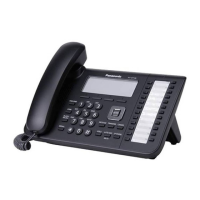
KX-UT113/KX-UT123
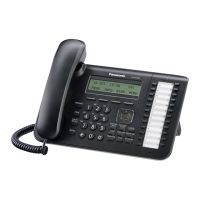
Model No. KX-UT133/KX-UT136/KX-UT248
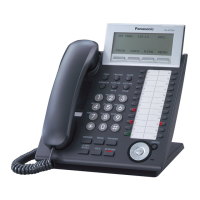
<KX-UT136>
Document Version: 2011-10
SIP Phone
Thank you for purchasing this Panasonic product.
Please read this manual carefully before using this product and save this manual for future use.
KX-UT113/KX-UT123/KX-UT133/KX-UT136/KX-UT248: Software File Version 01.000 or later
In this manual, the suffix of each model number is omitted unless necessary.

Table of Contents

Questions and Answers

  • M
    Maria EvansSep 19, 2025
    What to do if I cannot cancel the display lock on Panasonic 96NKX-UT248 IP Phone?
    • C
      cantrelllanceSep 22, 2025
      If you cannot cancel the display lock, the PIN number you entered may have been incorrect. Consult your administrator or dealer.
  • A
    Abigail BoydAug 25, 2025
    What to do if I forgot my PIN number on Panasonic Telephone?
    • A
      April Townsend DDSAug 25, 2025
      If you forgot your PIN number on your Panasonic Telephone, consult your administrator or dealer.
  • A
    amandahenryAug 25, 2025
    Why is the display blank on my Panasonic Telephone?
    • J
      John NelsonAug 26, 2025
      If the display on your Panasonic Telephone is blank, ensure that the device supplying PoE is receiving power and that the Ethernet cable is properly connected. If you're using an AC adapter, check that it's correctly connected and powered.
  • I
    ingrammargaretAug 27, 2025
    What to do if I cannot hear a dial tone on my Panasonic Telephone?
    • M
      mcopelandAug 27, 2025
      If you cannot hear a dial tone on your Panasonic Telephone, verify that the LAN cable is properly connected.
  • D
    deanclaudiaSep 23, 2025
    What does 'No Entries' mean on my Panasonic IP Phone?
    • C
      Christian GonzalezSep 23, 2025
      This message indicates that the phonebook or call block list contains no entries. Store entries in the phonebook or call block list.
  • T
    Todd HolmesSep 23, 2025
    Why is the Message/Ringer lamp lit on my Panasonic 96NKX-UT248?
    • J
      Jessica MitchellSep 23, 2025
      If the Message/Ringer lamp is lit, you may have received a voice message while you were on the phone or away from your desk. Check the voice message.
  • D
    Dorothy RussellSep 10, 2025
    What to do if my Panasonic 96NKX-UT248 is not performing properly?
    • M
      Michelle SanchezSep 10, 2025
      If your unit isn't performing properly: * Check all cable and cord connections. * Consult your administrator to confirm that your connection settings are correct. If the problem continues, consult your dealer. * Restart the unit.
  • J
    jessicacoxSep 12, 2025
    Why I cannot make calls on my Panasonic 96NKX-UT248 IP Phone?
    • K
      kcrossSep 12, 2025
      There are several reasons why you might not be able to make calls: * Your phone system/service may have disabled service for your unit; consult your administrator or dealer. * You may have entered the phone number incorrectly; confirm you've entered it correctly and consult your administrator or dealer. * The unit may be downloading a firmware update; wait for the update to finish and then try making a call. * The phonebook list may be being imported or exported; wait a few minutes for the operation to complete and confirm with your administrator or dealer.
  • C
    Claire GonzalezSep 3, 2025
    What to do if I cannot make a call on my Panasonic 96NKX-UT248 IP Phone?
    • L
      Laura WilkinsSep 4, 2025
      If you're unable to make calls on your Panasonic IP Phone, first check the VoIP status in the Web user interface to confirm that each line is registered properly. Also, verify that the SIP server address, URLs of the configuration files, and encryption key are correct. Finally, check the firewall and port forwarding settings on the router.
  • S
    Stephanie SmithSep 1, 2025
    What to do if my Panasonic 96NKX-UT248 will not start up correctly?
    • T
      Tasha WillisSep 2, 2025
      If your Panasonic IP Phone doesn't start up correctly, the Web user interface settings or configuration file settings may be incorrect. To initialize the settings, follow these steps: 1. Press Setup. 2. Press [#][1][3][6]. 3. Select "IP Reset" using the navigation keys and press [ENTER]. 4. Select "Yes" using the navigation keys and press [ENTER]. 5. Select "Yes" again and press [ENTER]. The unit will restart automatically after performing IP Reset.

Panasonic 96NKX-UT248 Specifications

General IconGeneral
BrandPanasonic
Model96NKX-UT248
CategoryIP Phone
LanguageEnglish

Related product manuals