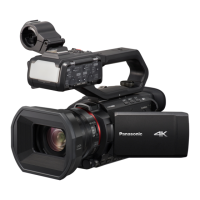
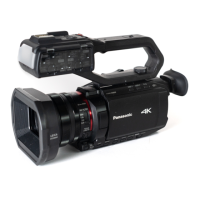
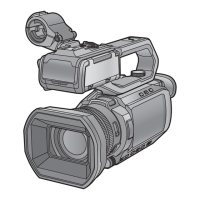
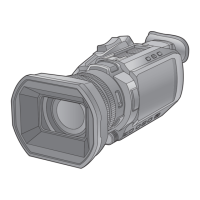
Description of parts
24
DVQX2032 (ENG)
35
<REMOTE> terminal
Connects the remote control unit
(commercially-available) to control some
functions remotely.
36
USB terminal
Connect to a computer with the USB2.0
cable to transfer data.
≥(For the )
You can connect a LAN cable to the
USB ethernet adaptor by connecting
the USB HOST conversion cable
(supplied) and USB ethernet adaptor
(supplied).
37
Tripod mounting holes
Attach the tripod. (bottom)
≥Mounting hole size
j 1/4-20 UNC (screw length 5.5 mm
or shorter)
≥Attaching a tripod with a screw length
of 5.5 mm or more may damage the
unit.
38
Grip belt (l 31)
39
Lens cover
40
Lens
41
Fan outlet
Fan outlet for cooling fan. Do not block
this while the unit is being used.
42
Status indicator (l 38)
Illuminates when power is on.
43
Battery release lever (l 28)
Used when removing the battery from
the main unit.
44
Battery mounting section (l 28)
Attaches a battery.
45
Viewfinder
46
REC button (on the grip)
Starts or stops the recording.
It is possible to directly record from the
thumbnail mode.
47
<HDMI> terminal
A terminal to output video signal by
connecting a monitor, etc.
48
Headphones terminal
Connects audio monitoring headphones.
49
Charging lamp (l 29)
Illuminates when the battery is charging.
50
<DCIN12V> terminal (l 29)
Connects the supplied AC adaptor and
supplies an external power.
51
(For the / )
<SDI OUT> terminal
A terminal to output SDI signal by
connecting a monitor, etc.

 To Next Page
 Loading...