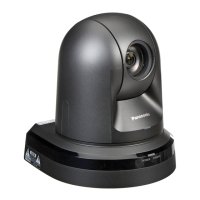
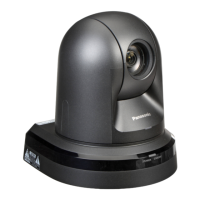
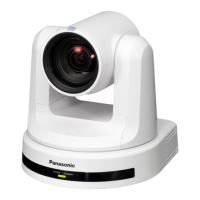
This document provides operating instructions for the Panasonic AW-HE42WP, AW-HE42KP, AW-HE42WE, and AW-HE42KE HD Integrated Cameras.
The AW-HE42 series cameras are full HD integrated cameras featuring a 1/2.3-type MOS sensor and a digital signal processor (DSP). They are equipped with an optical 20x zoom lens and a 12x digital zoom, allowing for up to 30x i.Zoom while maintaining HD quality. The cameras support various video formats including 1080/59.94p, 1080/59.94i, 1080/29.97p, 1080/29.97PsF, 720/59.94p, 1080/50p, 1080/50i, 1080/25p, 1080/25PsF, and 720/50p.
Key Features:
- High-Quality Imaging: The cameras incorporate HDR (High Dynamic Range) and DRS (Dynamic Range Stretch) functions to compensate for overexposure and loss of dark detail, ensuring clean and clear image reproduction. A digital noise reduction (DNR) function minimizes image lag in dark locations.
- Built-in ND Filter: A 4-position ND filter (Through, 1/4, 1/16, 1/64) allows for easy selection of appropriate shutter speed and aperture in varying light conditions. In "Full Auto" shooting mode, an auto ND filter selection function is available.
- Optical Image Stabilization (OIS): This function detects and compensates for camera shake, reducing image blurring with high-precision optical image stabilization and low image degradation. Two OIS modes are available: Mode1 (optical, 2-axis compensation) and Mode2 (optical+electronic, 4-axis compensation).
- Night Mode: Infrared shooting is supported, enabling clear images even in very-low-brightness conditions by exposing subjects to infrared rays (outputting black-and-white images with fixed open iris).
- Integrated Pan-Tilt Head: The unit features a high-performance pan-tilt head with high-speed operations (maximum 300°/s during preset, 90°/s during manual) and wide rotational angles (panning range of ±175°, tilting range from –30° to +90°). Quiet operation is maintained with noise levels of NC35 (normal speed) and NC40 (during preset). Up to 100 preset positions can be stored.
- IP Video Output Function: Equipped with image compression and IP transmission LSI capabilities, the unit can output Full HD images at up to 60 fps via a network. It supports NDI|HX technology of NewTek, Inc., allowing transmission of video to NDI|HX compatible software applications and hardware devices over a network.
- PoE+ Support: The unit complies with the IEEE802.3at standard, eliminating the need for a separate power supply when connected to a PoE+ compatible network device.
- Serial Communication Support: Up to seven cameras can be connected to a commercially available controller via RS-232C interface. The unit also supports Panasonic’s proprietary serial communication format for connection with Panasonic camera controllers (e.g., AW-RP50).
- Wireless Remote Control (Optional): An optional wireless remote control (AW-RM50G) can operate up to four units, allowing easy setting of functions and switching between menu screens.
- SD Card Recording: The camera can record H.264 images to a microSD card in MP4 format. Recorded data can be played back on the Web screen, downloaded to a personal computer, or transferred to an FTP server.
- Web Camera Functionality: The unit can be used as a Web camera by connecting to a personal computer via USB Video Class, allowing control from a personal computer.
- Web Browser Control: When connected to an IP network, the camera can be operated via a web browser, allowing live viewing of camera images and access to various settings. A "single display mode" shows IP images from one camera, and a "multi display mode" shows images from multiple cameras (up to 16).
- Mobile Terminal Control: The camera can also be controlled from mobile terminals (iPad, iPhone, iPod touch with iOS 8.3; Android™ terminals with Android OS 4.4) via a web browser, displaying JPEG format images.
Technical Specifications:
- Power Requirements: DC 12 V (supplied AC adaptor) or DC 42 V to 57 V (PoE+ power supply).
- Current Consumption: 1.3 A (supplied AC adaptor), 0.5 A (PoE+ power supply).
- Ambient Operating Temperature: 0 °C to 40 °C (32 °F to 104 °F).
- Storage Temperature: –20 °C to 50 °C (–4 °F to 122 °F).
- Allowable Humidity Ranges: 20 % to 90 % (no condensation).
- Mass: Approximately 1.5 kg (3.30 lb).
- Dimensions (W × H × D): 160 mm × 186 mm × 179 mm (6-5/16 inches × 7-41/128 inches × 7-3/64 inches) [excluding protrusions, direct ceiling mount bracket].
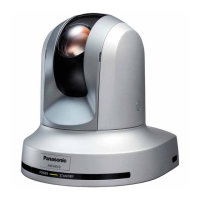
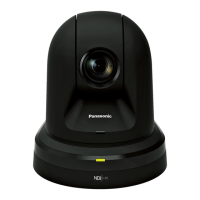
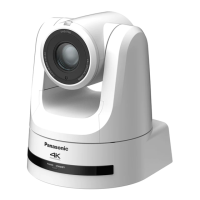
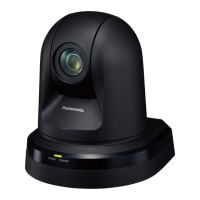
- Finish: Pearl white (AW-HE42WP, AW-HE42WE) or Metallic black (AW-HE42KP, AW-HE42KE).
- Controller Supported: AW-RP50.
- Mic/Line Input: Stereo mini-jack (ø3.5 mm), input impedance approx. 2 kΩ (unbalanced). Mic input level: –60 dBV ± 3 dBV (0 dB=1 V/Pa, 1 kHz). Line input level: –10 dBV ± 3 dBV.
- G/L IN: BNC connector (75 Ω), supporting BBS (Black Burst Sync) signal and tri-level sync.
- HDMI Output: HDMI connector. HDCP and VIERA Link are not supported.
- 3G/HD SDI OUT: BNC connector (75 Ω), compliant with SMPTE424M/SMPTE292M.
- LAN Connector: RJ-45 for IP control, with straight/crossover cable auto detection.
- RS-232C: Mini DIN 8-pin (IN/OUT).
- RS-422: RJ-45 for CONTROL IN RS422A.
- USB: Mini-B port.
- SD Card: microSD card slot.
- Imaging Sensors: 1/2.3-type MOS.
- Lens: Motorized 20x zoom, F1.8 to F3.6. Focal length: 4.08 mm to 81.6 mm (35 mm equivalent: 29.5 mm to 612.0 mm).
- View Angle (OIS OFF or OIS Mode1): Horizontal: 65.1° (Wide) to 3.2° (Tele); Vertical: 39.5° (Wide) to 1.8° (Tele); Diagonal: 72.4° (Wide) to 3.7° (Tele).
- View Angle (OIS Mode2): Horizontal: 59.6° (Wide) to 2.9° (Tele); Vertical: 35.7° (Wide) to 1.6° (Tele); Diagonal: 66.6° (Wide) to 3.4° (Tele).
- Focus Distance: Entire zooming range: 1.5 m (4.9 ft); Wide end: 10 cm (0.33 ft).
- Minimum Illumination (59.94 Hz): 0.7 lx (50 IRE, F1.8, 48 dB, 1/60 without accumulation); 0.35 lx (50 IRE, F1.8, 48 dB, 1/30 with accumulation [Frame Mix 6 dB]).
- Minimum Illumination (50 Hz): 0.7 lx (50 IRE, F1.8, 48 dB, 1/50 without accumulation); 0.35 lx (50 IRE, F1.8, 48 dB, 1/25 with accumulation [Frame Mix 6 dB]).
- Horizontal Resolution: 1000 TV lines Typ (Center area).
- Electronic Shutter Speed: During Full Auto: 1/60 to 1/2000 (59.94 Hz), 1/50 to 1/2000 (50 Hz). During Manual: 1/100 to 1/10000 (59.94 Hz), 1/120 to 1/10000 (50 Hz).
- Synchro Scan: 59.94 Hz to 660.09 Hz (59.94 Hz), 50.00 Hz to 570.12 Hz (50 Hz).
- White Balance: ATW, AWB A, AWB B, 3200K, 5600K, VAR (2400K to 9900K).
- Chroma Amount Variability: ±3 step.
- Pan/Tilt Operation Speed: Maximum speed during preset: 300°/s; Maximum speed during manual: 90°/s.
- Panning Range: ±175°.
- Tilting Range: –30° to 90°.
- Quietness: During preset: NC40 or less; During manual: NC35 or less.
Usage Features:
- Basic Shooting Operations: The manual outlines steps for setting subject brightness, powering on/off, selecting units, and choosing shooting modes (Full Auto, Manual1-3).
- Manual Adjustments: Users can manually adjust focus, iris, shutter speed, and gain for precise control over image capture.
- Preset Memories: Up to 100 camera direction, zoom, focus, iris, gain, and white balance settings can be registered and recalled.
- White Balance Adjustment: Automatic (AWB, ATW) and manual (R gain, B gain, 3200K, 5600K, VAR) white balance adjustments are available to ensure accurate color reproduction.
- Black Level (Master Pedestal) Adjustment: This feature allows alignment of the black level across multiple cameras.
- Genlock Adjustment: External synchronization (genlock) can be applied for phase alignment when using multiple cameras or combining with other devices.
- Camera Menu Items: A comprehensive menu system accessible via the wireless remote control or web browser allows configuration of various camera, system, and maintenance settings.
- Web Screen Operations: The web interface provides extensive control over camera functions, including pan, tilt, zoom, focus, brightness, and speed, as well as network and recording settings.
- SD Card Recording and Playback: Instructions are provided for recording video and audio to microSD cards, managing recorded content, and playing back files.
- Limiters: The unit allows setting movement range limits for panning and tilting, which can be set or released via remote control or web interface.
- Activation: The manual describes the process of obtaining and uploading activation codes to unlock additional functionalities.
Maintenance Features:
- Installation Check: Regular checks (at least once a year) are recommended to prevent improper installation.
- Cleaning: Surfaces should be wiped with a soft dry cloth. Avoid benzine, paint thinners, and other volatile substances.
- Firmware Updates: The web interface allows checking the firmware version and uploading the latest software for upgrades.
- Network Settings: Detailed instructions are provided for configuring network settings, including IP address, subnet mask, default gateway, DNS, HTTP port, and NTP server settings.
- User Authentication: The unit supports user authentication with user names and passwords to restrict unauthorized access.
- System Log: The maintenance screen provides access to system and error logs for troubleshooting.
- Default Reset: Camera settings can be restored to factory defaults (excluding network and format settings).
- Backup/Upload Settings: Camera and network settings can be saved to a personal computer and loaded back into the unit.
- Electrical Safety: Do not open the unit; refer servicing to qualified personnel. Disconnect the power cord to completely disconnect from AC mains.
- Ventilation: Ensure adequate ventilation and do not obstruct air flow.
- Liquid Exposure: Keep the equipment away from all liquids and do not expose it to rain or moisture.
- Heat Sources: Do not install near radiators, heat registers, stoves, or other heat-producing apparatus.
- Battery Safety: A coin-type battery is installed inside; do not expose to excessive heat.
- Memory Cards/Accessories: Keep out of reach of babies and small children.
- Tripod Use: Do not pick up or move the unit while a tripod is attached.
- Camera Handling: Avoid dropping or subjecting the unit to strong impact or vibration. Do not turn the camera head by hand.
- Optical System: Do not touch optical system parts.
- Strong Lights: Do not point the camera directly at the sun or laser beams.
- Disposal: Dispose of the unit properly at the end of its service life.

 Need help?
 General


 To Next Page