EasyManua.ls Logo

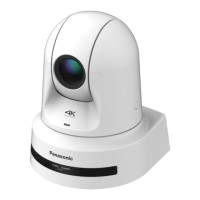
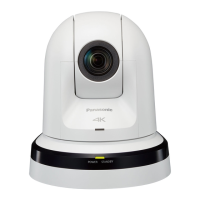
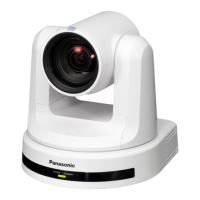
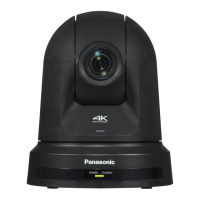
Panasonic AW-UE80KP - User Manual

Panasonic AW-UE80KP
72 pages
Print Icon
To Next Page IconTo Next Page
Loading...
Operating Instructions
Excerpted Version
Installation Instructions provided
4K Integrated Camera
DVQX2241YA
CG1221GU1022 -FJ
Printed in China
ENGLISH
PJ EJ ED
Before operating this product, please read the instructions carefully and save this manual for future use.
ENGLISH
Excerpted Version
Before installing and using this product, be sure to read “Read this rst!” (pages 4, 25 to 29).
This manual contains information excerpted from the Operating Instructions.
For more information, please visit the Panasonic website (https://pro-av.panasonic.net/manual/en/index.html), and
refer to the Operating Instructions.
FRANÇAIS
Avant d’installer et d’utiliser cet appareil, s’assurer de lire la section « Lire ces informations en premier ! » (pages 4, 30 à 32).
Pour de plus amples informations, visiter le site Web de Panasonic (https://pro-av.panasonic.net/manual/en/index.
html) et consulter le mode d’emploi et les instructions d’installation.
ESPAÑOL
Antes de instalar y usar este producto, asegúrese de leer “Lea esto primero!” (páginas
4
, 33 a 35).
Si desea obtener más información, visite el sitio web de Panasonic (https://pro-av.panasonic.net/manual/en/index.
html) y consulte las instrucciones de funcionamiento y las instrucciones de instalación.
DEUTSCH
Bitte lesen Sie sorgfältig „Bitte lesen Sie zuerst diesen Hinweis!“ vor der Installation und Nutzung dieses Produkts. (Seiten 5, 36 bis 37).
Weitere Informationen nden Sie auf der Panasonic-Webseite (https://pro-av.panasonic.net/manual/en/index.
html), in der Bedienungsanleitung und in der Installationsanleitung.
ITALIANO
Prima di installare e utilizzare il prodotto, assicurarsi di leggere “Leggere prima quanto segue!” (pagine 5, 38 a 39).
Per maggiori informazioni, visitare il sito Web Panasonic (https://pro-av.panasonic.net/manual/en/index.html) e
fare riferimento alle istruzioni per l’uso e alle istruzioni per l’installazione.
Model No.
AW‑UE80WP
Model No.
AW‑UE80KP
Model No.
AW‑UE80WE
Model No.
AW‑UE80KE
Model No.
AW‑UE80WED
Model No.
AW‑UE80KED

Table of Contents

Questions and Answers

  • J
    Juan RoseSep 10, 2025
    Why Panasonic AW-UE80KP Security Camera subject is not brought into focus?
    • A
      anita01Sep 10, 2025
      If the subject is not brought into focus during zooming when the manual setting is used for the focus on your Panasonic Security Camera, adjust the focus at the Tele end first, where the focusing accuracy is higher, and then proceed with the zooming. Under some operating conditions, it may be hard to bring subjects into focus. In such cases, use the focus at the auto setting.
  • J
    Jennifer MorenoAug 25, 2025
    Why Panasonic AW-UE80KP Security Camera screen displays take a while to appear?
    • M
      melanieboyleAug 25, 2025
      If the Panasonic Security Camera displays take a while to appear, it might be because access is being performed in HTTPS mode, which requires more signal processing. If the unit is on the same local network and being accessed via proxy, configure the web browser settings so that access is not performed via proxy. Also, if multiple users are accessing the unit's IP images at the same time, images may take some time to appear, and the frame rate of the IP images may drop.
  • C
    Crystal MillsAug 26, 2025
    How to troubleshoot Panasonic AW-UE80KP with no power?
    • R
      Robert PerezAug 27, 2025
      If your Panasonic Security Camera has no power, make sure the AC adapter is securely connected to the AC outlet and that the power plug of the AC adapter is connected properly. Verify that the LAN cable is securely connected to the LAN connector for IP control. If using PoE++, ensure the network cable is properly connected to the compatible power supply device. Power may not be supplied if the total power limit is exceeded on power supply devices with multiple PoE++ terminals. If connected to a controller, ensure it's properly connected. Check the batteries if operating from a wireless remote control.
  • M
    mercadolaurieAug 27, 2025
    Why is my Panasonic Security Camera not auto focusing?
    • R
      Rhonda JacksonAug 27, 2025
      If your Panasonic Security Camera is not auto focusing, check if the focus is set to manual. Auto focusing starts as soon as the focus is set to auto. In some situations, it may be hard to focus at the auto setting, so select the manual setting and focus manually.
  • J
    Jeffery SanchezAug 29, 2025
    Why Panasonic AW-UE80KP Security Camera cannot operate using the wireless remote control?
    • H
      Holly KiddAug 29, 2025
      If you cannot operate your Panasonic Security Camera using the wireless remote control, check if the remote control's batteries have run down or if they've been installed with reversed polarities. If the status display lamp doesn't blink when operating the remote near the signal light-sensing area, replace the batteries. Also, ensure the IR ID switches are set correctly. If there's a fluorescent light or plasma monitor nearby, make sure the wireless remote control signal light-sensing area isn't exposed to its light.
  • S
    Shannon JohnsonNov 20, 2025
    Why I cannot access Panasonic Security Camera from a web browser?
    • M
      Michael MathisNov 20, 2025
      If you cannot access the Panasonic Security Camera from a web browser, ensure that a LAN cable of category 5e or above is connected to the LAN connector for IP control. Check if the [LINK] LED of the LAN connector is lit; if not, there may be a problem with the LAN connection or the network. Also, verify that the camera's power is on and a valid IP address has been set. Ensure you're not accessing via 'http://' while HTTPS is enabled; use 'https://' instead, including the port number. Verify that the IP address is not being used by another unit and that the subnet mask setting matches the network subnet. If a proxy server is enabled in your web browser settings, configure it to not use a proxy for the camera's IP address. Finally, confirm that the default gateway set for the unit is correc...
  • J
    James JacksonSep 18, 2025
    Why Panasonic Security Camera focusing is not possible in night mode?
    • G
      Grant KimSep 18, 2025
      If focusing is not possible in night mode on your Panasonic Security Camera, ensure you are shooting with visible light. The focus position differs due to the difference in refractive index between visible light and infrared light. Wavelengths near 850 nm are assumed for infrared light in night mode on this unit. Perform manual adjustment if necessary.
  • J
    Jeremy OrozcoSep 22, 2025
    Why Panasonic AW-UE80KP images from multiple cameras appear sequentially?
    • L
      Lori AndersonSep 22, 2025
      When multiple web browsers are running to display H.264 images, images from multiple Panasonic Security Cameras may appear sequentially in a single web browser due to the combination of the personal computer's display adaptor and the driver. Update the first display adaptor to the latest version. If this does not resolve the problem, right-click on the desktop, select [Display settings] from the menu, click [Advanced display settings], select the [Troubleshooting] tab, and click [Change Settings]. Change to [Hardware acceleration] setting to [disable] at the far left, and click [OK].
  • M
    Mark FosterSep 8, 2025
    Why Panasonic AW-UE80KP images are not displayed?
    • J
      Jocelyn PriceSep 9, 2025
      If your Panasonic Security Camera images are not displayed, ensure the plug-in viewer software is installed. If [Check for newer versions of stored pages] is not set to [Every time I visit the webpage] in the temporary Internet file settings, IP images may not appear in the live screen [Live]. To fix this, in Internet Explorer, go to Tools - Internet Options, click the General tab, and under Browsing history, click Settings. In the Temporary Internet Files dialog box, select the [Every time I visit the webpage] option.
  • W
    williamsallisonSep 5, 2025
    Why Panasonic AW-UE80KP Security Camera has no pictures displayed?
    • R
      russell08Sep 6, 2025
      If the images are not displayed on your Panasonic Security Camera, ensure that the unit has been connected properly to the other connected devices. If the system is configured to switch the picture when the unit to be operated is selected, verify that the correct unit has been selected. Also, confirm that the image signal setting has been selected correctly and that external sync signals supported by the set video signal format are being input.

Panasonic AW-UE80KP Specifications

General IconGeneral
Camera TypePTZ Camera
Image Sensor1/2.5-Type MOS Sensor
Digital Zoom12x
Pan/Tilt RangePan: ±170°, Tilt: -30° to +90°
Video Output3G-SDI, HDMI, IP
IP StreamingYes
Minimum Illumination0.5 lux
Shutter Speed1/1 to 1/10000 seconds
Horizontal Resolution1, 000 TV lines
Pan/Tilt SpeedPan: 0.1° to 60°/sec, Tilt: 0.1° to 60°/sec
Resolution4K (3840 x 2160)
CompressionH.265, H.264
Network InterfaceEthernet (1000BASE-T)
Network ProtocolsIPv4, IPv6, DHCP, DNS, NTP
Power SupplyAC 100 V to 240 V, 50 Hz/60 Hz
Storage Temperature-20 °C to 50 °C (-4 °F to 122 °F)
Effective Pixels8.29 MP
Field of View (Horizontal)63.4° (Wide) to 3.8° (Tele)

Related product manuals