EasyManua.ls Logo

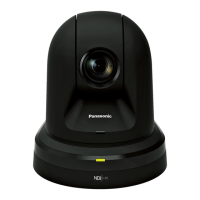
Panasonic AW-HN40HKPJ - User Manual

Panasonic AW-HN40HKPJ
56 pages
Print Icon
To Next Page IconTo Next Page
Loading...
Installation Instructions provided
Operating Instructions
<Basics>
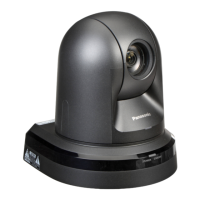
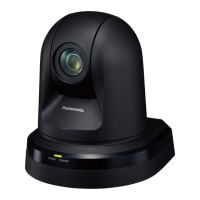
HD Integrated Camera
Model No.
AW‑HN40HWPC
Model No.
AW‑HN40HKPC
Model No.
AW‑HN40HWE
Model No.
AW‑HN40HKE
Model No.
AW‑HN38HWPC
Model No.
AW‑HN38HKPC
Model No.
AW‑HN38HWE
Model No.
AW‑HN38HKE
Operating
Instructions
Installation
Instructions
ENGLISH
CX1217TY0 -FJ
Printed in China DVQX1549ZA
Before operating this product, please read the instructions carefully and save this manual for future use.
ENGLISH
<Basics>
Before using this product, be sure to read “Read this rst!” (pages 5, 27 to 31).
This manual contains information excerpted from the Operating Instructions and the Installation Instructions.
For more information, please visit the Panasonic website (http://pro-av.panasonic.net/manual/en/index.html), and
refer to the Operating Instruction (PDF).
FRANÇAIS
Avant d’utiliser cet appareil, assurez-vous de lire la section « Lire ces informations en premier ! ».
Pour de plus amples informations, visiter le site Web de Panasonic (http://pro-av.panasonic.net/manual/en/index.
html) et consulter le mode d’emploi (PDF).
ESPAÑOL
Antes de usar este producto, asegúrese de leer “Lea este documento en primer lugar!”.
Si desea obtener más información, visite el sitio web de Panasonic (http://pro-av.panasonic.net/manual/en/index.
html) y consulte las instrucciones de funcionamiento (PDF).
DEUTSCH
Bitte lesen Sie sorgfältig die „Bitte lesen Sie zuerst diesen Hinweis!“ vor der Nutzung dieses Produkts.
Weitere Informationen nden Sie auf der Panasonic-Webseite (http://pro-av.panasonic.net/manual/en/index.html)
und in der Bedienungsanleitung (PDF).
ITALIANO
Prima di utilizzare il prodotto, assicurarsi di leggere “Leggere prima quanto segue!”.
Per maggiori informazioni, per favore visitare il sito web Panasonic (http://pro-av.panasonic.net/manual/en/index.
html), e fare riferimento alle istruzioni per l’uso (PDF).
PУССКИЙ
Перед использованием данного прибора ознакомьтесь с информацией в разделе «Прочитайте
нижеследующее до начала эксплуатации!».
Для получения дополнительной информации посетите веб-сайт Panasonic (http://pro-av.panasonic.net/
manual/en/index.html), а также обратитесь кинструкции по эксплуатации (PDF).

Questions and Answers

  • J
    Jody JohnsonAug 13, 2025
    What to do if my Panasonic AW-HN40HKPJ Security Camera has no power?
    • J
      joneskennethAug 13, 2025
      If your Panasonic Security Camera is not receiving power, ensure the AC adapter is securely connected to the AC outlet and that the power plug of the AC adapter is properly connected. If you are using PoE+ (IEEE802.3at), verify that the network cable for the compatible power supply device and the unit are correctly connected. Power may not be supplied if the total power limit is exceeded on power supply devices that allow connections to multiple PoE+ terminals.
  • A
    Amy CooperAug 17, 2025
    How to troubleshoot a Panasonic AW-HN40HKPJ with no power?
    • D
      deniserodriguezAug 17, 2025
      First, check if the AC adapter is securely connected to the AC outlet and if the power plug of the AC adapter is properly connected. Also, verify that the network cable for the PoE+ (IEEE802.3at) compatible power supply device and the unit are correctly connected. If you are using power supply devices that allow connections to multiple PoE+ terminals, the total power limit may be exceeded, preventing power supply. In this case, consult the operating instructions for the PoE+ power supply device.
  • C
    christopherschwartzAug 20, 2025
    What to do if my Panasonic AW-HN40HKPJ won't operate with the remote or controller?
    • R
      richardharrisAug 20, 2025
      If your Panasonic Security Camera is not responding to the wireless remote control or controller, ensure the power is on. Check if the limiter functions have been set and verify that you have selected the correct unit to operate.
  • K
    kcarrAug 25, 2025
    Why is my Panasonic AW-HN40HKPJ not operating with the wireless remote control?
    • J
      jennifer95Aug 25, 2025
      If your Panasonic Security Camera is not operating with the wireless remote control, check if the remote control batteries are depleted or installed with reversed polarities. Also, verify the IR ID setting. If there is a fluorescent light or plasma monitor nearby, ensure its light isn't interfering with the wireless remote control signal light-sensing area.
  • S
    Steven HarrisAug 28, 2025
    What should I do if my Panasonic AW-HN40HKPJ isn't working with the controller?
    • S
      Sharon ShawAug 28, 2025
      If you're experiencing issues operating your Panasonic Security Camera with the controller, first ensure the unit is properly connected to the controller. If you are using AW-RP50, AW-RP120, and AK-HRP200 remote camera controllers connected in a network, the user authorization must be set to OFF. Also, make sure all cameras in the daisy-chain connection are turned on.
  • P
    Paige JacksonAug 31, 2025
    Why does the status lamp on my Panasonic AW-HN40HKPJ Security Camera flash red continuously?
    • K
      Kara WilsonAug 31, 2025
      If the status display lamp on your Panasonic Security Camera flashes red continuously, the PoE+ power supply conditions may not meet the specifications. Check the power supply device.
  • R
    Ronnie ClarkSep 4, 2025
    What does it mean when the status lamp on my Panasonic AW-HN40HKPJ flashes red several times?
    • D
      Daniel RoweSep 4, 2025
      If the status display lamp on your Panasonic Security Camera flashes red several times, it indicates an error, such as attempting a recording operation without an SD card inserted. Check the event log to identify the specific error.
  • K
    kristinaclarkSep 8, 2025
    Why does my Panasonic Security Camera turn in the opposite direction?
    • V
      Veronica StaffordSep 8, 2025
      If your Panasonic Security Camera turns in the opposite direction to the one operated, check if the stand-alone (Desktop) installation setting has been selected correctly.

Panasonic AW-HN40HKPJ Specifications

General IconGeneral
Camera TypePTZ Camera
Optical Zoom20x
Digital Zoom10x
Image Sensor1/2.8-type MOS
Horizontal Resolution1, 000 TV lines
Tilt Angle-30° to 90°
Pan/Tilt RangeTilt: -30° to +90°
Video OutputHDMI, 3G-SDI
ND Filter1/4 ND, 1/16 ND
IP StreamingH.264, JPEG
Network ProtocolsTCP/IP, HTTP, RTSP
Power SupplyAC 100 V to 240 V, 50/60 Hz
Operating Temperature0 °C to 40 °C

Related product manuals