EasyManua.ls Logo

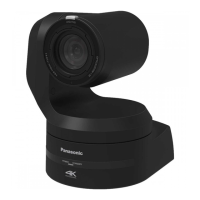
Panasonic AW-HE60 - User Manual

Panasonic AW-HE60
60 pages
Print Icon
To Next Page IconTo Next Page
Loading...
PGQX1222WA/C1(E)
PN0912MS3063 -PS
Printed in China
Before operating this product, please read the instructions carefully and save this manual for future use.
Installation Instructions provided
Operating Instructions
<Basics>
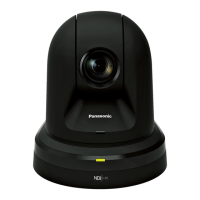
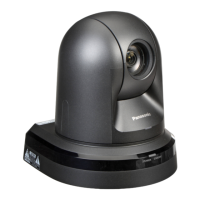
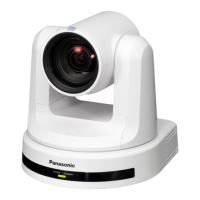
HD Integrated Camera
Model No.
AW‑HE60HN
Model No.
AW‑HE60SN
Model No.
AW‑HE60HE
Model No.
AW‑HE60SE
HowtheOperatingInstructionsareconfigured
<Basics> (this manual):
This <Basics> describes the procedure for basic operation and installation. Before installing this unit, be
sure to take the time to read through <Basics> to ensure that the unit will be installed correctly.
This manual <Basics> is also contained as a PDF file on the CD-ROM supplied with the unit.
<Operations and Settings>:
The <Operations and Settings> describes how to operate the unit and how to establish its settings.
The <Operations and Settings> is contained as a PDF file on the CD-ROM supplied with the unit.
Adobe
®
Reader
®
isrequiredtoreadPDFfiles.
It can be downloaded from the home page of Adobe Systems.
DieBedienungsanleitungin
DeutschistalsPDF-Dateiinder
CD-ROMenthalten.
Le
moded’emploienfrançaisest
fournisousformedefichierPDFsur
leCD-ROM.
Le
istruzioniperl’usoinitaliano
sonocontenuteinunfilePDFsul
CD-ROM.
Las
instruccionesdefuncionamie
nto
enespañolseencuentranenun
archivoPDFdelCD-ROM.
Документ Инструкция по эксплуатации
на русском языке находится в виде
PDF-файла на диске CD-ROM.
Operating
Instructions
Installation
Instructions
ENGLISH

Questions and Answers

  • D
    dpeckAug 15, 2025
    How to fix no access from web browser on Panasonic AW-HE60?
    • J
      Jamie Jones PhDAug 15, 2025
      To resolve the issue where no access is possible from the web browser, ensure a category 5 or above LAN cable is connected to the LAN connector for IP control. Check if the [LINK] LED of the LAN connector is lit; if not, inspect the LAN cable for defects and verify the network connection. Confirm the unit's power is on and a valid IP address is set. If the IP address is correct, use the command prompt (ping) to check the connection. Also, ensure that 554 has not been set as the HTTP port number; use any other number except for the ones that are used by the unit.
  • E
    Elizabeth HerreraAug 18, 2025
    Why is my Panasonic Security Camera not responding to the remote control?
    • S
      Stephanie WellsAug 18, 2025
      If your Panasonic Security Camera is not operating via the wireless remote control, start by checking the batteries. Ensure they haven't run down and are installed correctly (polarities). If the status display lamp doesn't blink when operating the remote near the signal light-sensing area, replace the batteries. Also, verify that the IR ID switches are correctly set. Finally, check for interference from nearby fluorescent lights or plasma monitors affecting the signal light-sensing area.
  • L
    Lindsay DavisAug 21, 2025
    What to do if no video output from Panasonic AW-HE60?
    • V
      vprattAug 22, 2025
      If your Panasonic Security Camera isn't outputting video from VIDEO OUT, it might be because the Monitoring mode in the IP video setting on the Web screen is set to IP. When Monitoring mode is set to IP, no video will be output from VIDEO OUT.
  • J
    James RayAug 26, 2025
    Why are images not displaying correctly on Panasonic AW-HE60 Security Camera?
    • S
      Sabrina McmahonAug 26, 2025
      If your Panasonic Security Camera displays no images or the pictures are disturbed, first ensure the unit is properly connected to all other devices. If your system switches the picture when selecting the unit to operate, verify the correct unit is selected. Also, check if the video signal setting has been correctly selected.
  • R
    Rebecca BentonAug 28, 2025
    How to troubleshoot Panasonic AW-HE60 Security Camera with no power?
    • W
      Wendy VasquezAug 28, 2025
      If your Panasonic Security Camera is not receiving power, check if the AC adapter is securely connected to the AC outlet and if the power plug is properly connected. If the unit is connected to a controller, ensure it's properly connected according to the controller's operating instructions. If using the wireless remote control, refer to the troubleshooting steps for remote control issues.
  • E
    Eric MorganSep 1, 2025
    Why can't I operate my Panasonic Security Camera?
    • M
      Mr. Paul Williams MDSep 1, 2025
      If you're having trouble operating your Panasonic Security Camera using either the wireless remote control or a controller, first ensure the power is on. If the unit's status display lamp is off or lit orange, power is not being supplied. Also, check if the safe mode function has been activated or if the limiter functions have been set. Finally, verify that the correct unit to be operated has been selected.
  • A
    Amanda CoxSep 4, 2025
    What to do if Panasonic AW-HE60 cannot be operated using the controller?
    • W
      Wendy DiazSep 4, 2025
      If you're unable to operate your Panasonic Security Camera using the controller, first ensure the unit is properly connected to the controller. Refer to the controller's operating instructions for guidance. If the connection is correct, it may be necessary to upgrade the version of the controller to support the unit. Consult with your dealer for assistance.
  • J
    Joseph FlemingSep 7, 2025
    How to focus Panasonic Security Camera during zoom?
    • E
      Erika DixonSep 7, 2025
      When using manual focus on your Panasonic Security Camera, if the subject is not brought into focus during zooming, adjust the focus at the Tele end first, where the focusing accuracy is higher, and then proceed with zooming. If focusing remains difficult under certain operating conditions, consider using the auto focus setting.
  • J
    Joe MullenSep 12, 2025
    What happens if I try to adjust pan and tilt speed on Panasonic Security Camera AW?RP655/AW?RP555?
    • B
      Brittany JonesSep 12, 2025
      When using the AW?RP655 or AW?RP555 with the AW?HE60 Panasonic Security Camera, do not attempt to adjust the slowest speed at which the camera starts panning and tilting. This adjustment is unnecessary. If attempted with the AW?RP655, the LCD will continuously show adjustment underway. Press the [MENU] button to cancel. If using the AW?RP555, the [MEMORY] and [MODE] button lamps will blink continuously; operate the joystick to cancel the adjustment.

Summary

Installation Instructions

Read this first!

Essential safety and initial setup information before proceeding with installation.

Installation precautions

Details on important precautions and guidelines for safe and correct installation.

How to install and connect the unit

Step-by-step instructions for mounting, connecting cables, and securing the camera unit.

Changing the direction of the nameplate

Guide on how to adjust the nameplate orientation when the unit is ceiling-mounted.

Removing the camera

Procedure for safely disconnecting and removing the camera unit from its installation.

Stand-alone installation

Instructions for installing the unit independently, without overhead suspension.

Operating Instructions

Read this first! (For AW-HE60 HN, AW-HE60 SN)

Crucial safety information and warnings specific to AW-HE60HN/SN models.

Read this first! (For AW-HE60 HE, AW-HE60 SE)

Crucial safety information and warnings specific to AW-HE60HE/SE models.

Before use

Details on required personal computer environment and initial setup checks.

Disclaimer of warranty

Legal statement limiting Panasonic's liability for product usage and damages.

Network security

Guidelines and warnings regarding security risks when connecting the unit to a network.

Characteristics

Overview of the camera's key features, performance, and capabilities.

Controller supported

Information on compatible Panasonic controllers and potential firmware upgrade requirements.

Accessories

List of included accessories with the camera unit and their quantities.

Optional accessories

List of optional accessories available for purchase to enhance functionality.

Operating precautions

Important advice on shooting conditions, handling, and environmental factors for optimal operation.

Concerning the wireless remote control (optional accessory)

How to use the wireless remote control, including signal sensing areas and operational tips.

Parts and their functions

Detailed explanation of each part and connector on the camera unit.

Setting the remote control IDs

Instructions on how to set remote control IDs for operating multiple units.

Network settings

Steps for installing software and configuring network settings for IP control.

Troubleshooting

Common issues and their solutions for operation, video, and network problems.

Specifications

Technical details, input/output formats, power requirements, and dimensions of the unit.

Panasonic AW-HE60 Specifications

General IconGeneral
Camera TypePTZ Camera
Effective Pixels2.1 Megapixels
Zoom Ratio20x Optical Zoom
Digital Zoom10x
Sensor TypeMOS
ApertureF1.6 to F2.8
Horizontal Resolution1000 TV Lines
Operating Temperature-10°C to +50°C
Video OutputHD-SDI, HDMI
Low Light Performance0.5 lx (at F1.6, 50IRE)
Network ProtocolsTCP/IP, HTTP, RTSP, RTP
Pan/Tilt RangeTilt: -30° to +90°
Resolution Options1080p, 720p
Minimum Illumination0.5 Lux (Color)
Weight2.5 kg
Focal Length4.7 mm
Pan/Tilt Range DegreesTilt: -30° to +90°
Video Output OptionsHD-SDI, HDMI
Power SupplyDC 12V
Weight Approximate2.5 kg
Resolution1080p

Related product manuals