EasyManua.ls Logo

Panasonic C1381 - Page 18

Panasonic C1381
51 pages
Print Icon
To Next Page IconTo Next Page
To Previous Page IconTo Previous Page
Loading...
8.
Color
Purity
Adjustment
*K
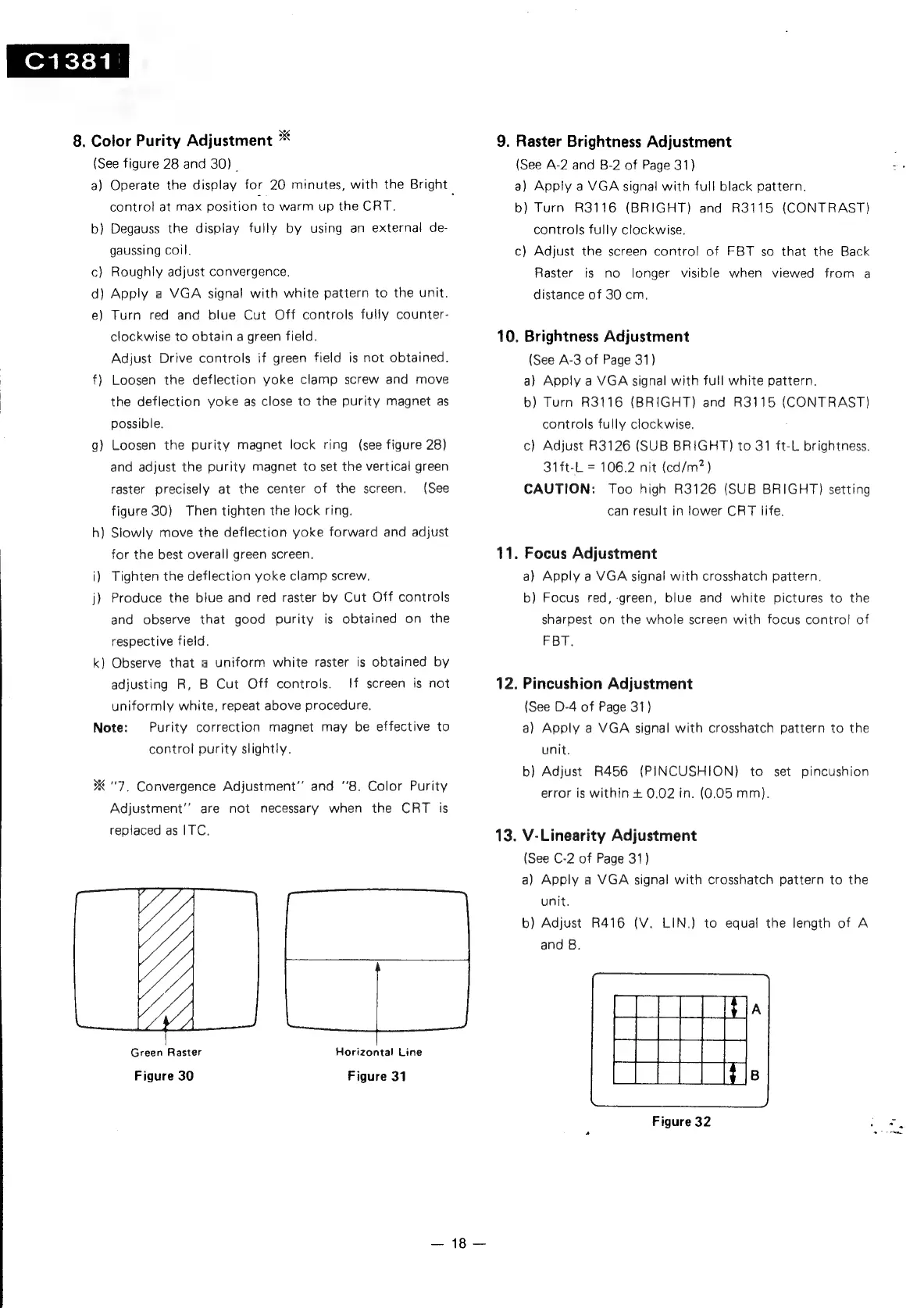
{See
figure
28
and
30)
|
a)
Operate
the
display
for
20
minutes,
with
the
Bright
|
control
at
max
position
to
warm
up
the
CRT.
b}
Degauss
the
display
fully
by
using
an
external
de-
gaussing
coil.
c)
Roughly
adjust
convergence.
d)
Apply
a
VGA
signal
with
white
pattern
to
the
unit.
e)
Turn
red
and
blue
Cut
Off
controls
fully
counter-
clockwise
to
obtain
a
green
field.
Adjust
Drive
controls
if
green
field
is
not
obtained.
f)
Loosen
the
deflection
yoke
clamp
screw
and
move
the
deflection
yoke
as
close
to
the
purity
magnet
as
possible.
g)
Loosen
the
purity
magnet
lock
ring
(see
figure
28)
and
adjust
the
purity
magnet
to
set
the
vertical
green
raster
precisely
at
the
center
of
the
screen.
(See
figure
30)
Then
tighten
the
lock
ring.
h)
Slowly
move
the
deflection
yoke
forward
and
adjust
for
the
best
overall
green
screen.
i)
Tighten
the
deflection
yoke
clamp
screw.
j)
Produce
the
blue
and
red
raster
by
Cut
Off
controls
and
observe
that
good
purity
is
obtained
on
the
respective
field.
k)
Observe
that
a
uniform
white
raster
is
obtained
by
adjusting
R,
B
Cut
Off
controls.
!f
screen
is
not
uniformly
white,
repeat
above
procedure,
Note:
Purity
correction
magnet
may
be
effective
to
control
purity
slightly.
"7,
Convergence
Adjustment’
and
‘8.
Color
Purity
Adjustment’”’
are
not
necessary
when
the
CRT
is
replaced
as
ITC.
ML
Green
Raster
Figure
30
Figure
31
Horizontal
Line
18
9.
Raster
Brightness
Adjustment
(See
A-2
and
B-2
of
Page
31}
a)
Apply
a
VGA
signal
with
full
black
pattern.
b)
Turn
R3116
(BRIGHT)
and
R3115
(CONTRAST)
controls
fully
clockwise.
c)
Adjust
the
screen
control
of
FBT
so
that
the
Back
Raster
is
no
longer
visible
when
viewed
from
a
distance
of
30
cm.
10.
Brightness
Adjustment
(See
A-3
of
Page
31)
a)
Apply
a
VGA
signal
with
full
white
pattern.
b)
Turn
R3116
(BRIGHT)
and
R3115
(CONTRAST)
controls
fully
clockwise.
c)
Adjust
R3126
(SUB
BRIGHT)
to
31
ft-L
brightness.
31ft-L
=
106.2
nit
(cd/m?)
CAUTION:
Too
high
R3126
(SUB
BRIGHT)
setting
can
result
in
lower
CRT
life.
11.
Focus
Adjustment
a)
Apply
a
VGA
signal
with
crosshatch
pattern.
b)
Focus
red,
green,
blue
and
white
pictures
to
the
sharpest
on the
whole
screen
with
focus
control
of
FBT.
12.
Pincushion
Adjustment
(See
D-4
of
Page
31)
a)
Apply
a
VGA
signal
with
crosshatch
pattern
to
the
unit.
b}
Adjust
R456
(PINCUSHION)
to
set
pincushion
error
is
within
+
0.02
in.
(0.05
mm).
13.
V-Linearity
Adjustment
(See
C-2
of
Page
31)
a)
Apply
a
VGA
signal
with
crosshatch
pattern
to
the
unit.
b)
Adjust
R416
(V.
LIN.)
to
equal
the
length
of
A
and
B.
Figure
32
f,

Related product manuals